Getting a portrait that looks like it came out of a professional 3D render used to mean months learning Blender, a powerful GPU, and hours of tweaking materials and lighting. With an AI 3D portrait generator, you describe the result you want and get render-quality output in seconds. This guide walks you through exactly how to do it — with real prompts you can copy.
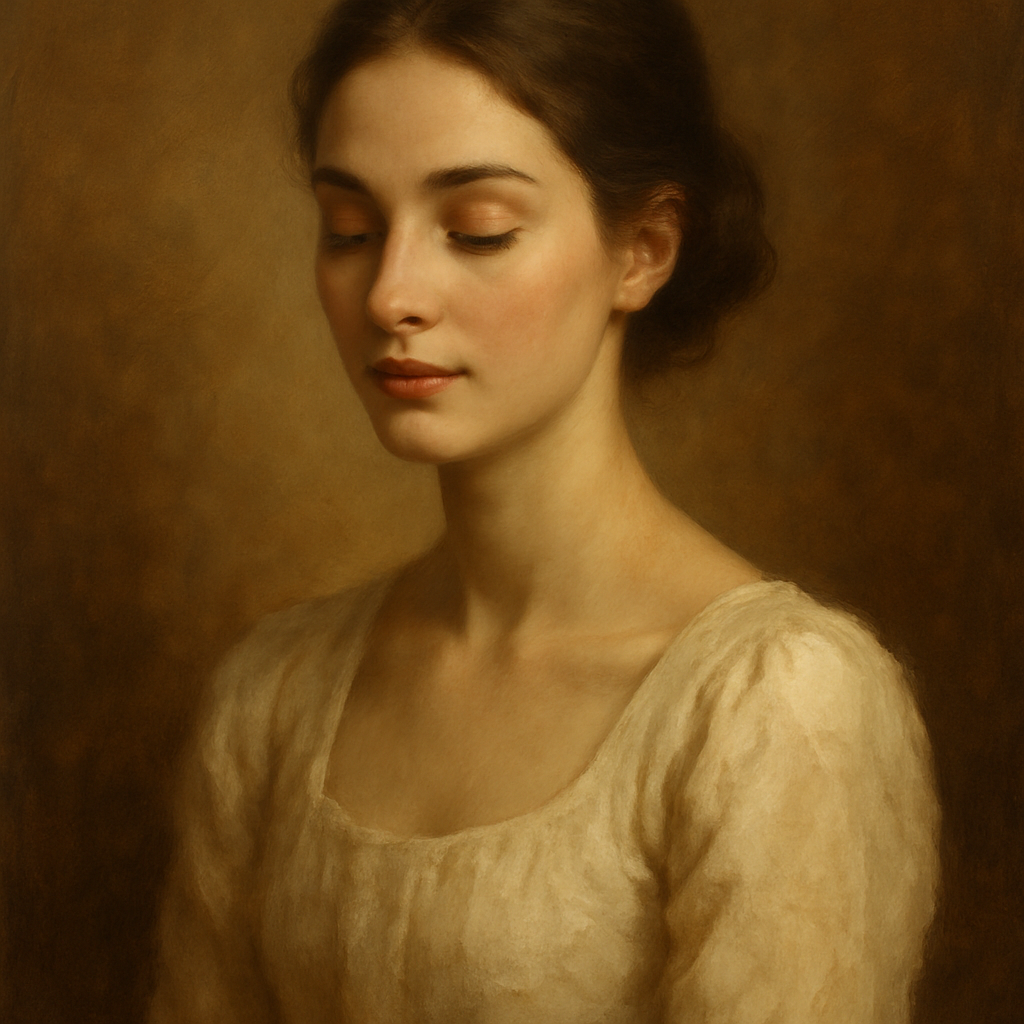
Quick answer: An AI 3D portrait generator creates portraits with realistic depth, dimensional shading, and studio-quality lighting from a plain-English description. No 3D software, no rendering time, no subscription required. Describe the subject, the lighting, and the render style — and you get the image.
What Makes a Portrait Look "3D-Rendered"
A 3D-style portrait is defined by three visual properties: depth, lighting, and surface detail. When all three are present, the human eye reads the image as dimensional — even when it's technically a flat file.
- Depth — background blur (depth of field), foreground-to-background separation, and the way features recede in space
- Lighting — hard light sources that cast shadows, rim lighting that separates the subject from the background, and soft fill that models facial structure
- Surface detail — pore-level skin texture, subsurface scattering (the warm glow under skin when light passes through it), realistic eye reflections
When you write a prompt for an AI 3D portrait generator, your job is to tell the AI which of these qualities to emphasize and how. The more specific your prompt, the closer the output lands to what you're picturing.
Step-by-Step: How to Generate a 3D Portrait
Follow these four steps to go from a blank prompt to a render-quality result.
Step 1 — Describe the subject clearly
Start with the basics: age range, gender expression, ethnicity if relevant, hair, and any defining features. Vague subjects produce generic results.
Step 2 — Set the lighting
Lighting is the single biggest factor in whether a portrait reads as 3D. Choose one of these setups and name it explicitly in your prompt:
- Rim lighting — bright edge light separating subject from a dark background
- Volumetric lighting — visible light rays, dramatic and cinematic
- Three-point studio lighting — clean, commercial, even
- Golden hour side light — warm, directional, natural-looking
Step 3 — Specify the render style
Tell the AI the visual language you want. Words like octane render, ray tracing, photorealistic CGI, hyperrealistic, and cinematic steer the output toward the 3D aesthetic reliably.
Step 4 — Add surface and detail cues
Finish with texture and detail words: pore-level detail, subsurface scattering, sharp focus, 8K, depth of field. These signal that you want a high-fidelity result, not a painterly or stylized one.
Prompt Templates You Can Copy
Here are three ready-to-use prompts for different 3D portrait styles.
Hyperrealistic CGI portrait: "Hyperrealistic 3D portrait of a woman in her 30s, sharp cheekbones, dark curly hair, rim lighting against a deep navy background, subsurface scattering on skin, pore-level detail, octane render, 8K, shallow depth of field"
Cinematic hero shot: "Cinematic 3D portrait of a man in his 40s, weathered face, short silver beard, dramatic volumetric side lighting, ray tracing, photorealistic skin texture, dark atmospheric background, depth of field"
Clean commercial look: "Photorealistic 3D portrait of a young woman, natural makeup, soft three-point studio lighting, clean white background, subsurface scattering, sharp focus, hyperrealistic, professional headshot quality"
Each of these follows the same structure: subject → lighting → render style → detail cues. Adjust any element and the output shifts with it.
Common Mistakes That Flatten the Result
The most common reason a portrait loses its 3D feel is vague lighting instructions. "Good lighting" or "professional lighting" aren't specific enough — the AI defaults to something flat and even. Here's what to avoid:
- Skipping the lighting descriptor entirely — produces flat, evenly-lit faces with no dimensional shadow
- Overloading conflicting styles — mixing "watercolor" with "octane render" confuses the output
- Generic background instructions — "nice background" gives you nothing useful; "deep charcoal gradient background with rim light separation" gives you a 3D result
- No surface detail cues — without words like subsurface scattering or pore-level detail, skin often looks plastic or smooth in a way that reads as low-quality CGI rather than photoreal
A quick self-check before you generate: does your prompt tell the AI what the light source is, where it's coming from, and what the skin should look like up close? If you can answer yes to all three, you're ready.
Why Pay-Per-Image Makes Sense for Portrait Projects
Generate your first 3D portrait →
Most portrait projects aren't monthly — they're occasional. A LinkedIn headshot refresh, a speaker bio image, a product avatar, a creative profile picture. Paying $10/month for a subscription you'll use once or twice makes the cost-per-image much higher than it looks.
| Usage pattern | Midjourney Basic ($10/mo) | ATXP Pics (pay-per-image) | |---|---|---| | 5 images/month | $2.00/image | ~$0.05–0.10/image | | 20 images/month | $0.50/image | ~$0.05–0.10/image | | 0 images one month | $10.00 wasted | $0.00 |
ATXP Pics charges a few cents per image. Your balance never expires, so if you generate ten portraits today and don't come back for two months, you haven't paid anything extra. No subscription. No monthly charge. No payment required to sign up.
For portrait work especially — where you might generate a dozen variations to find the right one — that math adds up fast.
What to Do With Your 3D Portrait
Once you have a render-quality portrait, the use cases are broader than they might seem:
- Professional headshots — drop into a LinkedIn profile, speaker bio, or email signature
- Brand avatars — consistent, polished identity across social channels
- Creative projects — book covers, album art, character concept sheets
- Presentations and pitch decks — custom imagery that doesn't look like stock photos
- Social media content — high-quality visuals for profile images or posts
Because the output is a standard image file, it works anywhere a photo would work. You can also iterate quickly — change the lighting, the background, or the subject description and generate again in seconds.
Getting render-quality 3D portraits no longer requires a 3D software learning curve or a high-end workstation. Describe the subject, name the light, specify the render style, add detail cues — and the AI does the rest.