You're about to order 500 business cards and you're not entirely sure the design is right. An AI business card image generator lets you see exactly what your card will look like — before a single card gets printed. This guide walks you through how to do it, prompt by prompt.
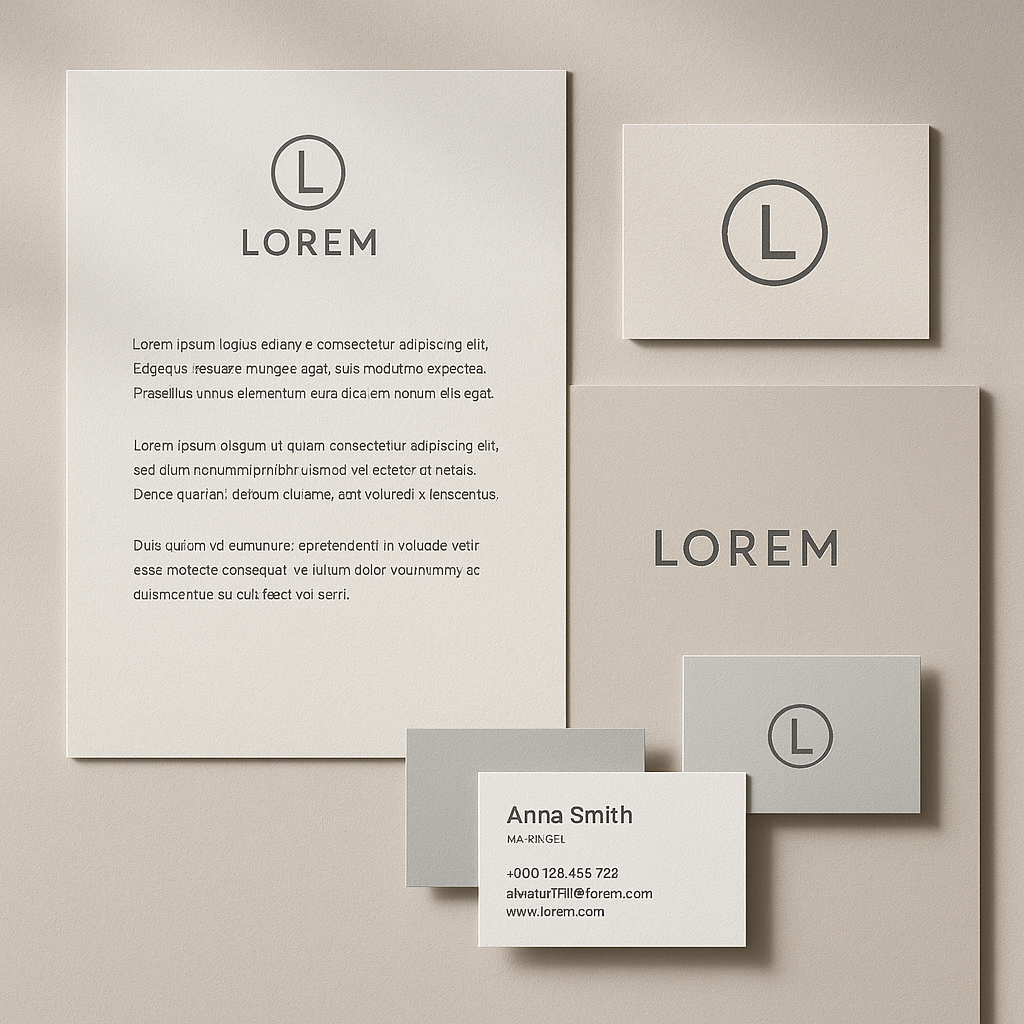
Quick answer: Type a description of your business card — name, title, colors, style — into an AI image generator and get a photorealistic mockup in seconds. ATXP Pics charges a few cents per image with no subscription, so you can generate a dozen variations for less than the cost of a coffee and arrive at your final design with confidence.
Why Visualize Your Business Card with AI Before Printing
Printing mistakes are expensive. A run of 500 cards costs $30–$80 depending on the printer, and if the layout is off, the font is too small, or the color looks wrong on paper, you're reprinting. Spending a few cents to generate five or ten card concepts first is an easy way to catch problems before they cost you real money.
Beyond avoiding errors, AI mockups are genuinely useful for:
- Getting sign-off from a client, partner, or manager before committing to print
- Comparing two brand directions side by side without hiring a designer for each option
- Briefing your printer or designer with a clear visual rather than a vague description
- Exploring styles you haven't tried — luxury foil, minimalist black-and-white, bold color blocks — without any design software
What to Include in Your Business Card Prompt
The more specific your description, the closer the result will be to your actual vision. A vague prompt like "a business card for a photographer" will produce something generic. A detailed prompt produces something you can almost hand straight to a printer.
Here's a framework for what to include:
Identity details
Name, job title, company name, and any tagline you use.
Visual style
Think about the aesthetic: minimalist, luxury, bold, corporate, creative, earthy, tech-forward. Pick one or two words that describe your brand.
Colors
Name your brand colors specifically — "navy blue and gold," "forest green and cream," "black with a red accent." If you have hex codes, include them.
Layout and orientation
Horizontal or vertical card? Logo top-left or centered? Contact info on the back?
Special finishes (optional)
Describing a finish — "matte texture," "embossed logo," "gold foil on black cardstock" — helps the generator produce a more realistic mockup.
Example prompt: "A horizontal business card for Sarah Chen, UX Designer at Forma Studio. Minimalist layout. Dark navy background, white text, small geometric logo in the top-left corner. Clean sans-serif font. Bottom-right: email and phone number. Matte finish. Professional and modern."
How to Generate Your Business Card Concept: Step by Step
- Go to ATXP Pics and add a small balance. No subscription required — a few dollars covers dozens of card iterations.
- Write your prompt using the framework above. Include name, title, colors, style, and layout.
- Generate your first image. Look at what came back and identify the one or two things you'd change.
- Revise your prompt to address those specifics. If the font looks too decorative, add "clean modern sans-serif." If the layout feels crowded, add "minimalist, lots of white space."
- Repeat until you have 2–3 strong candidates. Most people arrive at a final direction within 5–8 images.
- Screenshot or download your favorite. Use it to brief your designer or printer, share it for approval, or hand it to a print shop alongside your finalized text.
Common Mistakes to Avoid
Don't skip the style descriptor. "A business card for a lawyer" gives the generator very little to work with. "A business card for a lawyer — dark charcoal and gold, traditional serif font, understated and authoritative" produces something useful.
A few other things that trip people up:
- Overloading the prompt with too many competing styles. Pick one aesthetic direction per generation. If you want to compare two styles, run two separate prompts.
- Forgetting the orientation. The generator defaults to whatever seems natural from your description. If you have a preference, say "horizontal card" or "vertical layout" explicitly.
- Expecting a print-ready file. The output is a high-quality image — great for visualization and approvals, but not a vector file. Use it to nail your direction, then hand the concept to a designer for final production files.
- Not iterating. The first result rarely needs to be the final one. Generating five or six variations costs less than a dollar and gives you real options to choose from.
Comparing Costs: AI Mockup vs. Traditional Design
| Approach | Estimated cost | Time to first visual | |---|---|---| | Hire a freelance designer | $50–$200 for initial concepts | 1–3 days | | Use design software yourself | $20–$55/month (subscription) | Hours, if you know the tools | | Print first, ask questions later | $30–$80 per run | Next day — but too late to change | | ATXP Pics AI mockup | A few cents per image, no subscription | Seconds |
The AI mockup isn't replacing your designer for the final file — it's replacing the back-and-forth that happens before a designer opens their software. You arrive at the conversation knowing exactly what you want.
Generate your business card concept →
What to Do With Your AI Business Card Image
Once you have a mockup you're happy with, here's how to put it to work:
- Send it to your printer as a reference image alongside your text and specs
- Share it with a designer to produce the print-ready vector file — they'll know exactly what you're after
- Post it in a Slack channel or email thread to get quick approval from stakeholders
- Drop it into a presentation if you're pitching a rebrand or new brand identity to a client
The image you generate isn't just a test — it's a communication tool.
Designing your business card shouldn't require guesswork or expensive reprints. An AI business card image generator lets you see your card clearly, iterate on the details, and move forward with confidence — all before you spend a cent on printing. No subscription, no design software, no minimum commitment.