Charcoal portraits have a weight and drama that clean digital illustrations rarely match — dark shadows, soft blended midtones, the rough bite of textured paper. If you want that look without setting up a physical studio or commissioning a traditional artist, an AI charcoal drawing portrait generator can produce it from a text description alone.
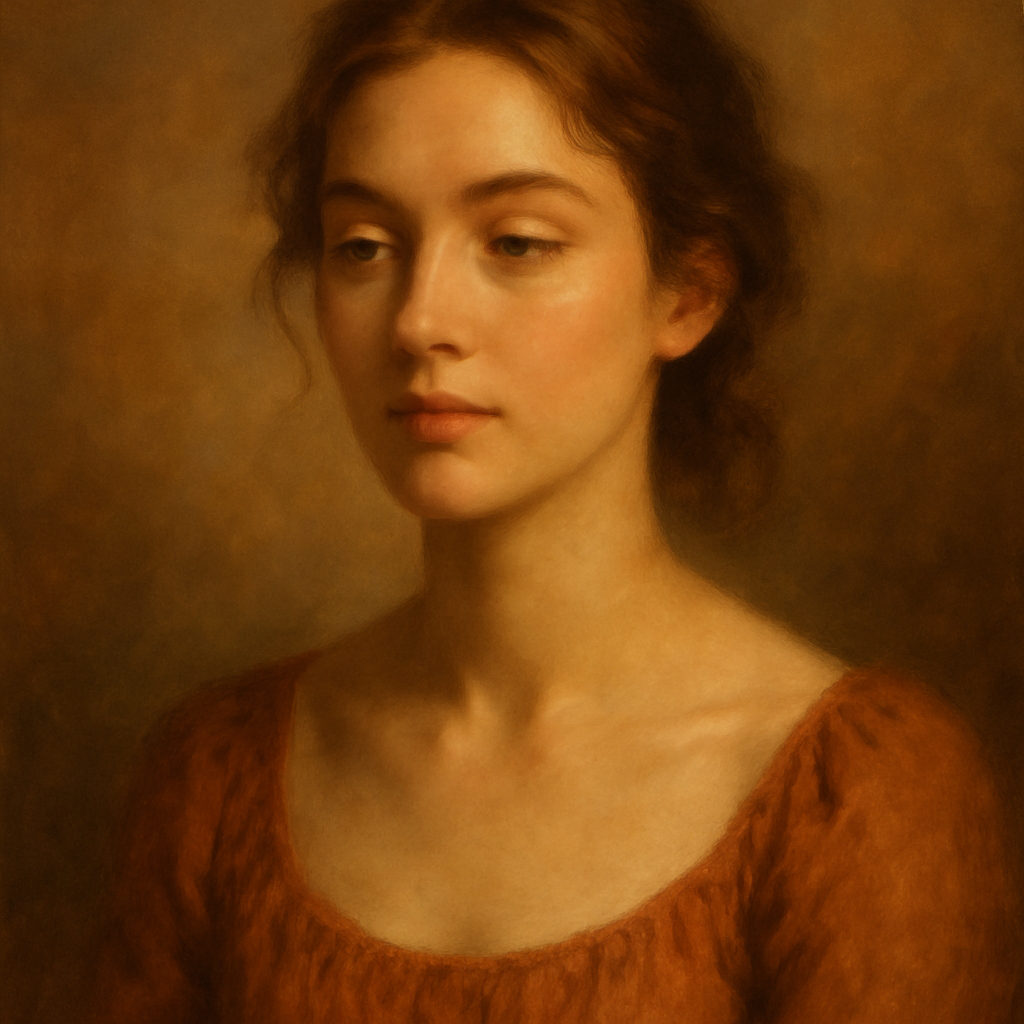
This guide walks through exactly how to write prompts that get convincing charcoal results, the style variables worth controlling, and common mistakes that flatten the effect.
Quick answer: Type a description of your subject, add "charcoal drawing portrait on textured paper with dramatic side lighting and blended shading" to your prompt, and an AI image generator returns a high-quality charcoal-style portrait in seconds. No drawing skills, no photo upload, no subscription required.
What Makes a Charcoal Portrait Look Like Charcoal
A convincing AI charcoal portrait depends on three visual signals: paper texture, tonal range, and tool marks. Without those three, you get a generic dark illustration, not a charcoal piece. When your prompt mentions them explicitly, the AI prioritises those characteristics.
The key signals to reference:
- Paper grain — charcoal sits on top of textured paper rather than sinking into a smooth surface
- Blended midtones — charcoal smears; transitions between light and shadow are soft, not sharp
- Erased highlights — bright areas in charcoal work often look pulled back rather than painted in
- Tool variety — compressed charcoal produces deep blacks; vine charcoal produces greys; a kneaded eraser creates soft bright spots
When you name these techniques in your prompt, the output changes noticeably. Compare:
| Prompt version | What you get | |---|---| | "charcoal portrait of a woman" | Generic dark illustration, minimal texture | | "charcoal drawing portrait, textured paper grain, blended midtone shading, erased highlights, compressed charcoal darks" | Realistic charcoal aesthetic with visible paper and tonal depth |
How to Write a Strong Charcoal Portrait Prompt
Start with the subject, then layer in the technique, then the mood. That order matters because it mirrors how an artist would approach the piece — who first, method second, feeling third.
Step 1: Describe the subject specifically
Vague descriptions produce generic faces. Include age range, key features, expression, and head angle.
Example: "Portrait of a woman in her 40s, strong jawline, looking slightly left, composed expression"
Step 2: Add the charcoal technique details
This is where most prompts underperform. Don't just say "charcoal" — name the techniques.
Example addition: "rendered in charcoal on cream textured paper, heavy cross-hatching in shadows, smooth blended midtones, bright highlights pulled back with an eraser"
Step 3: Set the lighting
Charcoal thrives on contrast. Flat front lighting kills the drama. Side lighting or Rembrandt lighting (45-degree above-and-side) creates the shadow depth that charcoal handles beautifully.
Example addition: "dramatic side lighting from the left, deep cast shadows on the right side of the face"
Step 4: Specify the background
Charcoal artists often leave backgrounds as bare paper or loose gestural strokes. Both options work.
Example addition: "plain cream paper background, minimal mark-making outside the face"
Full assembled prompt:
Portrait of a woman in her 40s, strong jawline, looking slightly left, composed expression — rendered in charcoal on cream textured paper, heavy cross-hatching in the shadow areas, smooth blended midtones, bright highlights lifted with a kneaded eraser, dramatic side lighting from the left, deep cast shadows on the right cheek and neck, plain cream paper background, fine art charcoal drawing, high detail
Style Variations Worth Exploring
Charcoal as a medium has genuine range — from loose gestural sketches to hyper-detailed academic portraits. Each variation requires slightly different prompt language.
Academic / Atelier style
Highly rendered, symmetrical lighting, close tonal study. Add: "classical atelier charcoal study, even Rembrandt lighting, full tonal range from paper white to compressed charcoal black"
Gestural / Expressive style
Loose marks, visible hand movement, emotional energy. Add: "expressive gestural charcoal sketch, visible stroke marks, loose hatching, unfinished edges"
High-contrast graphic style
Dark backgrounds, stark light. Add: "charcoal on black paper, white chalk highlights, extreme contrast, bold dramatic shadows"
Editorial / Fashion style
Clean subject, minimal background, modern feel. Add: "editorial charcoal portrait, clean paper background, refined blended shading, contemporary fine art"
Common Mistakes That Flatten Charcoal Results
The most common error is treating "charcoal" as a filter rather than a medium. Simply appending the word to an otherwise generic portrait prompt produces mediocre results.
Mistakes to avoid:
- Skipping texture language — without "textured paper" or "paper grain," results look digital even if they're dark
- Using flat lighting descriptions — "soft lighting" reads as even studio light; use "side lighting" or "Rembrandt lighting" for charcoal-appropriate contrast
- Over-specifying colour — charcoal is monochromatic; mentioning specific colours (blue eyes, red lips) pulls the output toward illustration
- Ignoring mark-making vocabulary — words like "cross-hatching," "blending," "smudging," and "lifted highlights" anchor the output in the medium's actual techniques
What This Costs Compared to Other Options
Commissioning a traditional charcoal portrait from a working artist runs $150–$500+ for a single piece. AI generation takes seconds and costs a few cents per image.
The comparison against subscription AI tools is also worth understanding:
| Option | Cost model | Cost per image (occasional use) | |---|---|---| | Midjourney Basic | $10/month | $2.00/image at 5 images/month | | ATXP Pics | Pay per image | A few cents per image, no monthly fee | | Traditional artist commission | Per piece | $150–$500+ |
If you create 5 or fewer images in a given month on Midjourney, you're paying $2.00 per image — charged whether or not you use the tool that month. ATXP Pics charges only when you generate, and your balance never expires.
For anyone who wants a charcoal portrait for a specific project — a gift, a profile image, a website header — paying per image is the straightforward option.
Refining Your Output
Expect your first prompt to be a starting point, not a final result. Even experienced users iterate 2–3 times. Each iteration, adjust one variable: tighten the lighting description, add a specific technique term, or shift the mood.
A simple refinement workflow:
- Run the full prompt as written above
- Identify the weakest element (texture not visible, shadows too flat, face too generic)
- Add one specific term targeting that weakness
- Generate again and compare
Most charcoal portrait prompts land in 2–3 iterations.
The difference between a charcoal portrait that looks authentic and one that looks like a dark photo filter is entirely in the prompt vocabulary. Name the paper, name the tools, name the techniques — and the output reflects it.