You want to see yourself — or a friend, a character from your story, or a gift recipient — rendered as an elven archer or a battle-worn knight. An AI fantasy portrait generator makes that happen in seconds, no Photoshop skills required. This guide walks you through exactly how to write prompts that get stunning results, every time.
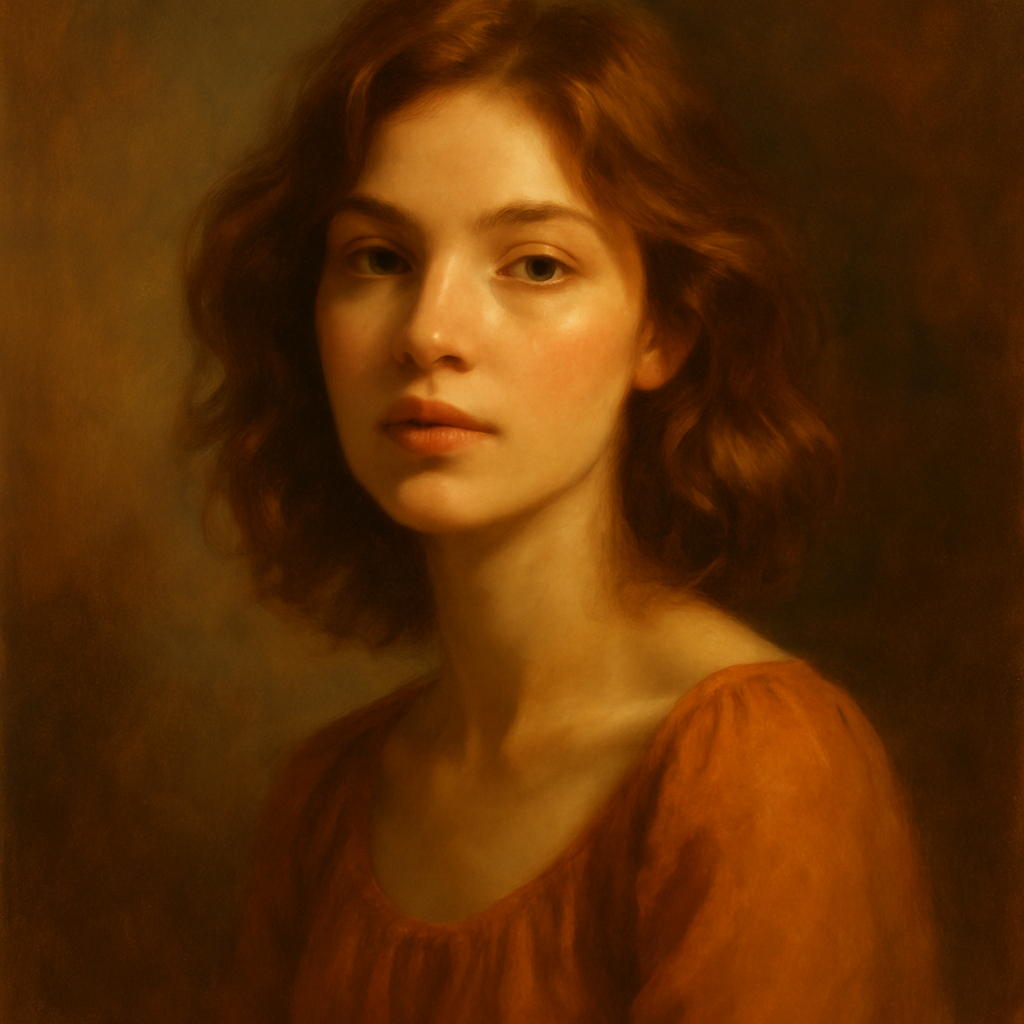
Quick answer: An AI fantasy portrait generator turns a plain-text description into a finished fantasy character portrait. Describe the person's features, the character archetype, the art style, and the mood — and you receive a high-quality image in seconds. No subscription, no design experience, and no photo upload required.
What Makes a Fantasy Portrait Prompt Actually Work
The difference between a flat result and a jaw-dropping portrait is specificity across four dimensions: the subject, the archetype, the art style, and the lighting/mood. Most people write one or two of these and wonder why the image looks generic. Cover all four and the results jump dramatically.
Those four dimensions are:
- Subject — physical features (hair color, eye color, skin tone, face shape, expression)
- Archetype — what kind of fantasy character (elven ranger, dark mage, Viking shieldmaiden, celestial paladin)
- Art style — painted portrait, digital illustration, oil painting, concept art, anime, photorealistic
- Mood/lighting — golden hour, candlelight, dramatic storm light, ethereal glow
Think of each one as a dial. Turning all four dials gives the generator a complete picture.
Step-by-Step: How to Generate Your Fantasy Portrait
Follow these steps and you'll have a hero portrait worth framing.
Step 1: Decide Who the Subject Is
Start with the person you want to transform. You don't need a photo — just note the key features that define them:
- Hair color and length
- Eye color
- Skin tone
- Any distinctive features (freckles, sharp jaw, full lips, etc.)
Even rough notes like "auburn hair, green eyes, light skin, sharp cheekbones" give the generator enough to work with.
Step 2: Choose Your Fantasy Archetype
Pick one character type and commit to it. Trying to blend too many in one prompt (half-elf pirate wizard vampire) usually muddies the result. Strong single archetypes to try:
- High Elf ranger
- Storm witch
- Imperial knight
- Sea goddess
- Dwarven runesmith
- Celestial paladin
- Shadow assassin
- Viking berserker
Step 3: Set the Art Style
The art style changes everything. "Photorealistic" gives you something that looks like a film still. "Painted fantasy portrait" reads like a book cover. "Anime" shifts the whole aesthetic. Pick one that matches what you'll use the image for.
Step 4: Add Lighting and Mood
One lighting note transforms a flat portrait into something cinematic. Options that consistently produce strong results:
- Golden hour light from the left
- Dramatic side lighting, deep shadows
- Soft ethereal glow, misty background
- Candlelight, warm and intimate
- Cold moonlight, silver tones
Step 5: Write the Full Prompt and Generate
Combine everything into one flowing description. Avoid bullet points inside the prompt — write it as a sentence or two.
Example prompt: "Portrait of a young woman with long auburn hair, sharp green eyes, and light freckled skin, dressed as a High Elf ranger in silver leaf armor, holding a glowing bow. Painted fantasy art style, dramatic side lighting with deep forest shadows in the background, detailed and cinematic."
Generate your fantasy portrait →
Common Prompt Mistakes (and How to Fix Them)
The most common reason a fantasy portrait misses is that the prompt describes the costume but forgets the face. Armor and weapons are easy — the generator handles those well by default. What makes the portrait feel personal is the human description underneath the fantasy elements.
Mistake 1: No Physical Description
Vague prompt: "A female elf warrior." Better: "A female elf warrior with dark brown skin, silver hair cropped short, and fierce amber eyes."
Mistake 2: Too Many Conflicting Styles
Vague prompt: "Photorealistic anime oil painting." Better: Pick one: "Digital concept art style" or "oil painting portrait".
Mistake 3: No Lighting Direction
Without lighting, results tend toward flat, evenly lit images. Always add a single lighting note — it costs you five words and makes a visible difference.
Mistake 4: Forgetting the Mood
Expression and mood matter. "Solemn expression, mid-battle focus" versus "warm smile, at peace" produce completely different portraits even with identical everything else.
What to Use Fantasy Portraits For
Fantasy portraits have more practical uses than most people expect. Common use cases that land well:
- Tabletop RPG character art — give your D&D or Pathfinder character a face
- Author character references — visualize a character while writing or for a book cover
- Personalized gifts — a friend rendered as their favorite fantasy archetype makes a memorable birthday gift
- Profile pictures — for gaming communities, Discord servers, or Twitch
- Creative writing inspiration — generate a face first, then write the character around it
Each of these requires only one or two images, which is exactly why a pay-per-image model works better here than a $10/month subscription you'd be paying regardless of whether you create that month.
Why No-Subscription Matters for One-Off Creative Projects
Most fantasy portrait projects involve a handful of images, not hundreds — you're finding the right character look, not running a production studio. At $10/month on a subscription tool, five images in a month costs you $2.00 each. Twenty images costs $0.50 each. Either way you're paying for capacity you didn't use.
| Usage | Midjourney Basic ($10/mo) | ATXP Pics (pay-per-image) | |---|---|---| | 5 images/month | $2.00/image | A few cents/image | | 20 images/month | $0.50/image | A few cents/image | | 0 images one month | $10.00 (still charged) | $0.00 | | Balance rollover | Resets monthly | Never expires |
For a one-time gift, a campaign of character portraits, or just experimenting with different fantasy styles, pay-per-image is straightforwardly cheaper.
Your Fantasy Portrait in Under a Minute
An AI fantasy portrait generator works best when you give it four things: who the person is, what fantasy archetype they're becoming, what art style you want, and how the scene is lit. Nail those four and the image will surprise you.
Final prompt template: "Portrait of [physical description], dressed as a [fantasy archetype] in [costume detail]. [Art style], [lighting description], [mood or expression], highly detailed."
Start with one character, iterate on the lighting or expression, and you'll have a hero-worthy portrait in minutes.