Your dating profile photo is doing a job before you say a single word — and an AI headshot can either help or hurt depending on how you use it. This guide covers exactly what makes an AI headshot for a dating profile look genuine, what makes it read as fake at a glance, and how to prompt your way to a result that actually gets matches.
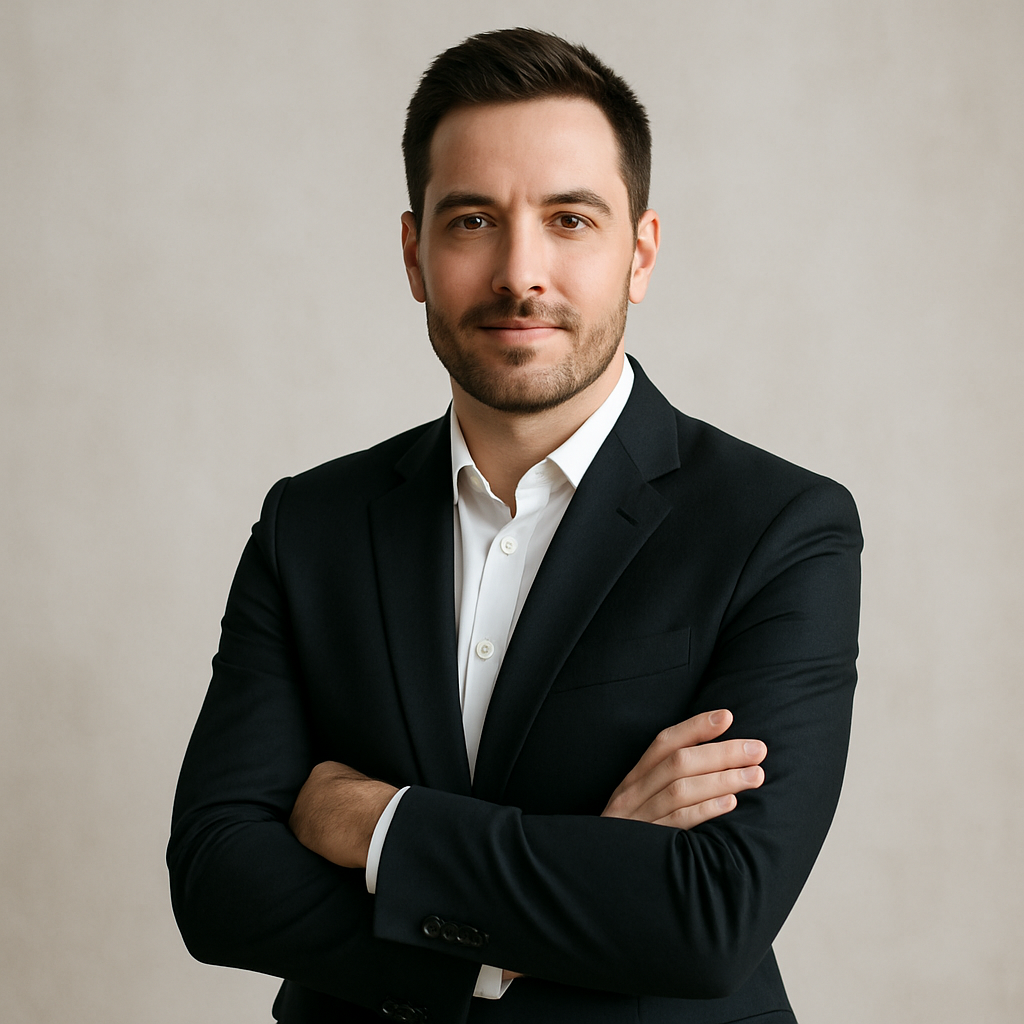
Quick answer: An AI headshot works on a dating profile when it looks like you in good lighting with a natural expression. It fails when it looks like a stock photo of someone who vaguely resembles you. The goal is "best version of yourself" — not "entirely different person."
Why AI Headshots on Dating Profiles Go Wrong
The most common failure is over-perfection. When someone requests a headshot without any specific guidance, AI defaults to smooth skin, perfectly even lighting, symmetrical features, and a background that looks like a photography studio. Every single one of those outputs is a red flag to anyone who's been on a dating app for more than a week.
People are pattern-matching for authenticity. They've seen enough AI faces to recognize the uncanny valley — the slight wrongness in eyes that are too clear, or teeth that are too even, or hair that has too much texture. The fix isn't avoiding AI; it's prompting for realism instead of idealization.
What a Genuine AI Dating Headshot Actually Looks Like
A realistic AI headshot looks like a photo someone took of you on a good day — not a photo shoot. Specific qualities that read as authentic:
- Natural lighting: golden hour sunlight, soft window light, or warm indoor ambient. Avoid studio lighting unless you're specifically a photographer.
- Slight asymmetry: real faces aren't perfectly symmetrical. Prompts that avoid the word "perfect" tend to produce better results here.
- A candid or near-candid expression: a half-smile, a laugh mid-sentence, or looking slightly off-camera all read as more genuine than a direct-to-camera grin.
- A real setting: a coffee shop, a park bench, a kitchen. Anything that places you in an actual moment rather than in front of a seamless backdrop.
- Clothes you'd actually wear: don't prompt for a blazer if you're a hoodie person. Mismatched style between your photo and who shows up on the date is its own red flag.
How to Prompt for an AI Headshot That Gets Matches
Write your prompt like you're describing a candid photo someone took of you, not a portrait session. Here's the structure that works:
- Describe yourself accurately — approximate age, hair color, general features. Don't describe who you wish you were; describe who you are.
- Set the scene — where are you? What's the light source? What are you wearing?
- Specify the expression — "relaxed smile," "looking slightly left of camera," "mid-laugh."
- Add one imperfection signal — "natural skin texture," "slight stubble," "hair a little wind-blown." This single addition does more to kill the AI-fake look than almost anything else.
- State what you want to avoid — "not retouched, not studio lighting, not perfectly symmetrical."
Copy-able prompt example: "Headshot of a man in his early 30s with dark brown hair and light stubble, wearing a navy henley, sitting at an outdoor café table in warm late-afternoon sunlight. He's looking slightly off-camera with a relaxed half-smile. Natural skin texture, slightly wind-blown hair. Candid, not retouched, not posed."
Generate 3–4 variations with slight wording differences and pick the one that feels most like a photo a friend would have taken of you.
Ready to try it? Generate your dating profile headshot → — no subscription, no monthly fee, a few cents per image.
The "Too Good to Be True" Checklist
Before you upload anything to a dating app, run the result through this quick check:
| Element | Passes | Fails | |---|---|---| | Skin texture | Visible pores, natural variation | Airbrushed, plastic-looking | | Eyes | Realistic color, slight natural asymmetry | Glowing, perfectly identical | | Background | Recognizable real-world setting | Blurred-out gradient or studio backdrop | | Expression | Candid, relaxed, slightly imperfect | Broad symmetrical smile, intense stare | | Lighting | Single natural source | Perfectly even light from all directions | | Clothing | Something you'd actually wear | Generic "professional" or idealized outfit |
If your image fails two or more of these, reprompt before you upload.
What You Should and Shouldn't Change
Improving how you look in a photo is different from replacing how you look. Here's a clear line:
Fair game
- Better lighting than your bathroom selfie provides
- A more flattering background than your cluttered desk
- A natural, relaxed expression instead of your "I hate photos" grimace
- A cleaner, more polished version of clothes you actually own
Where it crosses a line
- Changing your body type or height
- Looking 10 years younger than you are
- Altering your face significantly enough that you won't be recognized in person
- Adding features (jawline, hair, eyes) that simply aren't yours
The practical reason to stay honest isn't moral — it's strategic. If someone matches with a photo and then meets someone who looks different, you've already lost. The goal is to get matches with people who want to meet you.
Common Mistakes to Avoid
Don't use the word "attractive" or "handsome" in your prompt — these push the output toward the AI's default idealized face, which is the thing you're trying to avoid. Describe your actual features instead.
Don't generate just one image. Generate at least four and pick the most realistic one — not the most flattering. The most flattering is usually the least believable.
Don't ignore the background. A floating-head-on-white-background result is a dead giveaway. Always set a scene.
Don't skip the expression note. "Smiling" without further instruction produces a toothpaste-ad smile every time. Be specific: "closed-mouth smile," "mid-laugh," "thoughtful expression."
One More Thing: Use It as a Starting Point
An AI headshot for a dating profile works best when it inspires your real photos, not when it replaces them entirely. Use the result to understand what lighting angle works for you, what setting feels authentic, what expression looks most natural. Then take that actual photo in the real world — or use the AI version as your secondary photo while a genuine one leads.
Dating apps reward consistency between photos. A mix of a polished AI headshot and a few casual real photos is often the most effective profile — it shows range and builds trust at the same time.
Try the AI headshot generator → — describe yourself, describe the setting, and get a result in seconds. No subscription required, and your balance never expires.