Clients judge you before they read a single word of your bio. Your headshot on LinkedIn, your firm's website, or a brokerage profile is often the first signal of whether you're someone worth trusting with their money. This guide shows you exactly how to create a professional AI headshot for a financial advisor profile — one that looks like it came from a studio session, not a smartphone in bad lighting.
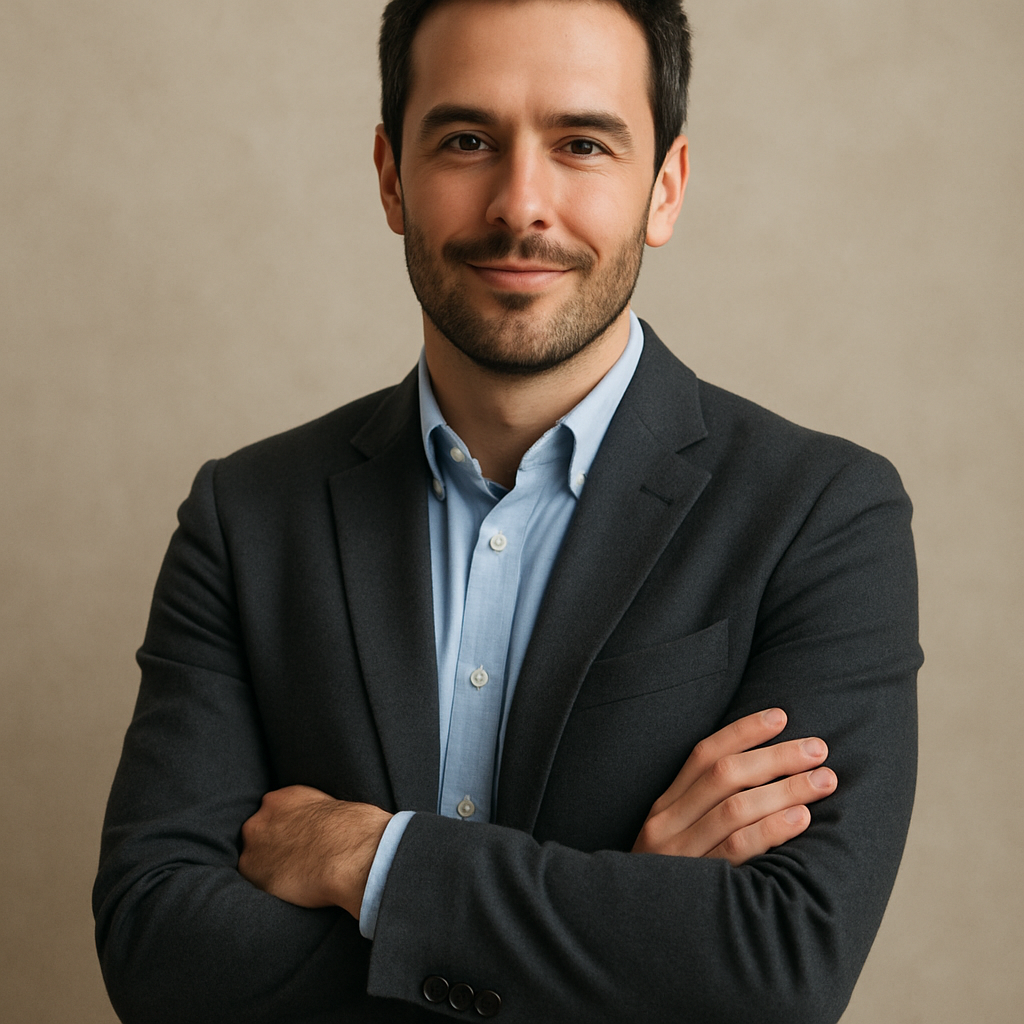
Quick answer: An AI headshot for a financial advisor is a text-to-image generation — you describe the look you want (attire, background, lighting, expression), and a polished portrait is produced in seconds. No photographer, no studio booking, no subscription. At ATXP Pics, you pay a few cents per image and only pay when you create.
Why Your Headshot Matters More in Financial Services Than Almost Any Other Field
Trust is the product financial advisors sell — and visual credibility is the fastest shortcut to establishing it. Research consistently shows that people form first impressions in under 100 milliseconds. On a LinkedIn profile or advisor directory, that impression is almost always the headshot.
A blurry, outdated, or awkwardly casual photo doesn't just look unprofessional — it actively raises doubt. Clients wonder: if this person doesn't invest in presenting themselves well, how carefully do they manage my portfolio?
The standard you're competing against is a clean, well-lit portrait with appropriate attire and a neutral or simple background. That's exactly what a well-constructed AI headshot delivers.
What Makes a Financial Advisor Headshot Look Trustworthy
The most trustworthy financial advisor headshots share four consistent traits: a neutral or soft background, business or business-casual attire, direct eye contact with a natural expression, and even, professional lighting.
Here's how those translate into prompt decisions:
- Background: Light gray, white, or a soft office blur. Avoid busy environments or outdoor settings unless your brand is specifically built around approachability.
- Attire: Match your actual client base. Conservative wealth management clients expect a suit. Independent RIAs serving younger clients can go blazer and open collar. Be specific — vague prompts produce generic results.
- Expression: "Confident, approachable smile" outperforms "smiling" in a prompt. The qualifier tells the generator what kind of smile matters.
- Lighting: "Soft studio lighting" or "even professional lighting" consistently produces the clean, shadow-free look that reads as intentional rather than accidental.
Step-by-Step: How to Generate Your AI Headshot
Getting a polished result takes about five minutes and a bit of prompt specificity. Here's the process:
-
Decide on your look before you write the prompt. Think about what you wear to client meetings. Think about the background color on your firm's existing team page (matching it makes you look like you belong). Nail these decisions first, then write.
-
Write a specific, visual description. Don't say "professional headshot." Say what the professional looks like — attire, background, lighting, expression, framing.
-
Generate a few variations. At a few cents per image, there's no financial reason to settle for the first result. Try two or three prompt variations and pick the best.
-
Check the details. Zoom in on the collar, the background edges, and the face. Look for anything that reads as off. If something bothers you, adjust the prompt and regenerate.
-
Use it consistently across platforms. The same headshot on LinkedIn, your firm site, your email signature, and your business card creates a coherent professional identity.
Prompt Template for a Financial Advisor Headshot
Professional headshot of a [man/woman] in [age range], wearing a [navy/charcoal/etc.] [suit jacket/blazer] with a [white dress shirt / open collar / etc.]. Soft studio lighting, light gray background, looking directly at the camera with a confident and approachable expression. Shoulders and head framed in portrait orientation. Photorealistic, sharp focus.
Swap the bracketed variables for your specifics. The more concrete the description, the more the output looks like a deliberate portrait rather than a generic face.
Generate your financial advisor headshot →
Common Mistakes That Make AI Headshots Look Unprofessional
The most common mistake is an underspecified prompt — writing "professional headshot" and expecting the generator to fill in the right context. It will produce a professional headshot, but not necessarily your professional headshot.
Watch for these specific issues:
- Inconsistent lighting — fix by adding "even, soft studio lighting, no harsh shadows" to your prompt
- Distracting background — fix by specifying "clean light gray background" or "simple white background"
- Expression that reads as stiff — fix by adding "natural, relaxed expression" or "warm, approachable smile"
- Framing that's too wide or too tight — fix with "head and shoulders portrait, standard headshot framing"
If a result has any of these problems, don't force it. Adjust the prompt and regenerate. At cents per image, iteration is cheap.
The Cost Comparison: AI Headshot vs. Professional Photography
A traditional headshot session with a photographer runs $150 to $500 for a one-hour session, often yielding 5–10 final edited images. That's $30–$100 per usable photo before you factor in scheduling, travel, and the wait for edited files.
| Option | Upfront Cost | Cost Per Image | Time to Result | |---|---|---|---| | Professional photographer | $150–$500 | $30–$100 | 1–2 weeks | | AI headshot (ATXP Pics) | No minimum | A few cents | Under a minute | | DIY phone photo | $0 | $0 | Immediate, but shows |
No subscription. No monthly fee. Your balance never expires. You pay only when you generate — which means if you need one headshot today and nothing for six months, you're charged for one headshot.
For advisors at independent RIAs, small firms, or those building their own personal brand alongside a larger firm, this math is straightforward.
When a Photographer Still Makes Sense
An AI headshot is the right call for most advisor profile needs — LinkedIn, directory listings, email signatures, website bios. It's fast, polished, and costs almost nothing.
A traditional photographer still makes sense when:
- You need a library of action shots, candid office photos, or team imagery for a full website redesign
- Your firm requires photos taken on a specific branded background with controlled consistency across 20+ team members
- You're producing print collateral at large formats where photographic quality at high resolution is non-negotiable
For everything else — including most digital-first use cases — an AI headshot delivers what you need without the scheduling, cost, or delay.
Your headshot is working for you around the clock on every platform where prospects find you. A polished, trustworthy portrait costs almost nothing to create and pays back in first impressions every single day.