You have a coaching program that genuinely changes lives, but your current headshot — snapped at a friend's wedding or cropped from a group photo — is quietly undermining your credibility before a potential client reads a single word. A polished, professional photo is often the first thing someone judges when they land on your website or LinkedIn profile. This guide walks you through exactly how to create a compelling AI headshot for your life coach brand, step by step, without booking a studio or paying a monthly subscription.
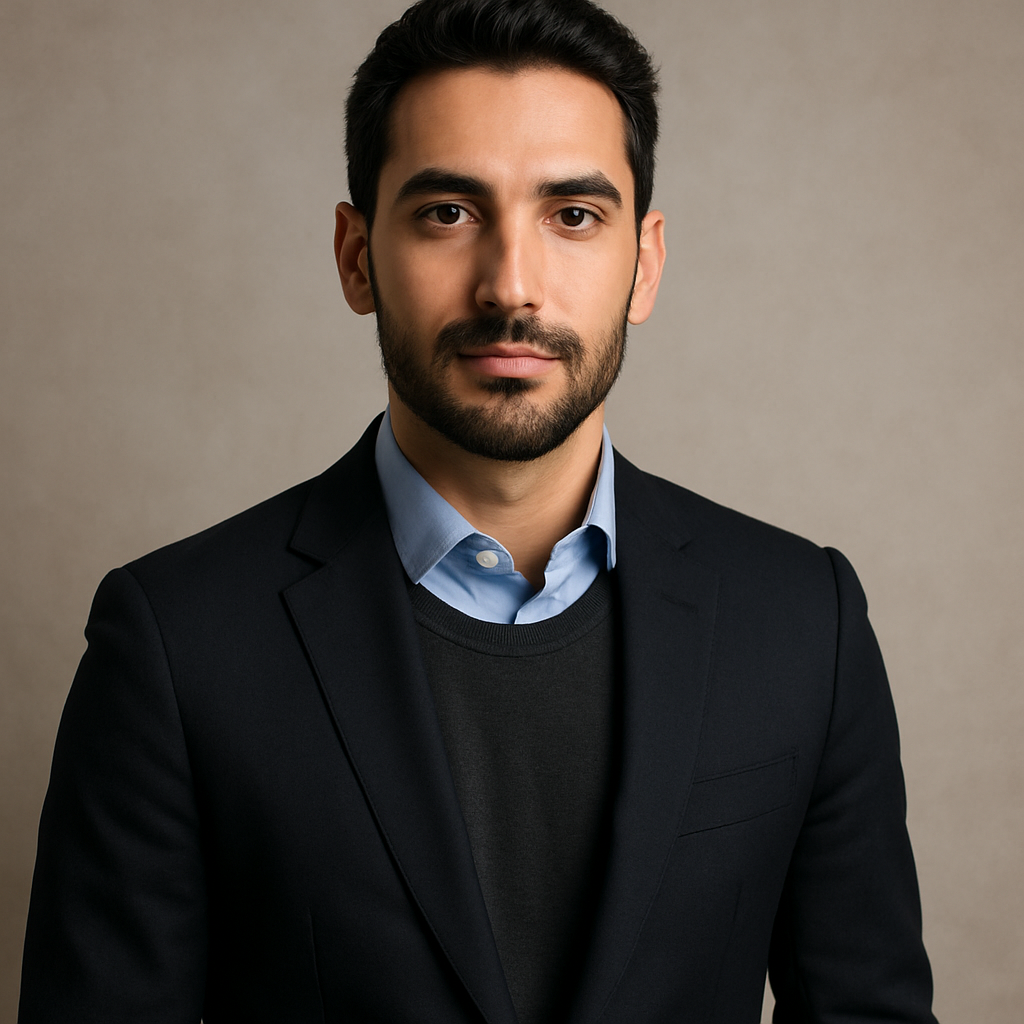
Quick answer: You can generate a professional-quality AI headshot for your life coaching business in under five minutes. Describe your desired look, background, and tone in plain English, and ATXP Pics produces a polished image for a few cents — no subscription, no appointment, no design skills needed.
Why Your Headshot Is a Business Decision, Not a Vanity Decision
Your headshot is the first trust signal a potential client sees, and for a life coach, trust is the entire product. Studies on professional profiles consistently show that people decide whether someone looks credible within milliseconds of seeing their photo. A blurry or casual image signals that you treat your brand casually — and by extension, that you might treat their goals casually too.
The good news: you don't need a $300 photographer to fix this. An AI headshot generated from a decent photo of yourself can look indistinguishable from a studio shot when you use the right prompts.
What Makes a Life Coach Headshot Different
A life coach headshot needs to do something a corporate headshot doesn't: it needs to feel warm and approachable, not just authoritative. Your clients are coming to you in vulnerable moments — career pivots, relationship challenges, identity questions. If your photo looks cold or overly formal, it creates friction before the conversation even starts.
The ideal life coach headshot strikes a specific balance:
- Approachable expression — a genuine smile or a calm, open look rather than a stiff, neutral face
- Professional setting — a clean background or a softly blurred workspace, not a kitchen or a beach
- Intentional clothing — solid colors read better than patterns; business casual tends to outperform both extremes
- Direct eye contact — looking straight at the camera builds an immediate sense of connection
Keep these four elements in mind when you write your prompt.
How to Create Your AI Headshot: Step by Step
Step 1: Start With a Clear Reference Photo
Find a photo of yourself where your face is sharp, well-lit, and facing forward. It doesn't have to be a perfect photo — just clear enough that your features are visible. Avoid:
- Heavy shadows across your face
- Sunglasses or hats
- Extreme angles or distance from the camera
Step 2: Write a Specific Prompt
Vague prompts produce generic results. The more specific you are about the mood, background, lighting, and clothing, the closer the output will be to the headshot you actually want.
Use this template as your starting point:
"Professional headshot of a life coach. Warm, approachable expression with direct eye contact and a natural smile. Wearing a navy blazer over a white top. Soft, neutral grey background with subtle studio lighting. Shoulders-up framing. Clean, polished, inviting."
Swap in your preferred clothing colors, background tone, and any specific details — glasses, hair style, jewelry — that matter to your brand.
Step 3: Generate and Compare Variations
Generate your first headshot →
Run the same prompt two or three times. Slight variations in lighting, expression, or framing will appear across outputs — this is useful, not a flaw. Pick the version that best matches the tone you want for your brand, or pull specific elements from each to refine your next prompt.
Step 4: Adjust Until It Reflects Your Brand
If the first round isn't quite right, iterate. Common refinements life coaches make:
- Too formal: Add "relaxed, natural, candid feel" to the prompt
- Background too plain: Try "softly blurred home office bookshelf background"
- Lighting too harsh: Add "soft diffused natural light" or "warm, flattering window light"
- Clothing feels off: Specify the exact color and style — "emerald green wrap top" beats "colorful blouse"
Step 5: Use Your Headshot Consistently Across Every Platform
Once you have a headshot you're proud of, use the same image everywhere: your website About page, LinkedIn profile, coaching intake forms, email signature, and any speaking or podcast bios. Consistency across platforms builds recognition, which accelerates trust.
What It Costs Compared to a Photographer
The math here is straightforward.
| Option | Typical Cost | What You Get | |---|---|---| | Professional photographer | $150–$400 | 1–2 hour session, 5–15 edited photos | | Midjourney Basic plan | $10/month | ~150 images/month — charged every month, whether you create or not | | ATXP Pics | A few cents per image | Pay only when you generate; no subscription; balance never expires |
If you create headshots once or twice a year, a monthly subscription charges you for the months you aren't using it. Pay-per-image means you pay for what you actually need — a handful of headshot variations costs less than a cup of coffee.
Common Mistakes to Avoid
The most common mistake is a prompt that's too generic. "Professional headshot" without any additional context produces a technically fine but completely unremarkable image that doesn't reflect your personality or coaching style.
Watch out for these, too:
- Choosing a background that competes with your face — busy bookshelves in full focus, bright windows directly behind you, or bold patterned walls
- Selecting clothing with tight patterns — stripes and plaids often render oddly; solid colors are more reliable
- Skipping the iteration step — your second or third prompt will almost always outperform your first; spend five extra minutes refining
Your Headshot Sets the Tone for Everything Else
A strong headshot isn't just about looking good — it's the foundation your entire online presence builds on. When someone lands on your website and sees a warm, professional image of you, they immediately feel safer reaching out. That first impression can be the difference between a visitor who books a call and one who quietly moves on.
For a life coach, that moment matters more than almost any other element on your site.