Running a political campaign means every dollar and every hour counts. A professional headshot is non-negotiable — it appears on your website, yard signs, mailers, social profiles, and press kits — but scheduling a photographer, paying session fees, and waiting on edits can take weeks and hundreds of dollars. This guide shows you exactly how to create a campaign-ready AI headshot for a politician using plain-English prompts, with zero design experience required.
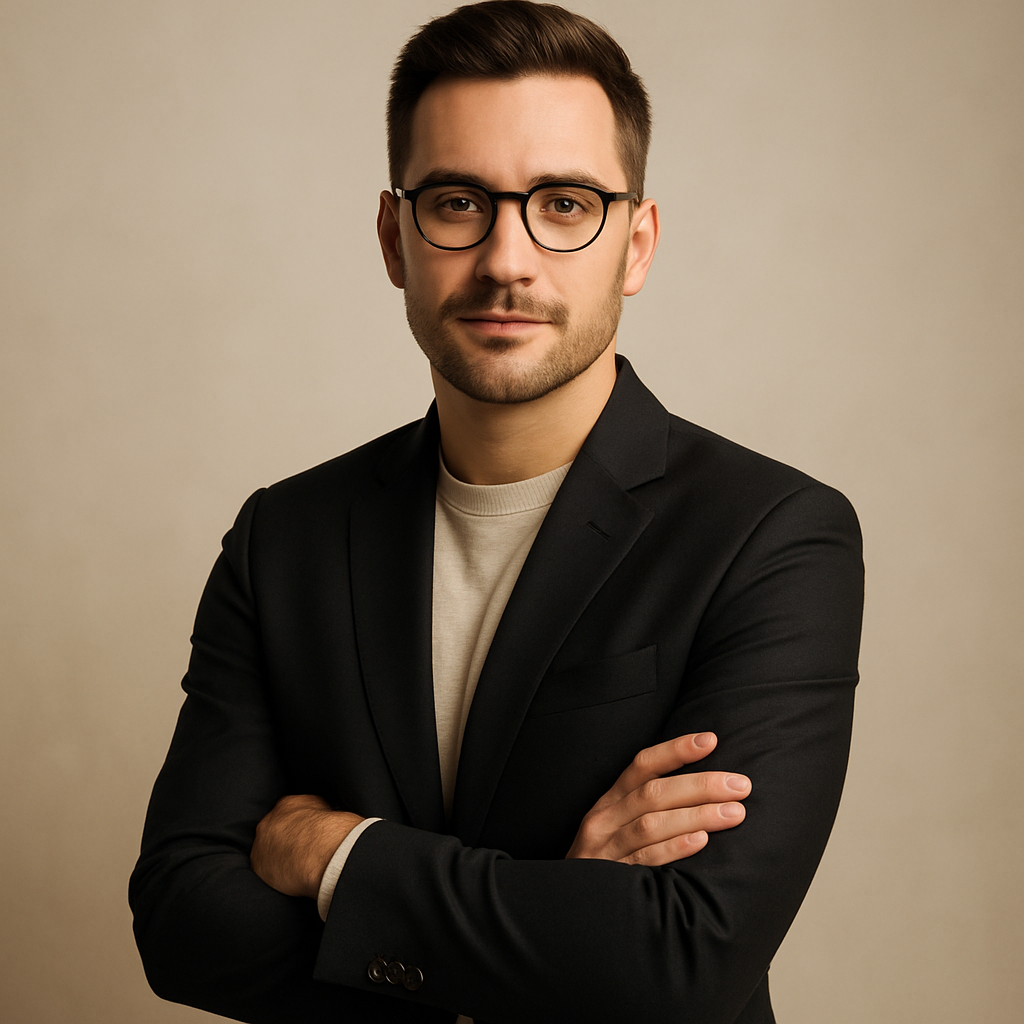
Quick answer: Describe the candidate's appearance, clothing, and setting in a sentence or two and an AI image generator produces a polished political portrait in seconds. ATXP Pics charges a few cents per image with no subscription, so you can generate dozens of variations for less than the cost of a single stock photo license.
Why Politicians Need a Specific Type of Headshot
A political headshot communicates trust before a single word is read. Voters form an impression in under a second — which means the background, lighting, attire, and expression in your photo are doing real persuasion work. Generic selfies or casual snapshots signal a lack of professionalism. A clean, well-composed portrait signals competence and credibility.
The visual conventions that work in political photography are consistent across party lines and campaign levels:
- Background: Solid colors (navy, grey, dark teal) or softly blurred architectural settings. Avoid cluttered offices or outdoor backgrounds that distract.
- Attire: A suit, blazer, or other formal wear in a conservative color. Flag pins, if appropriate, can be included in the prompt.
- Expression: Confident, direct eye contact with a slight, natural smile — approachable without being casual.
- Lighting: Soft, even, frontal lighting that avoids harsh shadows. A subtle rim light adds depth.
- Framing: Head and shoulders, with the candidate slightly off-center looking toward the center of the frame.
Getting all of these right in a single photography session takes an experienced campaign photographer. With AI, you describe them explicitly in your prompt and regenerate in seconds if something is off.
What to Include in Your AI Headshot Prompt
The more specific your prompt, the more usable your first result will be. Vague prompts like "politician headshot" produce generic results. Specific prompts that describe appearance, attire, lighting, and mood produce campaign-ready portraits.
Appearance Details
Include gender, approximate age, hair color and style, and any notable features (glasses, facial hair). Example: "a man in his mid-50s with silver hair, clean-shaven."
Attire Details
Name the specific garment and color. "Dark navy suit with a white dress shirt and a solid burgundy tie" is far more useful than "professional clothes."
Setting and Background
Choose one that matches your campaign's tone. "Clean grey studio background" works for a modern, minimalist look. "Softly blurred American flag in the background" signals patriotism without visual clutter.
Lighting and Mood
"Soft professional studio lighting" is a reliable default. Add "warm and approachable" or "authoritative and serious" depending on the race and message.
Step-by-Step: Creating Your Political AI Headshot
- Go to ATXP Pics /headshot. No account required to start. You only add a balance when you're ready to generate.
- Open the chat interface. Type your prompt in plain English — no special syntax or commands needed.
- Run your first generation. Review the result for the key elements: background, attire, expression, lighting.
- Refine your prompt. If the background is too busy, add "clean solid background." If the expression reads as too stiff, add "natural, approachable smile."
- Generate variations. Run 3–5 variations of your best prompt. At a few cents per image, generating 10 options costs less than $1.
- Download and deploy. Use the highest-resolution result for print materials; web-optimized versions for digital.
Copy-ready prompt example:
"Professional headshot of a woman in her early 40s with dark brown shoulder-length hair, wearing a charcoal blazer over a white blouse, slight confident smile, direct eye contact, soft studio lighting, clean dark navy background, sharp focus, photorealistic portrait photography"
Common Mistakes to Avoid
The most common mistake is an underspecified prompt that leaves too much to chance. Political headshots have a narrow range of what "works" — too casual, too stiff, too busy, and voters notice. Avoid these:
- Leaving out attire details. Without explicit clothing instructions, you may get business casual instead of formal wear.
- Not specifying background. Unspecified backgrounds often produce distracting environments. Always name the background explicitly.
- Using vague mood words. "Professional" means different things in different contexts. Pair it with specific descriptors: "authoritative," "approachable," "trustworthy."
- Skipping variations. Generate at least 5 results before committing to one. The third or fourth prompt refinement often produces a noticeably better image.
- Ignoring disclosure requirements. A small number of states are beginning to require disclosure when AI-generated images appear in political advertising. Check your jurisdiction's rules before placing the image in paid media.
Cost Comparison: AI vs. Traditional Campaign Photography
Generate your AI political headshot →
| Method | Typical Cost | Turnaround | Variations | |---|---|---|---| | Campaign photographer | $300–$800/session + editing | 1–2 weeks | 10–20 edited finals | | Stock photo (licensed) | $50–$200/image | Immediate | No customization | | ATXP Pics (pay-per-image) | A few cents/image | Seconds | Unlimited |
For a down-ballot candidate, school board race, or local ballot initiative, spending $500 on photography before a single voter has heard your name is a real budget strain. AI headshots let you put that money into voter contact instead.
For high-profile campaigns with large print budgets, AI is still useful for rapid concepting — generate 20 options to decide on a visual direction before booking a photographer for the final shoot.
What Makes a Political Headshot Build Trust
Trust in a political portrait comes from visual cues that signal stability, competence, and relatability — and these are fully controllable in your prompt.
Stability
Dark, solid colors (navy, charcoal, forest green) read as stable and established. Avoid bright or unusual colors unless they are a deliberate brand choice.
Competence
Sharp focus, clean composition, and even lighting are all competence signals. A slightly soft or poorly lit image reads as unprepared, even unconsciously.
Relatability
A natural expression — not a stiff posed smile — closes the gap between "politician" and "person." Prompt for "natural, approachable smile" rather than "formal expression."
Generate Your Campaign Headshot Today
A professional AI headshot for a politician used to mean booking a photographer weeks in advance and hoping the session went well. Now it means writing one sentence, reviewing the result, and having a campaign-ready portrait before your next meeting.
No subscription. No session fees. No waiting. You pay a few cents per image and your balance never expires — so you can generate now and revisit when the campaign needs updated materials.