Working from home means your LinkedIn photo, Slack avatar, and Zoom thumbnail are doing a lot of heavy lifting — they're often the first impression a client or colleague gets of you. If your current headshot is a cropped vacation photo or a blurry webcam grab, an AI headshot for remote workers is the fastest way to fix that. This guide walks you through exactly how to create one in minutes, with real prompt examples you can copy.
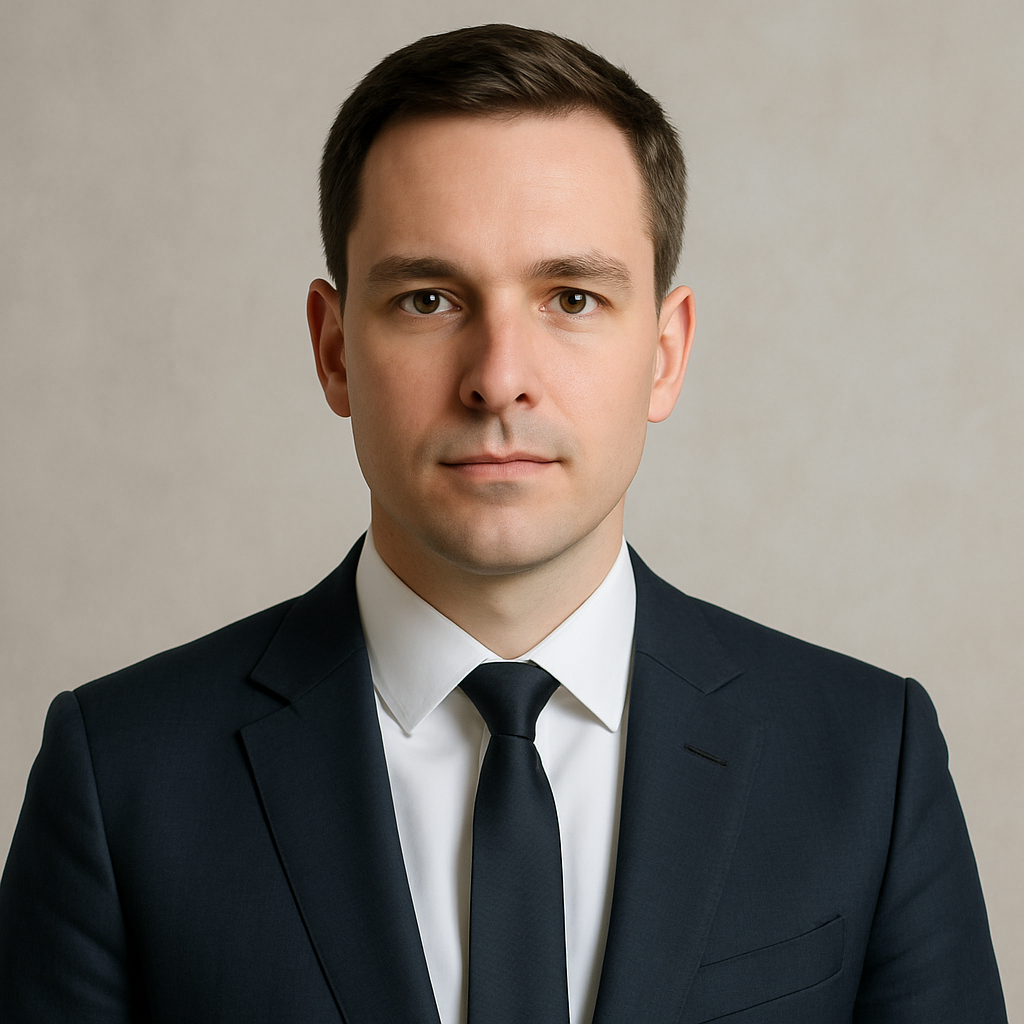
Quick answer: An AI headshot generator lets you describe a professional portrait in plain English and receive a polished, studio-quality image in seconds. No camera, no photographer, no subscription required. For remote workers, it's the most practical way to maintain a professional presence online without booking a shoot.
Why Remote Workers Need a Better Headshot
Your digital presence IS your first impression — and remote workers face this more acutely than anyone in an office. When you're never physically in the room, every platform where your face appears becomes a professional touchpoint:
- LinkedIn — recruiters, clients, and collaborators judge credibility here before reading a single word
- Slack and Teams — your avatar is visible in every message thread and meeting invite
- Zoom and Google Meet — when your camera is off, your profile photo takes over
- Company directories — often publicly facing, sometimes linked from client-facing pages
- Email signatures — increasingly common in client-facing roles
A crisp, professional headshot communicates that you take your work seriously — even when you're in a home office wearing sweatpants from the waist down.
What Makes a Headshot Look Professional
The difference between a "good enough" photo and a professional headshot comes down to four things: background, lighting, framing, and attire. Get these right in your prompt and the result looks like it came from a real studio session.
Background
Clean and uncluttered wins. Solid colors (white, light gray, navy, soft beige) keep the focus on the face. A softly blurred office or bookshelf background works if you want context without chaos. Avoid busy patterns, harsh colors, or anything that reads "living room."
Lighting
Soft, even lighting is the standard for professional headshots. "Studio lighting" or "natural window light" in your prompt produces flattering results. Avoid "dramatic" or "high-contrast" lighting — save that for creative portraits, not professional profiles.
Framing
Head-and-shoulders or chest-up framing is the norm. Tight crops that cut off the chin or loose crops that show too much background both look unprofessional.
Attire
Match the context. Tech and startup roles: smart casual (clean collared shirt, blazer optional). Finance, law, consulting: formal blazer or suit. Creative roles: you have more flexibility, but "polished" still matters.
How to Write an AI Headshot Prompt That Works
The more specific your prompt, the closer the output gets to what you actually want. Vague prompts produce vague results. Follow this structure:
- Subject description — general look (e.g., "a woman in her 30s with short dark hair")
- Attire — specific clothing, not just "professional" (e.g., "wearing a navy blazer over a white blouse")
- Background — color or setting (e.g., "plain light gray background")
- Lighting — style and quality (e.g., "soft studio lighting, evenly lit")
- Expression and mood — (e.g., "confident, warm smile, looking directly at camera")
- Framing — (e.g., "head and shoulders portrait, slight angle")
Here's a complete, copy-able example:
Prompt: Professional headshot of a man in his 40s with short gray hair, wearing a dark charcoal blazer over a light blue collared shirt, plain white background, soft even studio lighting, confident and approachable expression, slight smile, looking directly at the camera, head and shoulders framing.
And one for a more casual professional context:
Prompt: Professional headshot of a woman in her late 20s with natural curly hair, wearing a sage green fitted blazer, blurred modern office background with soft bokeh, natural window lighting from the left, warm and friendly expression, slight smile, head and shoulders portrait.
Common Mistakes to Avoid
Most headshots that look "off" come from the same handful of prompt errors. Watch out for these:
- Too vague on attire — "business clothes" gives the model too much latitude. Specify the garment, color, and style.
- No background instruction — without direction, you may get a background that competes with the subject. Always specify.
- Asking for "dramatic" lighting — this creates shadows and contrast that read as artistic, not professional.
- Skipping the expression — "neutral face" often produces a blank, slightly unsettling look. "Warm, approachable smile" is almost always the right call for a headshot.
- Over-describing unrelated details — long prompts that stray into background stories or abstract concepts confuse the output. Stay focused on the visual elements.
Generate Your AI Headshot — No Subscription Needed
Generate a professional headshot →
ATXP Pics charges per image — a few cents each — with no monthly subscription and no balance expiration. Compare that to Midjourney's Basic plan at $10/month: if you only generate 5 images that month, you're paying $2.00 per image. For a remote worker who needs a good headshot and not much else, pay-per-image makes far more sense.
| | ATXP Pics | Midjourney Basic | Studio Photographer | |---|---|---|---| | Cost per headshot | A few cents | $0.07–$2.00+ (depends on monthly usage) | $150–$400 | | Subscription required | No | Yes ($10/mo) | N/A | | Time to receive | Seconds | Seconds | Days (booking + editing) | | Revisions | Instant, just re-prompt | Re-generate | Often limited or extra cost | | Design skills needed | None | None | None |
No payment is required to create an account. You only pay when you generate.
Updating Your Headshot Across Platforms
Once you have an image you're happy with, update every platform in one session — it takes under 10 minutes. Here's the order that matters most for remote workers:
- LinkedIn — highest visibility, highest stakes
- Slack — seen constantly by teammates and clients
- Zoom / Google Meet — appears when your camera is off
- Microsoft Teams — synced across Microsoft 365 in many orgs
- Email signature — often overlooked, always visible to external contacts
- Company directory — check with your IT or HR team if it's a managed profile
Keep a copy of your headshot saved at two sizes: a high-resolution version (at least 800×800px) for LinkedIn and directories, and a smaller square crop (400×400px) for avatar fields.
A professional headshot is one of the highest-ROI things a remote worker can do for their digital presence — and it no longer requires booking a photographer, finding a studio, or paying a monthly subscription to an app you'll forget to cancel. Describe what you want, generate a few variations, pick the one that looks like you on your best day.