You want a professional headshot for your resume but don't have the time or budget for a photographer. AI headshot generators have gotten good enough that the results can genuinely pass for studio photos — if you know how to prompt them correctly. This guide walks you through exactly how to do that, what to avoid, and what to include in your prompt so the final image looks polished, not generated.
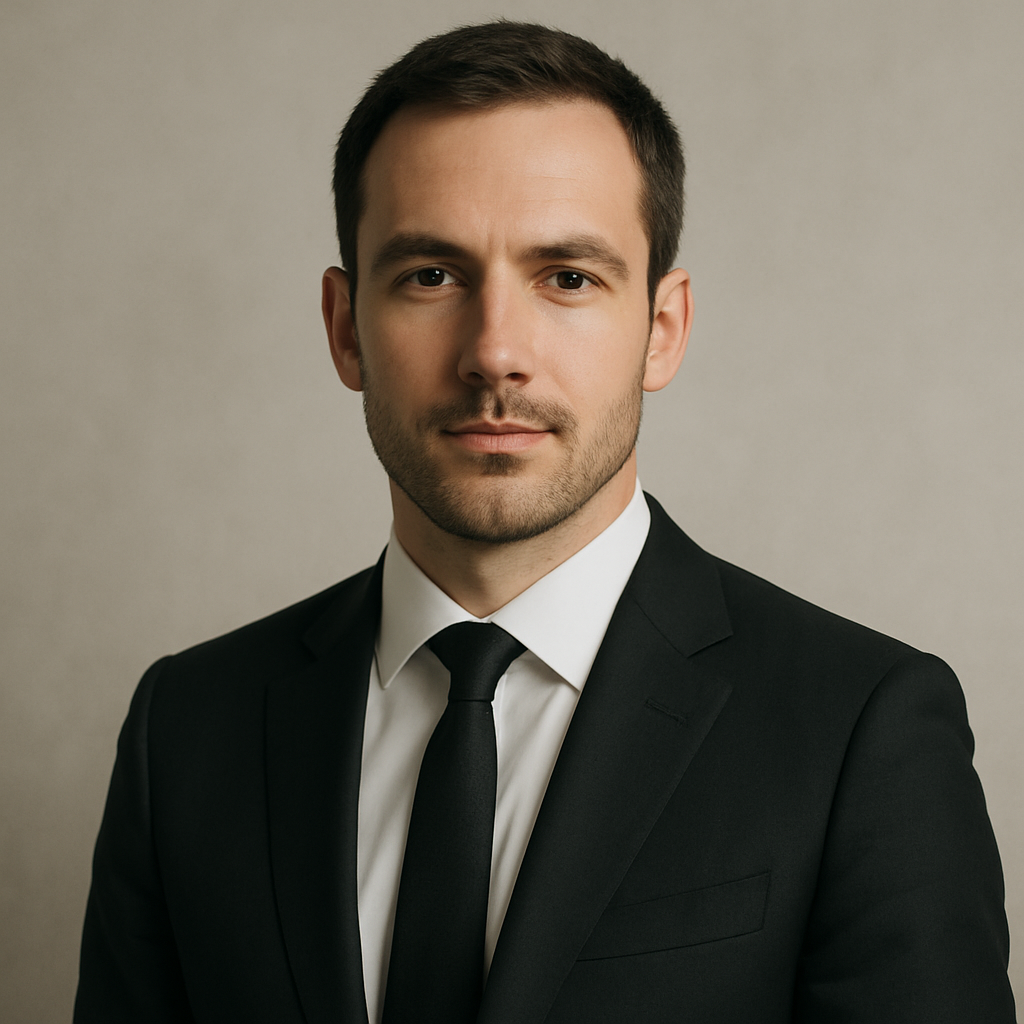
Quick answer: An AI headshot for your resume works best when your prompt specifies natural lighting, a neutral or office-appropriate background, realistic attire for your industry, and a professional framing (chest-up or shoulders-up). Avoid prompts that ask for heavy stylization — they produce images that look like illustrations, not photos.
What Makes a Resume Headshot Look Professional
A professional headshot comes down to four things: lighting, background, framing, and expression. Get those right and the result looks like something taken in a studio. Get them wrong and it reads as generated — or worse, unprofessional.
Here's what each element means in practice:
- Lighting: Soft, even, natural-looking light. "Soft studio lighting" or "natural window light" in your prompt gives you a flattering result without harsh shadows.
- Background: Plain light gray, off-white, or a soft blurred office/indoor environment. Avoid white backdrops (they look stock-photo cheap) and anything too busy.
- Framing: Chest-up or shoulders-up. Head slightly off-center. This is the standard professional headshot composition.
- Expression: Neutral-to-slight-smile. Prompting for "confident, approachable expression" tends to get this right.
How to Write a Prompt That Gets Results
Your prompt is doing the work of a photographer's direction, lighting setup, and camera settings all at once. Being specific about each of those gives the generator clear instructions.
Use this structure:
- Subject description — gender, approximate age range, notable features if relevant (glasses, hair color)
- Clothing — match your industry (see the section below)
- Expression — confident, approachable, neutral
- Lighting — soft natural light, soft studio lighting
- Background — plain gray wall, blurred office interior, neutral indoor
- Style — corporate headshot, professional LinkedIn photo, editorial portrait
Copy-ready prompt example: "Professional headshot of a woman in her 30s wearing a navy blazer, confident and approachable expression, soft natural window light, plain light gray background, chest-up framing, corporate headshot style, sharp focus"
Run this once, see what you get, then iterate. Swap the blazer color, adjust the lighting, try "blurred office background" instead of gray — each variation costs only a few cents.
Matching Your Headshot to Your Industry
Different industries have different standards for what "professional" looks like, and your headshot should match where you're applying.
Corporate, Finance, and Law
Dark or neutral blazer over a collared shirt. Minimal jewelry. Clean, plain background. The overall feeling should be polished and formal.
Tech, Marketing, and Startups
Business casual works here — an open-collar shirt, a casual blazer, or a clean sweater. You can use a slightly warmer background or a softly blurred modern office environment.
Creative Fields (Design, Media, Advertising)
You have more room for personality. A slightly more expressive outfit, a warmer or moodier light source, or a background with some texture can work in your favor. Just keep it intentional — not chaotic.
Healthcare and Education
Conservative and approachable. Scrubs or a white coat if it's directly relevant. Otherwise, business casual with a clean, neutral background.
Common Mistakes That Make AI Headshots Look Generated
The most common mistake is asking for too much quality, too explicitly. Phrases like "ultra-realistic 8K hyperdetailed" tend to produce overly smooth skin, uncanny eyes, and plastic-looking hair — the classic tells.
What to avoid:
- Asking for "photorealistic" or "hyperrealistic" — it often backfires
- Dramatic or moody lighting (looks great for portraits, wrong for resume use)
- Complex or patterned backgrounds
- Multiple subjects or props in the frame
- Unusual angles (anything other than straight-on or slight three-quarter view)
Also avoid prompting for a specific real person's style or likeness — keep the description general and focus on the professional attributes you actually want.
What to Do With Your Headshot Once You Have It
Once you have an image you're happy with, a few quick edits take it from good to great. Most of these take under two minutes:
- Crop to square — LinkedIn, most resume formats, and email signatures all use square headshots.
- Check the edges — Make sure there's a small margin of background around your shoulders. Tight crops look amateur.
- Adjust brightness if needed — A free tool like Photopea or even Google Photos can brighten a slightly dark image without distorting it.
- Save as JPEG at medium-high quality — Large PNG files are unnecessary and slow to upload.
Ready to generate yours? Create your AI headshot → — no subscription required, and you only pay for what you create.
How the Cost Compares to a Photographer
Professional headshot photographers typically charge $150–$400 for a session, with turnaround times of several days and limited revision options. On ATXP Pics, you pay a few cents per image with no monthly commitment. Your balance never expires, so there's no pressure to generate images before a billing cycle resets.
| Option | Typical cost | Turnaround | Revisions | |---|---|---|---| | Professional photographer | $150–$400 | 3–7 days | Limited by contract | | AI headshot (ATXP Pics) | A few cents per image | Seconds | Unlimited — just re-prompt | | Subscription AI tools | ~$10–$30/month | Seconds | Yes, but you pay monthly |
For a single resume headshot — or even a handful of variations to try across different applications — the pay-per-image approach makes far more financial sense than a monthly subscription you'll use once.
An AI headshot for your resume works when the prompt is specific about the things that make a photo look professional: lighting, framing, background, and clothing. Keep the stylization minimal, match your industry's expectations, and generate a few variations until one feels right. The whole process takes minutes and costs less than a coffee.