You have a speaking slot, a bio form to fill out, and a headshot field staring back at you. The photo on your LinkedIn that you've been meaning to update for three years is not going to cut it. An AI headshot gets you from "I need a professional photo" to conference-ready in under ten minutes — without booking a photographer or leaving your desk.
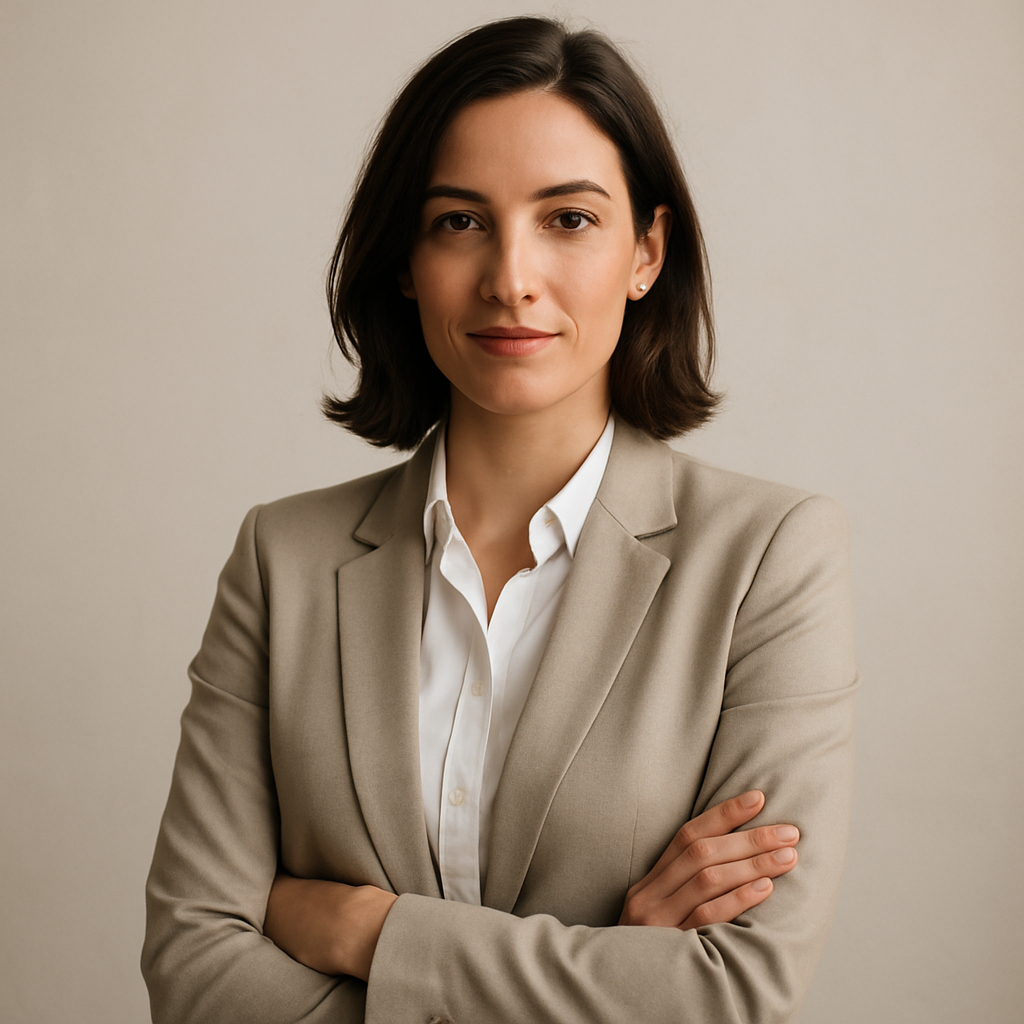
Quick answer: You can create a polished, professional AI headshot for a speaker bio using a plain-English description of the look you want. Specify background, lighting, attire, and tone. The result is a high-quality image you can drop directly into any speaker bio form — for a few cents, with no subscription required.
What Makes a Headshot Work for a Speaker Bio
A speaker bio headshot needs to do one thing: make an organizer confident you belong on their stage. That means it should look intentional, well-lit, and consistent with the professional context of the event. Most conferences specify a square or portrait-oriented image, a clean or neutral background, and a minimum resolution — nothing that requires a studio to achieve.
What it should convey depends on your field:
- Corporate or finance speakers: Dark or neutral background, formal attire, direct eye contact, studio lighting
- Tech or startup speakers: Light background, business-casual, approachable expression
- Creative or keynote speakers: Branded color background, bold personality, natural lighting style
- Academic or research speakers: Clean background, professional but not stiff, clear and readable from small thumbnail size
Know which category fits your context before you write your prompt — that decision shapes everything else.
How to Write a Prompt That Gets It Right the First Time
The quality of your AI headshot is almost entirely determined by how clearly you describe it. Vague prompts produce generic results. Specific prompts produce images that feel intentional.
Use this four-part structure in your prompt:
- Subject — Professional headshot of a [man/woman/person], [approximate age range], [any relevant appearance details]
- Attire — Wearing [specific clothing: dark blazer, white dress shirt, navy suit jacket, etc.]
- Background and setting — Against a [neutral gray / soft white / deep navy / blurred office] background
- Lighting and mood — With soft studio lighting, direct gaze, confident and approachable expression
Prompt Example: Tech Conference Speaker
Professional headshot of a woman in her late 30s, wearing a charcoal blazer over a white shirt, against a soft blurred light gray background, with even studio lighting, direct eye contact, warm and confident expression, shallow depth of field, high resolution portrait.
Prompt Example: Corporate Keynote Speaker
Professional corporate headshot of a man in his mid-40s, wearing a navy suit and light blue tie, against a dark gradient background, sharp studio lighting, neutral expression, looking directly at the camera, polished and authoritative, photorealistic.
Copy either of these as a starting point and adjust the details to match the look you're going for. Run two or three small variations — swap the background color, change the lighting description from "studio" to "natural window light" — and pick the one that lands best.
Step-by-Step: From Zero to Speaker Bio Headshot
- Open ATXP Pics — No account required to start. No subscription to sign up for.
- Draft your prompt using the four-part structure above. Spend 60 seconds here — specificity pays off immediately.
- Generate your first image. It costs a few cents. If it's close but not quite right, adjust one element of the prompt and generate again.
- Iterate on the details. Try a lighter background if the first feels heavy. Change "authoritative" to "approachable" if the expression is too stiff.
- Download your final image. Most conference bio forms accept JPG or PNG at 500px minimum — ATXP Pics outputs at a resolution that meets standard requirements.
- Drop it into your bio form. Done.
The entire process typically takes 5–10 minutes from blank prompt to submitted headshot.
Common Mistakes That Produce Unusable Results
The most common reason an AI headshot falls flat is an underspecified prompt — particularly around lighting and background. Here's what to avoid:
- Skipping the background description. Without it, you often get a noisy or inconsistent background that looks unprofessional at thumbnail size.
- Using emotional words without visual ones. "Professional" alone doesn't tell the generator what you mean. Pair it with specifics: "dark blazer," "studio lighting," "neutral expression."
- Forgetting thumbnail legibility. Speaker bios often display headshots small. Prompts that include "shallow depth of field" and "high contrast lighting" tend to produce images that read well even at 80×80px.
- Generating only once. The per-image cost is low enough that you should generate 3–5 variations and choose. Treat it like a contact sheet from a real shoot.
Cost Compared to a Traditional Headshot Session
A professional headshot photographer charges anywhere from $150 to $500 for a session — often including travel, setup, editing time, and a limited number of final images. If you need a different background or want to try a different look, that's another session.
| Option | Typical cost | Turnaround | Variations | |---|---|---|---| | Professional photographer | $150–$500 | Days to weeks | Limited by session | | Stock photo (not you) | Not applicable | Instant | Not your face | | AI headshot (ATXP Pics) | A few cents per image | Seconds | Unlimited |
For a one-time speaking engagement — or even a recurring need across multiple events — the math strongly favors generating your own. You also retain full control: different event, different background tone, different attire, no rebooking required.
Create your speaker bio headshot →
What to Do With Multiple Versions
One underused advantage of AI headshots is that you can maintain a small library of variations for different contexts. Generate a light-background version for tech events, a dark-background version for corporate panels, and a cropped square version optimized for social sharing — all in one session for under a dollar total.
Keep a folder with:
- Your primary speaker bio headshot (neutral background, portrait crop)
- A square-cropped version (for social media event posts)
- A wide-crop version (for event websites that use banner-style speaker layouts)
Label them clearly so when an organizer emails asking for "a high-res headshot, square format, light background," you're not generating from scratch — you already have it.
You have a speaking opportunity in front of you. Don't let a subpar photo undersell it. A well-prompted AI headshot takes minutes to create, costs a fraction of a studio session, and gives you full control over the look — background, attire, tone, and all.