You're about to pitch an investor, update your LinkedIn, or launch a press page — and you don't have a professional headshot. Hiring a photographer right now isn't the best use of a tight runway. This guide walks you through generating a sharp, credible AI headshot for a startup founder in under ten minutes, without a subscription or a studio.
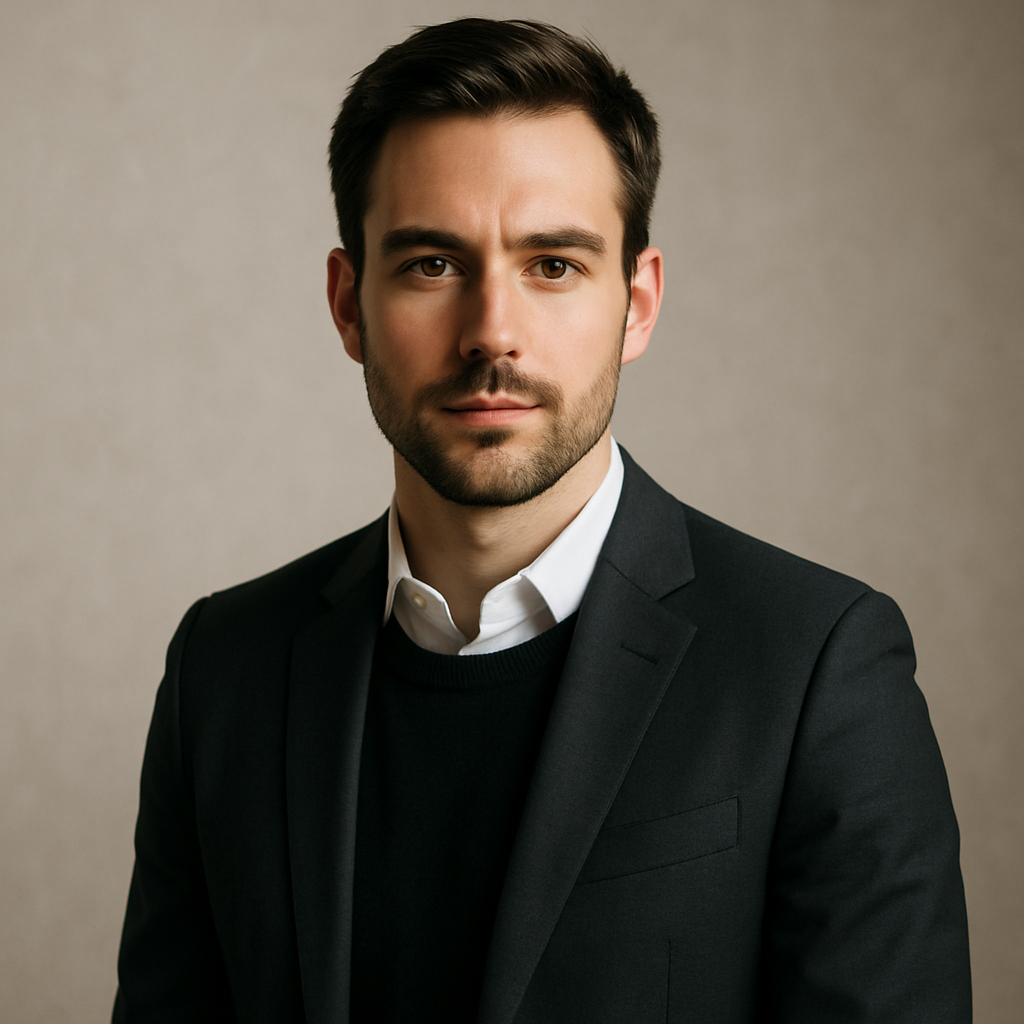
Quick answer: An AI headshot generator lets you describe your ideal photo in plain English and receive a professional-quality image in seconds. For founders, it means a polished presence on LinkedIn, pitch decks, and press pages — for a few cents, with no monthly commitment. No photographer, no scheduling, no minimum spend.
Why Headshots Matter More at the Early Stage
Perception moves faster than your product roadmap. Before an investor reads your deck or a journalist opens your press kit, they've already formed an impression from your photo. A blurry selfie or a cropped group shot signals "early chaos," even if your business is solid. A clean, well-lit headshot signals intentionality — and intentionality is exactly what you're selling at the early stage.
Founders often put headshots last on the to-do list because the alternatives feel expensive or time-consuming. A studio session can run $150–$500, require booking days in advance, and eat half a workday. That calculus changes completely with AI image generation.
What Makes a Founder Headshot Work
A good founder headshot communicates three things at once: credibility, approachability, and fit for your industry. Every element of the photo — background, lighting, attire, expression — either reinforces or undercuts those signals.
Before you write a single prompt, make three quick decisions:
- Background: Neutral colors (white, light gray, soft warm tones) keep focus on your face. Avoid busy office backgrounds unless your brand specifically calls for it.
- Attire: What would you wear to a first meeting with an investor? That's your answer. A well-fitted dress shirt or blazer reads as credible without being stiff.
- Tone: Confident and approachable beats intense or overly formal. A slight, natural smile typically reads better than a full grin or a neutral expression.
These three decisions become the backbone of your prompt.
How to Write a Prompt That Gets the Shot Right
Specificity is the difference between a generic portrait and a headshot that actually looks like the photo you'd take in a studio. Vague prompts produce vague results. Detailed prompts produce usable images on the first or second try.
Here's a prompt structure that works:
Professional headshot of a [gender/age range] startup founder, wearing a [specific attire], against a [background color/texture] background, with [lighting style] lighting, looking directly at camera with a confident, approachable expression. High resolution, sharp focus, natural skin tones.
And a filled-in example ready to copy:
Professional headshot of a man in his early 30s, wearing a fitted navy dress shirt, against a clean light gray background, with soft studio lighting, looking directly at the camera with a calm, confident expression. High resolution, sharp focus, natural skin tones.
Adjust the attire, background, and description to match your own look. Generate two or three variations with small tweaks — different backgrounds, slightly different lighting descriptions — so you have options for different contexts.
Step-by-Step: Generating Your Headshot on ATXP Pics
You can go from zero to a finished headshot in under ten minutes. No account password required to start, no subscription to set up.
- Go to ATXP Pics headshot generator. The interface is a simple text box — no menus, no sliders.
- Paste your prompt. Use the template above as a starting point and customize it to your look.
- Generate and review. Your image appears in seconds. If the background feels too dark or the lighting isn't quite right, adjust one element of the prompt and regenerate.
- Save your favorite. Download the image directly. No watermarks.
- Generate a second variation. Change the background color or swap the attire description to get a second option — useful if you need one version for LinkedIn and a slightly different crop for a pitch deck.
You pay only for the images you generate — a few cents each — and your balance never expires. If you don't need another headshot for three months, you're not paying for three months of idle subscription.
Where to Use Your AI Headshot
Consistency across platforms is what turns a single image into a professional brand. Once you have a headshot you're happy with, use it everywhere:
- LinkedIn profile photo — the highest-leverage placement; recruiters, investors, and journalists all land here first
- Pitch deck bio slide — investors read the team slide carefully; a clean headshot signals that you take presentation seriously
- Press and media page — journalists need a high-res photo to run a story; give them one that's already professional
- Speaker and conference bios — event organizers pull your photo directly from what you provide
- Email signature — optional, but adds a human touch to cold outreach
One well-generated headshot covers all of these. If you later need a variation — different background for a specific event, more formal look for a fundraising deck — regenerating takes minutes.
Common Mistakes to Avoid
The most common prompt mistake is being too general. "Professional headshot of a man" gives the generator almost nothing to work with. You'll get something technically correct but probably not quite right.
Watch out for these specific missteps:
- Skipping attire details. "Business casual" is vague. "Fitted charcoal blazer over a white shirt" is specific enough to generate well.
- Not specifying background. Without a background description, results vary widely. Name the color or texture explicitly.
- Requesting too much in one prompt. If you want a headshot and a full-body shot, generate them separately. Overloaded prompts produce inconsistent results.
- Accepting the first result without iterating. Generate two or three versions before settling. Lighting and expression can shift meaningfully between runs.
Generate your founder headshot →
What This Costs vs. the Alternative
The math is straightforward:
| Option | Cost | Time | Commitment | |---|---|---|---| | Professional photographer | $150–$500 | Half a workday | One-time, but scheduling required | | Midjourney Basic plan | $10/month | Minutes | Charged every month, even idle months | | ATXP Pics | Cents per image | Minutes | No subscription, balance never expires |
At the early stage, founder time and cash are both scarce. A professional photographer makes sense eventually — when you're doing press tours and need controlled, highly specific shots. For everything before that, a well-prompted AI headshot does the job for a fraction of the cost and none of the scheduling overhead.
Put a Face to Your Startup
An AI headshot for a startup founder isn't a workaround — it's the right tool for the stage you're at. You're iterating fast, your brand is still sharpening, and you need to look credible today without locking in costs that don't make sense yet.
Write a specific prompt. Generate a few variations. Pick the one that looks like the founder you're presenting to the world.