Your Shopify product listing lives or dies on its images. A blurry photo or a plain white-background shot that looks like every other store kills conversions before the copy even gets a chance. In 2026, AI image generation gives independent Shopify sellers access to studio-quality product visuals at a fraction of the cost — no photographer, no props, no sample shipping. This guide shows you exactly how to produce AI images for your Shopify store that actually move product.
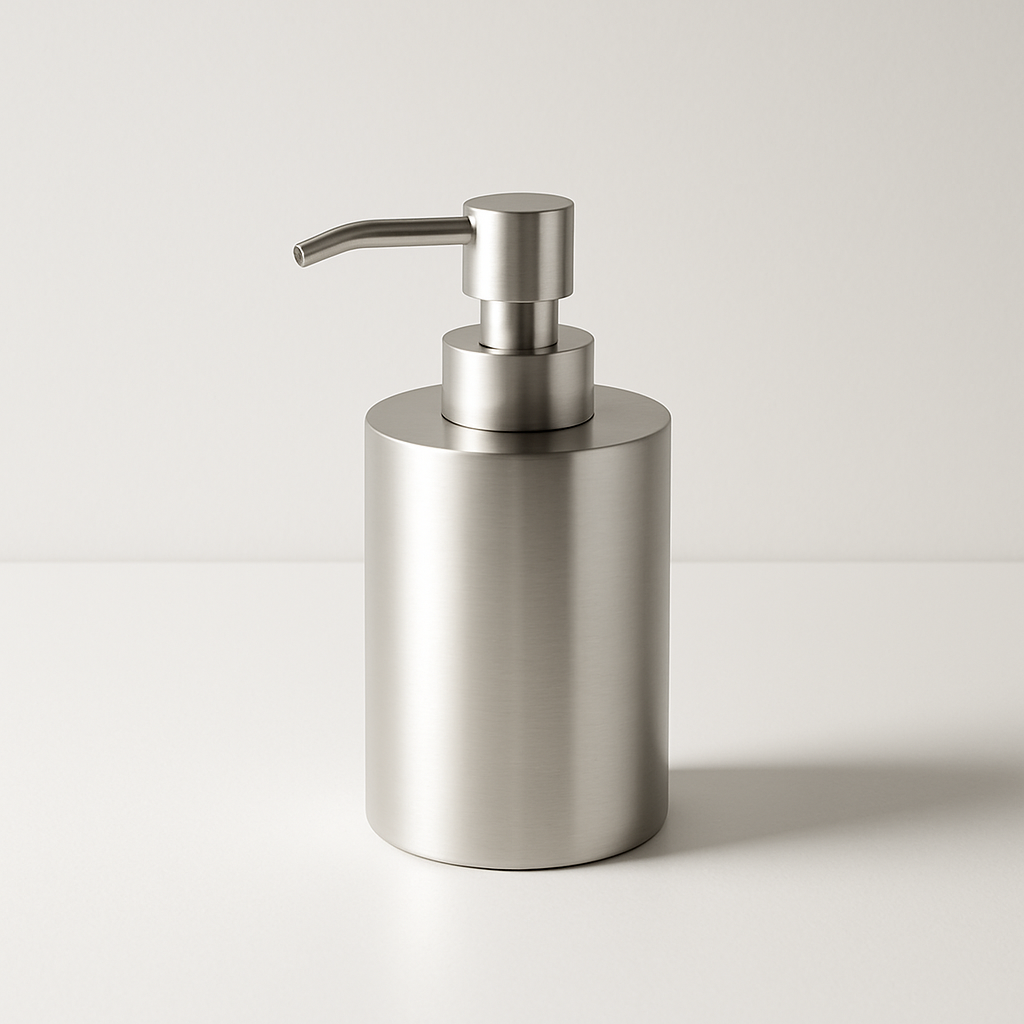
Quick answer: Describe your product and the scene you want in plain English, generate the image in seconds, and publish it directly to your Shopify listing. No design skills required. With a pay-per-image tool like ATXP Pics, you spend cents per image instead of hundreds on a photography session — and you're not locked into a monthly subscription.
Why Product Photography Is the Biggest Lever in Your Shopify Store
Your images are doing the selling while your customer is deciding. Shopify's own merchant data consistently shows that listings with multiple high-quality, contextual images outperform single-image or low-quality listings — sometimes by 30–40% in conversion rate. Yet for most independent sellers, professional photography is prohibitively expensive and slow to iterate.
The old workaround — stock photos — creates a different problem: your competitors are using the same images. AI-generated product visuals solve both issues. You get images built around your exact product, in the exact context you want, ready in seconds.
What Types of Shopify Product Images You Can Generate with AI
AI handles every major product image format a Shopify listing needs, including images that would require full photography setups to shoot traditionally.
- White-background studio shots — clean, Amazon-ready product isolation
- Lifestyle scenes — product in use, in a real environment, with relevant props
- Flat lays — overhead arrangements for apparel, accessories, and home goods
- Close-up detail shots — texture, stitching, finish, hardware — zoomed in
- Seasonal or campaign visuals — holiday, sale season, or launch-specific scenes
- Scale reference shots — product next to recognizable objects to show size
Each of these would take at minimum an hour of setup to shoot physically. With AI, each variant takes under a minute.
How to Write Prompts That Produce Shopify-Ready Product Images
The difference between a generic image and a conversion-ready one is the specificity of your prompt. Vague prompts produce generic results. The formula below works for nearly any physical product.
The Product Image Prompt Formula
Structure your prompt in this order:
- Product description — what it is, material, color, shape
- Background or setting — where it lives in the scene
- Lighting — soft, natural, studio, dramatic
- Shot type — close-up, flat lay, lifestyle, overhead
- Mood or style — minimal, warm, editorial, seasonal
Example Prompts (Copy and Adapt)
Lifestyle shot: "A ceramic matte black coffee mug sitting on a wooden kitchen counter beside a open book and a small plant, morning light coming through a window, soft shadows, warm and cozy atmosphere, product photography style"
Studio white background: "A white ceramic matte black coffee mug centered on a pure white background, soft even studio lighting, no shadows, clean and minimal, e-commerce product photo"
Flat lay: "Overhead flat lay of a matte black ceramic coffee mug surrounded by coffee beans, cinnamon sticks, and a folded linen napkin on a light grey surface, natural daylight, editorial style"
Run two or three variations of each prompt to get options. At a few cents per image, generating ten variants costs less than a dollar.
Step-by-Step: Creating Product Images for a Shopify Listing
Follow this workflow for any new product launch or listing refresh.
- Identify the image types your listing needs — most Shopify listings benefit from one studio shot, two lifestyle shots, and one close-up detail shot at minimum.
- Draft your prompts using the formula above — one prompt per image type, customized to your product.
- Generate a first round — run each prompt once and review the outputs.
- Iterate on what's close — if a lifestyle shot has the right scene but wrong lighting, adjust the lighting description and regenerate.
- Select your hero image — this is the first image customers see in search results and on your listing. Choose the most compelling lifestyle or studio shot.
- Export and upload — download your selected images and upload directly to your Shopify product gallery.
Generate your first product mockup →
The Real Cost Comparison: AI Images vs. Traditional Product Photography
AI-generated product images cost a fraction of what you'd pay for a photography session — and the math gets more dramatic the smaller your catalog is.
| Method | Cost per Session | Images Delivered | Cost Per Image | |---|---|---|---| | Professional photographer | $150–$300/hr | 20–40 edited | $4–$15 per image | | Stock photo subscription | $30–$50/mo | Generic only | Not your product | | Midjourney Basic plan | $10/mo (charged monthly) | ~150/mo | $0.07 (but you pay every month) | | ATXP Pics | No subscription | Unlimited | A few cents each |
The subscription math matters for Shopify sellers specifically. Most stores don't need 150 new product images every single month. If you're launching one new product and need 10 images, paying $10/month for a subscription you'll barely use makes no sense. Pay-per-image means you spend what the work actually costs — nothing more.
Common Mistakes to Avoid When Using AI Images on Shopify
The most common mistake is prompting for the product in isolation when your customer needs context. A mug floating on a white background tells the buyer nothing about how it feels in a morning routine. Always include at least one lifestyle image that places the product in a recognizable scene.
Other pitfalls to skip:
- Vague color or material descriptions — "nice mug" produces generic results; "matte black ceramic mug with a wide cylindrical body" produces something specific
- Skipping variants — generate 3–5 versions of each prompt before choosing; the first result is rarely the best
- Ignoring lighting in the prompt — lighting is the single biggest factor in whether an image reads as "cheap" or "professional"
- Uploading without review — check that the product's proportions, text (if any), and distinctive features look accurate before publishing
AI Images for Shopify Store 2026: What This Gives Independent Sellers
The practical outcome is a level playing field. A solo Shopify seller in 2026 can produce a product listing with images that look indistinguishable from a brand with a dedicated photography budget. The difference isn't budget anymore — it's the quality of your prompts and how clearly you can describe what you want.
Start with your highest-traffic listing, generate a studio shot and two lifestyle variants, and swap them in. Check your conversion rate over the next two weeks. Most sellers see a measurable lift before the first month is out.