Hiring a designer before you know what you want is one of the most expensive mistakes a founder or small business owner can make. This post walks you through using an AI logo color palette generator to lock in your brand direction — your colors, your style, your feel — before a single dollar goes to an agency or freelancer.
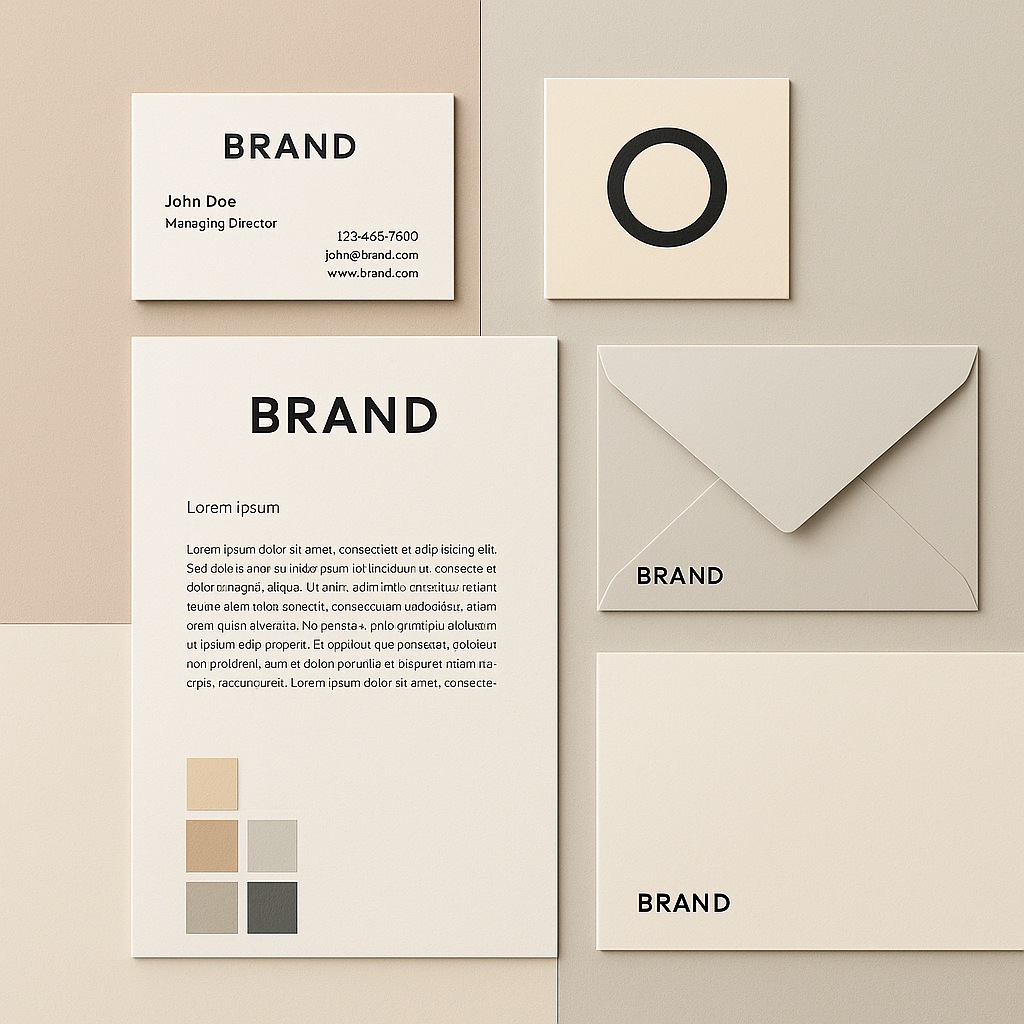
Quick answer: An AI image generator lets you describe your logo idea and color palette in plain English and see a visual result in seconds. You can test dozens of directions for a few cents each, land on something concrete, and hand that reference to a designer — cutting revision rounds and wasted hours down to almost nothing.
Why Defining Your Color Palette First Saves You Money
Designers charge for your indecision. Every round of revisions because you "weren't sure about the blue" costs you real money — typically $50–$150 per revision hour at freelance rates. Walking into a design brief with a clear color story and style reference cuts those rounds in half or more.
An AI logo color palette generator lets you run that exploration phase yourself, visually, in minutes. You're not guessing at adjectives like "clean but warm" — you're looking at an actual image and saying "yes, that" or "not quite."
What to Nail Down Before You Open a Prompt
Before typing a single prompt, answer three questions about your brand. Skipping this step is why most people get generic-looking results.
- Who is your customer? A cybersecurity firm and a children's bakery can both want a "clean, modern look" — but those words mean completely different things visually.
- What 3 words describe your brand personality? Examples: bold, approachable, premium / playful, honest, local / sleek, serious, global.
- What are you avoiding? Knowing what you don't want ("nothing that looks like a tech startup" or "no dark colors") is as useful as knowing what you do.
Write those answers down. They become the raw material of your prompts.
How to Write a Logo Color Palette Prompt That Actually Works
The most common mistake is being too vague. "A logo for my coffee shop" produces a generic coffee cup. Adding specificity — industry context, color names, style, mood — produces something you can actually use as a reference.
Here's a before-and-after:
| Vague prompt | Specific prompt | |---|---| | A logo for my coffee shop | Wordmark logo for an independent coffee shop, warm terracotta and cream color palette, hand-lettered serif font, rustic but modern feel, on a clean white background | | A tech company logo | Minimalist badge logo for a B2B cybersecurity startup, deep navy (#0D1B2A) and electric teal (#00C2C7), geometric sans-serif, conveys precision and trust |
The specific prompt gives the AI enough to work with. It also gives you something concrete to react to — and react quickly you will.
The Prompt Template
Copy and fill in the blanks:
[Logo style: wordmark / icon / badge / combination mark] logo for [business type], [primary color] and [secondary color] color palette, [font personality: serif / sans-serif / script / geometric], [2–3 mood words], on a clean white background, professional brand identity reference
Iterating on Color
Run your first prompt. If the colors feel off, don't rewrite everything — just swap the color description. Try:
- Replace one color name with a hex code for precision
- Add "muted" or "saturated" before a color to shift the tone
- Add a third accent color to the palette description
- Change the background from white to a dark version to see contrast behavior
Each iteration costs a few cents. You can run 20 variations for less than a dollar.
Reading Your Results: What to Keep, What to Iterate
Your goal isn't a perfect logo — it's a clear direction. Look at each concept and ask:
- Does this color combination feel right for the brand personality you wrote down?
- Would your target customer feel at home with this visual identity?
- Is there anything here a designer could use as a clear starting point?
Save anything that hits at least two of those three. You're building a small reference library, not picking a winner on the first try. Three to five strong concepts — even imperfect ones — give a designer more useful direction than a paragraph of adjectives.
Turning AI Concepts Into a Real Design Brief
Once you have 3–5 concepts you like, you have a design brief. Here's how to package it:
- Export your favorite images from ATXP Pics and drop them into a shared folder or doc
- Note the colors you liked — approximate names or hex codes you specified
- Write one sentence per concept explaining what works: "This one nails the warmth, but the font feels too formal"
- Flag what you want combined: "The color palette from concept 2, the icon style from concept 4"
Hand that folder and those notes to a designer. They'll know exactly what to build. You've cut the "discovery" phase of a typical brand project from weeks to an afternoon.
Common Mistakes to Avoid
Asking for too many things at once
One logo style per prompt. Adding "or maybe a badge version" splits the result and produces a muddled image. Run separate prompts for each style option.
Ignoring background color in the prompt
Logos live on backgrounds. Always specify — white, black, kraft paper, your brand's primary color. A logo that looks great on white can disappear on a dark background.
Treating the first result as final
The first image is a starting point. Budget at least 10–15 iterations before settling on a direction. At a few cents each, there's no reason to stop early.
Skipping the brief work in the previous section
Prompts written without the three-question exercise produce generic output. Every minute spent on brand clarity before prompting saves you five minutes of iterating.
What This Process Costs vs. Hiring Cold
| Approach | Typical cost | Time to first visual | |---|---|---| | AI concept exploration (ATXP Pics) | $0.50–$2 for 20–40 concepts | Under 10 minutes | | Fiverr logo designer (no brief) | $50–$300 + revision hours | 3–7 days | | Branding agency discovery phase | $500–$5,000+ | 2–4 weeks |
The AI exploration phase doesn't replace a designer for your final logo. It replaces the expensive, slow part of figuring out what you actually want — so that when you do hire someone, you're paying for execution, not exploration.
Your brand identity starts with a clear picture of what you're building. Spend an afternoon with an AI logo color palette generator, and you'll walk into every design conversation knowing exactly what to ask for.