You want a portrait that looks like it belongs in a gilded frame—rich with texture, depth, and the unmistakable warmth of oil on canvas. With an AI oil painting portrait generator, the only thing standing between you and that result is knowing how to describe what you want. This guide walks you through exactly how to do it, prompt by prompt.
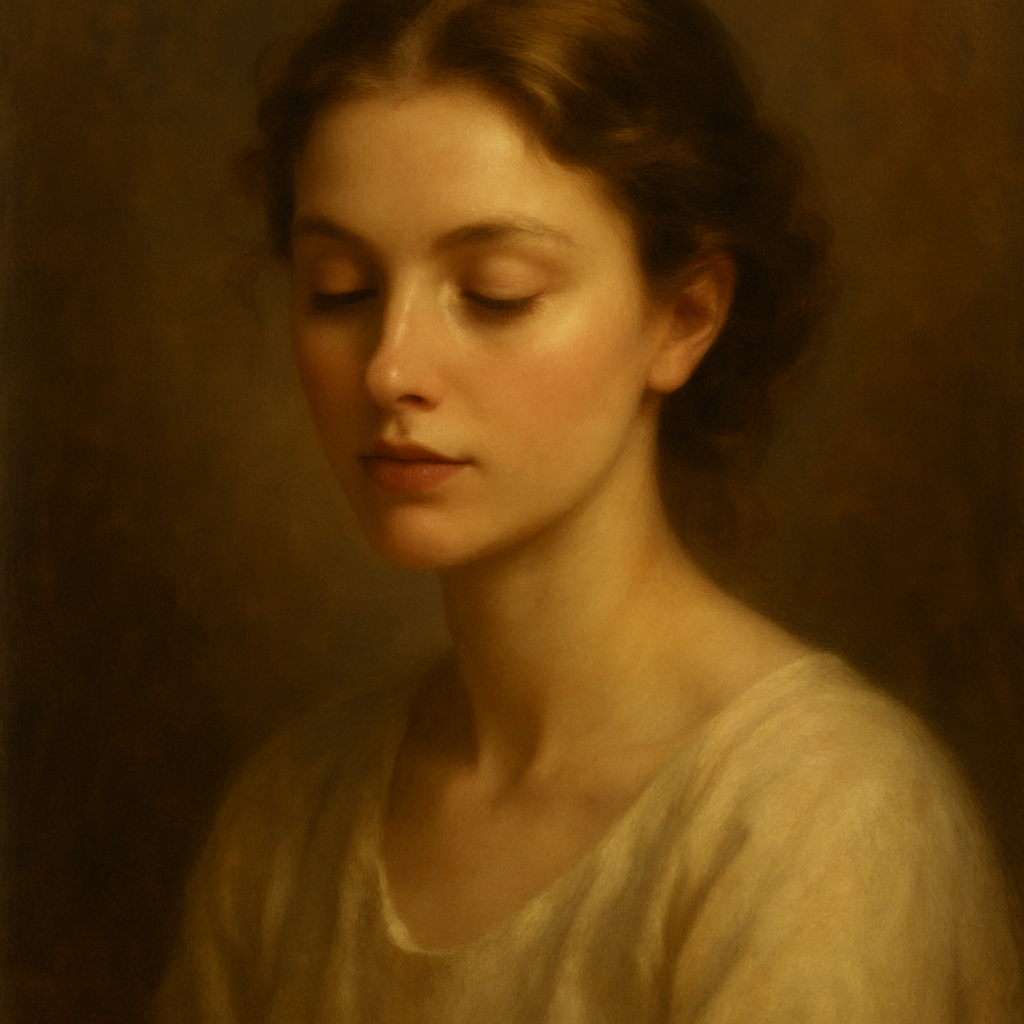
Quick answer: Type a description of your subject—their expression, the lighting, the color palette, and the painting style—into an AI image generator like ATXP Pics, and you'll have a gallery-worthy oil painting portrait in seconds. No design skills, no photo upload, and no subscription required.
What Makes a Portrait Look Like an Oil Painting
The difference between a generic AI portrait and a convincing oil painting comes down to the words you use. AI generators respond to specific visual language. When you include terms like "impasto texture," "visible brushstrokes," or "oil on linen," the generator applies the surface qualities that make oil paintings instantly recognizable—the slight ridges of paint, the way light catches uneven pigment, the subtle blending at shadow edges.
Leave those details out and you'll get a smooth, digitally rendered face. Add them in and you get something that looks like it could hang in a museum.
Key style signals that push results toward oil painting:
- Medium: "oil on canvas," "oil on linen," "thick impasto"
- Texture: "visible brushstrokes," "palette knife marks," "layered glazing"
- Light: "Rembrandt lighting," "chiaroscuro," "single candle source," "soft window light from the left"
- Palette: "warm amber and sienna," "muted earth tones," "cool Flemish palette," "golden hour warmth"
- Reference: "in the style of Vermeer," "Dutch Golden Age portrait," "19th century academic realism"
How to Write a Prompt That Gets Results
Start with your subject, then layer in the visual details that a painter would actually control. Think of it the way a portrait painter thinks: who is the person, how are they lit, what are they wearing, and what mood should the painting carry?
A reliable prompt structure looks like this:
[Subject description], [expression/pose], [lighting style], [color palette], [canvas texture/brushwork], [background], oil painting portrait
Step 1: Describe the Subject
Be specific about age range, expression, and any defining features. "A man in his 60s with weathered skin and a calm, dignified expression" gives the generator far more to work with than "an old man."
Step 2: Set the Lighting
Lighting is what separates a flat image from something with genuine drama. Name the light source and its direction. "Rembrandt lighting" (a small triangle of light on the shadowed cheek) is a classic choice. "Soft diffused window light from the upper left" gives a quieter, more intimate feel.
Step 3: Choose Your Palette
Color is mood. Warm ambers and siennas read as classical and timeless. A cooler palette with grey-blues and muted greens feels more contemporary. You can reference historical movements ("Flemish baroque palette") or simply name the colors ("deep burgundy, ivory, and gold").
Step 4: Specify the Painterly Surface
This is the step most people skip—and it's why their results look digital. Add "oil on canvas with visible impasto brushstrokes" or "thick paint application, textured surface" to anchor the image in the physical medium.
Step 5: Define the Background
Dark, indistinct backgrounds (think Rembrandt or Caravaggio) focus attention on the subject and feel classical. Landscape backgrounds open up the composition. Neutral warm-grey backgrounds read as contemporary portraiture.
A Complete Prompt You Can Copy Right Now
Oil painting portrait of a woman in her early 40s, composed expression with a slight upward gaze, Rembrandt lighting from the upper left, warm amber and sienna color palette, dark brown background fading to black, oil on canvas with visible impasto brushstrokes, in the style of 17th century Dutch portraiture
Paste that directly into ATXP Pics and you'll have a starting point you can iterate from. Swap the age, change the lighting style, shift the palette—each change costs only a few cents, so experimenting is painless.
Common Mistakes That Flatten the Result
Most underwhelming AI portraits come from prompts that describe a person but forget to describe a painting. Here's what to avoid:
- No medium specified. Without "oil painting" or "oil on canvas," the generator defaults to a photorealistic render—technically impressive, but not what you're after.
- Vague lighting. "Good lighting" tells the generator nothing. Name the light source, its direction, and its quality (hard, soft, warm, cool).
- Skipping the surface. "Brushstrokes," "impasto," and "canvas texture" are the words that make paint look like paint. Leave them out and you lose the medium.
- Overloading with unrelated details. A prompt that tries to specify everything at once ("baroque, impressionist, hyperrealistic, painterly, photographic...") gives contradictory instructions. Pick one era or style reference and commit to it.
Why Pay-Per-Image Works Better for Portrait Projects
Portrait work almost always involves iteration—you rarely land on exactly the right expression, lighting, or palette on the first try. That's where the subscription model quietly works against you.
With Midjourney's Basic plan at $10/month, you get roughly 150 images. If you create in bursts—generating 30 images for one project, then nothing for two months—you've paid $30 for those 30 images, making each one cost $1.00. With ATXP Pics, you pay a few cents per image, only when you create, and your balance doesn't expire between sessions.
| Scenario | Midjourney Basic ($10/mo) | ATXP Pics (pay-per-image) | |---|---|---| | 150 images in one month | $0.07/image | ~$0.05/image | | 20 images/month | $0.50/image | ~$0.05/image | | 5 images/month | $2.00/image | ~$0.05/image | | 0 images one month | $10.00 wasted | $0.00 |
For portrait projects that happen in creative bursts rather than every single day, the math is straightforward.
Create your first AI oil painting portrait →
What to Do With Your Portrait Once You Have It
A high-resolution AI oil painting portrait can go in more directions than most people expect:
- Print on canvas through any online print service for a physical piece you can hang
- Use as a profile image for professional or creative social accounts
- Incorporate into branding for a studio, gallery, or creative practice
- Gift it — a portrait in a classical painting style is genuinely unusual and personal
- Iterate into a series — generate the same subject with different lighting or palettes to create a cohesive collection
Each variation costs only cents, so building a set of 10 portraits with different moods is a $0.50 creative project, not a $50 one.
An AI oil painting portrait is only as good as the description behind it. Nail the lighting, commit to a palette, and specify the surface texture—and the result is something that looks genuinely painted, not generated. The fastest way to find out what works for your specific vision is to start with the prompt above, run it, and adjust from there.