Pencil sketch and charcoal portraits sit in a category of art that feels personal, timeless, and technically demanding — which is why most people never get one made. With an AI portrait generator, you describe the subject and style in plain English and have a finished sketch-style portrait in under a minute.
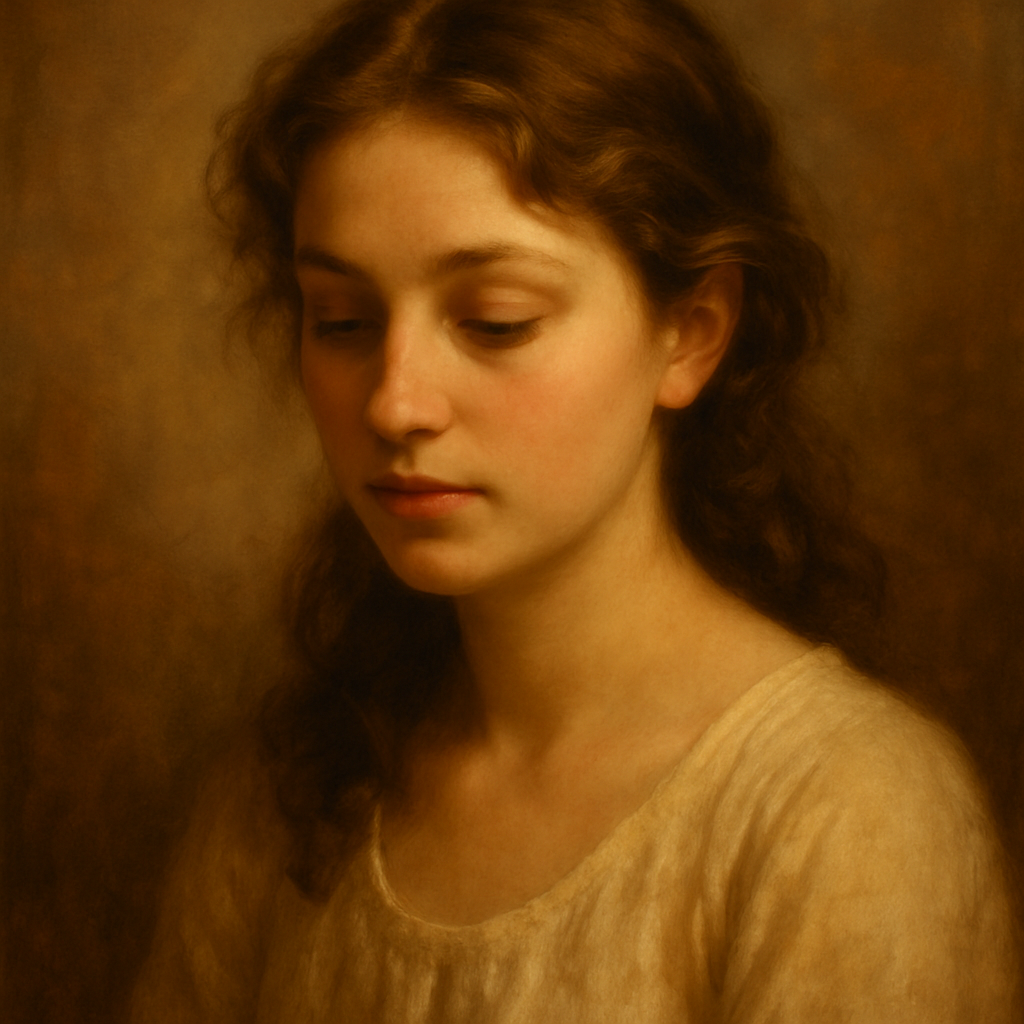
Quick answer: To generate an AI pencil sketch portrait, describe the subject's features, the drawing medium (pencil, charcoal, graphite), the shading style, and the lighting in a single prompt. Specific descriptors — "cross-hatching," "smudged edges," "textured paper" — move the result from generic to genuinely artistic. No design skills or photo uploads required.
What Makes a Pencil Sketch Prompt Actually Work
The single biggest mistake people make is describing who, not how it's drawn. "A woman with brown hair" produces a photorealistic result by default. Adding the medium and technique shifts the entire output.
These are the three layers every strong sketch portrait prompt needs:
- Subject — who or what is in the frame (face, age, expression, angle)
- Medium — pencil, graphite, charcoal, conte crayon, ink wash
- Technique — cross-hatching, loose gestural lines, blended smudging, tight detail
Get all three into one description and the result looks intentional rather than accidental.
Step-by-Step: Building Your First AI Pencil Sketch Portrait
Step 1: Start with the subject
Describe the person clearly. Face angle (front-facing, three-quarter view, profile), approximate age, and expression are the most useful anchors. You don't need to name a real person — describe the look.
"A middle-aged man, three-quarter view, serious expression, strong jawline, close-cropped hair"
Step 2: Choose your medium and name it explicitly
This is what tells the generator to abandon color and realism in favor of drawn marks.
- Pencil sketch — delicate, precise, lighter tones
- Graphite drawing — similar to pencil but with slightly richer midtones
- Charcoal portrait — bold, expressive, high contrast
- Charcoal on textured paper — adds visible paper grain to the output
Step 3: Add a shading technique
Shading language is what separates "sketch" from "charcoal realism."
- "Fine cross-hatching in the shadows"
- "Smudged blending across cheeks and forehead"
- "Loose gestural strokes, minimal detail"
- "Tight rendered detail on eyes, softer on background"
Step 4: Specify lighting
Lighting direction creates the depth that makes portrait sketches compelling.
- Side lighting: "single light source from the left, strong shadow on right side of face"
- Rembrandt-style: "dramatic top-left lighting with small triangle of light on shadowed cheek"
- Flat/even: "soft diffused light, minimal shadow"
Step 5: Describe the background and paper
A plain white background reads like a study. A textured or toned paper background reads like fine art.
- "white sketch paper background"
- "warm cream paper with visible texture"
- "dark background, vignette edges"
Putting It All Together
Here's a complete, copy-able prompt:
"Charcoal portrait of a young woman, three-quarter view, late twenties, soft expression, hair loosely pulled back. Heavy charcoal on cream textured paper. Cross-hatching in the neck and hair, smudged blending across cheeks. Single light source from the upper left, strong shadow on the right side of the face. Loose background with dark vignette edges. Realistic fine art style."
Drop that into ATXP Pics' AI portrait generator, adjust the details for your subject, and generate. The result should land in charcoal realism territory rather than generic sketch.
Style Variations Worth Exploring
Once you have the base prompt working, small changes unlock very different results:
| Style | Key phrase to add | What changes | |---|---|---| | Classic pencil study | "HB pencil, light linework, minimal shading" | Finer, lighter, more delicate | | Expressive charcoal | "loose charcoal, gestural marks, partial erasure" | More raw and energetic | | Old master graphite | "Renaissance graphite study, sfumato shading" | Smoother gradients, classical feel | | Ink and wash | "ink linework with gray wash shadows" | Crisp outlines, soft fill | | Conte crayon on toned paper | "red conte on gray paper, white chalk highlights" | Warm, sculptural, dramatic |
Each of these works as a suffix on your base subject description.
Common Mistakes That Flatten the Result
Forgetting to name the medium is the most frequent issue — the generator defaults to realism if you don't specify a drawn medium explicitly.
Other patterns that weaken sketch portraits:
- Too many subjects or too much scene — portrait prompts work best tightly framed. One subject, from the shoulders up.
- Conflicting style signals — don't combine "photorealistic" with "pencil sketch." Pick a lane.
- No lighting direction — flat lighting produces flat sketches. Give the light a source.
- Vague emotion — "nice expression" is not useful. "Slight smirk, eyes slightly narrowed" gives the generator something to work with.
What This Costs Compared to Commissioning Art
A commissioned charcoal portrait from a skilled artist typically runs $150–$500 and takes days to weeks. A print-shop sketch filter produces something that looks like a filter. An AI pencil sketch portrait from a well-crafted prompt sits in the middle: genuinely artistic in style, generated in seconds, and costs a few cents per image.
Generate your AI pencil sketch portrait →
ATXP Pics charges per image — no subscription, no monthly fee. If you generate five portraits today and nothing next month, you pay for five portraits. Your balance never expires. That's meaningfully different from tools that bill $10–$30 a month whether you create or not.
Saving and Refining Results
Portrait generation rarely nails it perfectly on the first try. The practical approach:
- Generate 3–4 variations with your base prompt
- Identify what's working (composition, shading style) and what isn't (lighting, expression)
- Edit the specific phrase that controls the problem area
- Generate again from the refined prompt
Most people land on a result they're genuinely happy with within 5–8 images. At cents per image, that's less than a dollar of iteration to get a portrait you'd frame.
An AI pencil sketch portrait is one of the most rewarding things to generate precisely because the style carries so much weight — charcoal realism looks hand-made and intentional in a way that photorealistic AI images don't. The prompts above give you a repeatable framework: subject, medium, technique, lighting, background. Change one variable at a time until the output matches what you had in mind.