You want to give someone something genuinely personal — not a gift card, not a generic print — and an AI portrait for a custom gift might be exactly the right move. This guide walks you through what style to order, how to write a prompt that actually works, and how to turn the result into something worth wrapping.
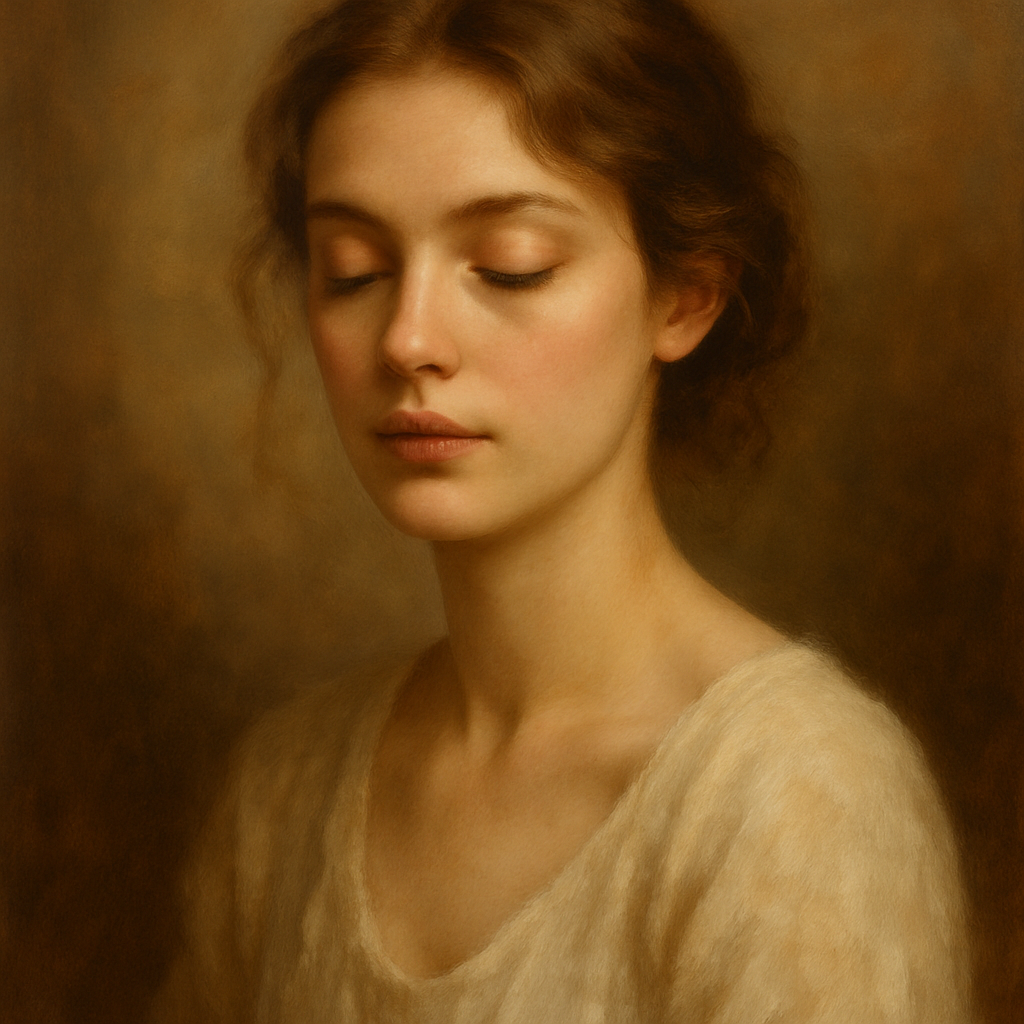
Quick answer: An AI portrait generator lets you describe a person in plain English — their look, a setting, an artistic style — and produces a one-of-a-kind image in seconds. Pay a few cents per image with no subscription, download the file, and print or send it however you like. No design experience needed.
What Makes an AI Portrait Work as a Gift
A great portrait gift is specific, not generic. Anyone can order a stock illustration; what makes an AI portrait feel personal is the detail you put into the description. Think about what makes the person recognizable — their hair, their style, something they love — and build the prompt around that.
The other thing that makes it work: you're giving original art. An AI portrait isn't a photo filter or a template someone else used. The image that comes out of your prompt has never existed before.
Choosing the Right Portrait Style
The style you choose shapes how the gift lands. Here are the most reliable options:
- Oil painting — timeless, warm, works for parents, grandparents, milestone birthdays
- Watercolor — soft and romantic, popular for couples or new babies
- Renaissance portrait — dramatic and fun, great for someone with a sense of humor
- Comic book or graphic novel — bold lines, high contrast, perfect for kids or younger recipients
- Vintage engraving — detailed and elegant, strong for framed gifts
- Minimalist line art — clean and modern, prints beautifully on cards or mugs
When in doubt, think about what's already on their walls or what aesthetic they gravitate toward. A person with a maximalist home will love an oil painting; someone with a clean, modern space might prefer line art.
How to Write a Prompt That Gets the Right Image
The more specific your description, the closer the result will be to what you're imagining. You don't need design skills — you just need to describe the person and the scene the way you'd describe them to someone on the phone.
A strong prompt has four parts:
- The subject (who the portrait is of)
- Key physical details (hair, age range, notable features)
- Setting or context (what's around them, what they're doing)
- Style direction (painterly, graphic, vintage, etc.)
Example prompt: "Oil painting portrait of a woman in her early 40s with curly red hair and warm brown eyes, wearing a cozy knit sweater, sitting by a window with autumn leaves outside, soft natural light, warm color palette, fine art style"
Run two or three variations — change the lighting, the background, or the color palette — and pick the one that feels right. At a few cents per image, iterating costs almost nothing.
Try it now: Generate an AI portrait →
Step-by-Step: From Prompt to Printed Gift
Step 1: Write your prompt
Use the four-part structure above. Spend two minutes on this — it's the most important step.
Step 2: Generate and refine
Run your first prompt and look at the result. Too formal? Add "relaxed, candid pose." Too dark? Add "bright, airy lighting." One or two small tweaks usually gets you there.
Step 3: Download the high-resolution file
Save the image at the highest resolution available. This determines how large you can print it without quality loss.
Step 4: Choose your print format
- Framed print — the classic gift presentation; local print shops or online services (Printful, Printify, Canvaspop) handle it easily
- Canvas wrap — more dramatic wall art, great for milestone gifts
- Greeting card — lower cost, works beautifully for birthdays or thank-you gifts
- Mug, tote, or phone case — novelty formats that work well for playful portrait styles
Step 5: Write a note
Tell the recipient what inspired the prompt. Knowing you described their red hair and love of autumn makes the gift feel intentional, not automated.
Common Mistakes to Avoid
Don't describe what you don't want — prompts work best when you focus on what should be in the image, not what to leave out.
A few other things that trip people up:
- Being too vague — "a woman in a nice painting" produces generic results. "A woman in her 60s with silver hair, laughing, watercolor style, loose brushstrokes" produces something specific.
- Skipping the style direction — without a style, the generator picks one for you. It might be great; it might not match the recipient at all. Specify it.
- Only generating one image — generate three to five variations before you decide. You'll almost always find one that's clearly stronger than the rest.
- Printing at too small a size — a portrait hung on a wall should be at least 8×10 inches. Check that your file resolution supports the print size you want before ordering.
What This Costs Compared to a Custom Illustration
A commissioned human portrait from an independent artist typically runs $75–$300+ depending on detail and turnaround time. That's not a knock on human artists — their work has real value. But if you need something personal and thoughtful on a tighter budget or a shorter timeline, an AI portrait covers the same emotional ground for a few dollars total.
| Option | Cost | Turnaround | |---|---|---| | Commissioned artist | $75–$300+ | Days to weeks | | ATXP Pics AI portrait | A few cents/image, no subscription | Seconds | | Generic print store template | $20–$50 | 1–3 days |
The AI portrait wins on speed and cost. The commissioned piece wins if you need something that looks exactly like a photograph. For most gift occasions, the AI portrait delivers more than enough.
An AI portrait for a custom gift works because it's original, specific, and fast — and it scales to any budget. Describe the person well, iterate a couple of times, and you'll have something worth framing.