Graduation season means a flood of gift cards and cash envelopes — and one gift that actually gets hung on a wall. An AI portrait turns a graduate's milestone into a piece of art that's personal, printable, and far more memorable than anything from a gift registry.
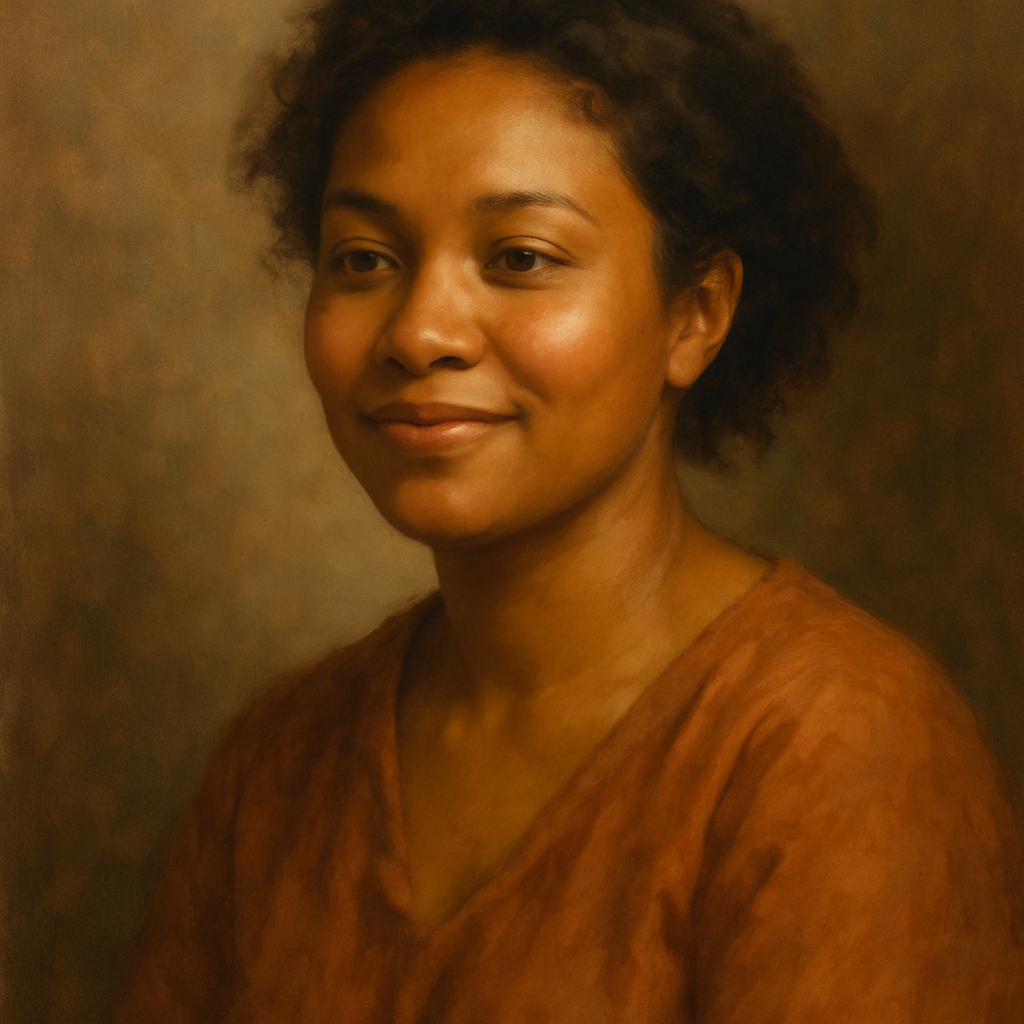
Quick answer: An AI portrait makes a standout graduation gift because it's one-of-a-kind, costs a fraction of a commissioned painting, and takes minutes to create. Describe the graduate's look and choose an art style — oil painting, watercolor, charcoal sketch — and you have a print-ready portrait for a few cents per image with no subscription required.
What Makes an AI Portrait a Good Graduation Gift
An AI portrait works as a graduation gift because it's personal in a way mass-produced gifts simply aren't. A diploma frame holds a document. A portrait captures the person at this exact moment in their life — the haircut, the expression, the gown — rendered in a style that looks like it belongs in a gallery.
It's also practical. The image file is ready to print at whatever size fits the frame you have in mind. An 8×10 for a dorm room, a 16×20 for a living room, or a set of wallet-sized prints for the graduate's parents — all from the same generation session.
The cost math is hard to argue with. A commissioned oil portrait from a professional artist starts at $150 and takes weeks. An AI portrait on ATXP Pics costs a few cents, delivers in seconds, and gives you multiple variations to choose from.
How to Create an AI Portrait for a Graduation Gift
The process takes about ten minutes from start to finish.
Step 1: Gather a reference photo
Pick a clear, well-lit photo of the graduate — ideally a front-facing or three-quarter angle shot. You won't upload the photo directly; you'll use it to write an accurate description. Note specific details: hair color and length, eye color, skin tone, any defining features like glasses or a beard.
Step 2: Choose your art style
The style sets the tone of the gift. Here are the most popular options for portraits:
- Oil painting — warm, timeless, feels like a family heirloom
- Watercolor — soft, modern, works beautifully in casual spaces
- Charcoal sketch — classic academic feel, great for framing in black and white
- Renaissance portrait — dramatic, theatrical, currently a viral favorite for graduates
- Impressionist — painterly and loose, best for graduates who lean artistic
Step 3: Write a detailed prompt
This is where specificity pays off. The more detail you include — age, features, outfit, background, mood — the closer the result will be to the person you're honoring.
Example prompt: "Oil painting portrait of a young woman in her early 20s wearing a black graduation cap and gown, warm olive skin tone, long dark curly hair, dark brown eyes, confident smile, soft neutral background with bokeh lighting, museum-quality fine art style, warm golden tones"
Step 4: Generate and iterate
Run the prompt and review the output. If the first result is close but not quite right, adjust one or two details and generate again. Changing the background, tweaking the lighting description, or specifying a tighter crop ("close-up portrait from the shoulders up") can dramatically shift the result. At a few cents per image, iterating costs almost nothing.
Step 5: Download and print
Once you have a version you love, download the high-resolution file. Take it to a local print shop or use an online print service to produce a finished piece. Standard options:
- 8×10 print — fits most off-the-shelf frames, ideal for a desk or dorm wall
- 11×14 or 16×20 — statement piece for an apartment or home office
- Canvas print — wraps around a wooden frame for a gallery-ready look
Create your graduation portrait now →
Prompts for Different Graduation Styles
Not every graduate wants the same aesthetic. Here are three ready-to-copy prompts for different personalities:
Classic and formal: "Formal oil painting portrait of a young man in his mid-20s wearing a navy graduation cap and gown, light skin tone, short brown hair, light blue eyes, neutral expression, dark background with dramatic Rembrandt lighting, old master style"
Modern and bright: "Vibrant watercolor portrait of a young woman wearing a red graduation cap and gown, medium brown skin, natural hair, joyful smile, bright airy background with soft pastel tones, contemporary illustration style"
Dramatic and Renaissance: "Renaissance-style portrait of a young person in their early 20s in graduation regalia reimagined as period clothing, dramatic chiaroscuro lighting, rich jewel-tone background, detailed fine art oil painting, museum quality"
Common Mistakes to Avoid
The most common mistake is a vague prompt that produces a generic face. "Portrait of a girl in a graduation cap" will generate a technically correct image that looks nothing like the actual graduate. Specific physical descriptions are what make the portrait feel personal.
A few other things to watch for:
- Skipping the lighting description — lighting is what separates a flat image from a piece that looks like art. Include "soft natural light," "warm golden hour light," or "dramatic Rembrandt lighting" in every prompt.
- Forgetting the background — a busy background competes with the subject. Stick with "soft neutral background," "dark studio background," or a simple color that complements the art style.
- Downloading before you're satisfied — generating a few more variations costs almost nothing. Don't settle for "pretty good" when "perfect" is one iteration away.
Turning the Portrait Into a Complete Gift
The printed portrait is the centerpiece, but a few small additions make it feel complete:
- A quality frame (simple black or gold works with almost any art style)
- A small card explaining the art style and why you chose it
- A second print for the graduate's parents, who rarely get to keep the gifts
If the graduate is heading into a professional field, a polished portrait in a classic style can double as a LinkedIn photo or an office piece — one gift with multiple uses.
The Cost Comparison That Makes This Easy to Justify
| Option | Cost | Turnaround | |---|---|---| | Professional commissioned portrait | $150–$500+ | 2–6 weeks | | Custom portrait app (subscription) | $10–$30/month | Minutes | | ATXP Pics (pay per image) | A few cents per image | Seconds |
No subscription, no monthly charge on months you don't use it, and a balance that never expires. For a one-time occasion like graduation, pay-per-image is the only model that actually makes sense.
Graduation happens once. An AI portrait from ATXP Pics turns that moment into something the graduate will keep long after the confetti is swept up — no design skills, no subscription, and no waiting.