You need a product visual — for a pitch deck, an e-commerce listing, or a social post — and you don't have a photographer, a 3D artist, or weeks to wait. An AI product render generator closes that gap, turning a written description into a photorealistic image in under a minute. This guide walks through exactly how to write prompts that produce render-quality results.
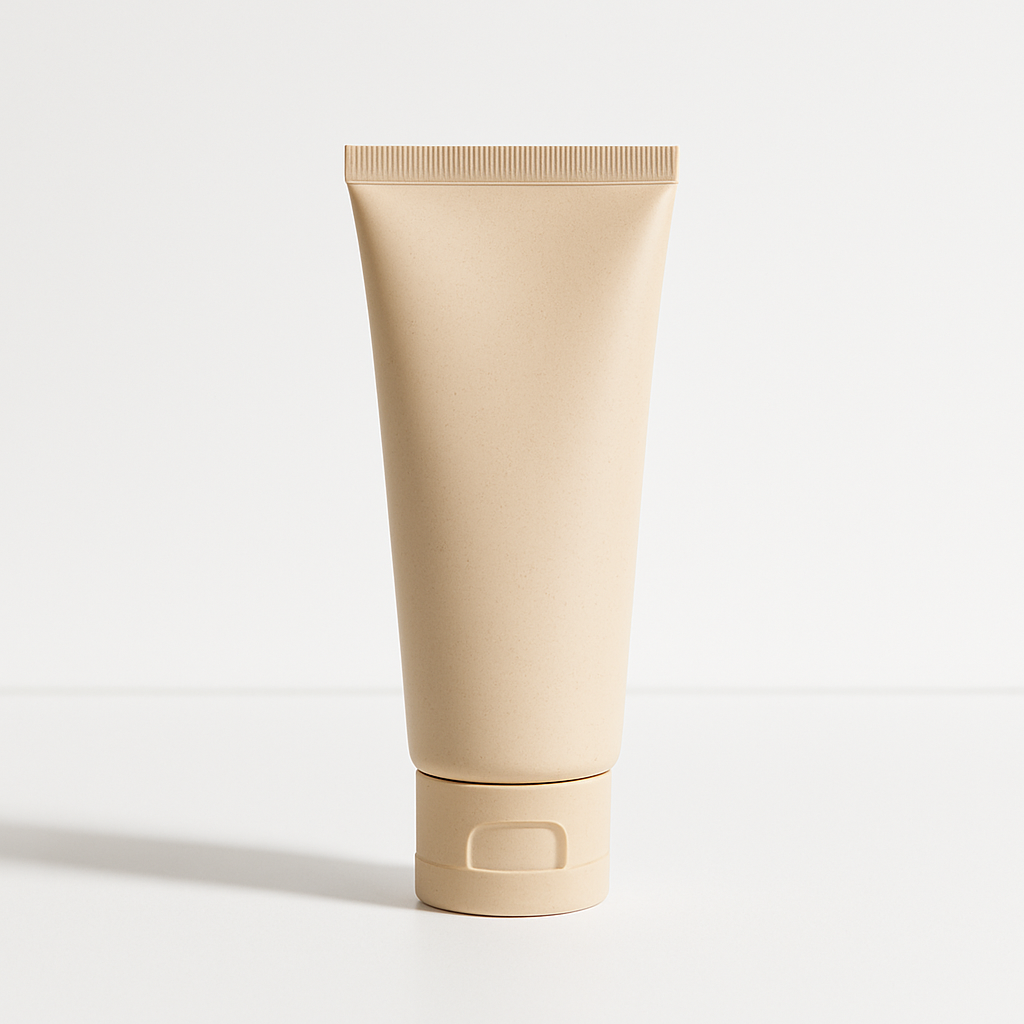
Quick answer: An AI product render generator takes a plain-English description of your product and outputs a photorealistic visualization — complete with lighting, shadows, background, and surface detail. No design software, no photo shoot, no 3D modeling required. At ATXP Pics, each render costs a few cents with no subscription.
What an AI Product Render Generator Actually Does
An AI product render generator translates text descriptions into photorealistic visuals by interpreting your words as visual instructions. You're not uploading a 3D file or adjusting lighting rigs — you're writing what you want to see, and the generator handles the visual physics: reflections, shadows, surface texture, depth of field, and background environment.
The output quality depends almost entirely on prompt specificity. A vague prompt like "a bottle of shampoo" will produce something generic. A detailed prompt describing the bottle's shape, finish, label color, background surface, and lighting direction produces something that looks like it came out of a product photography studio.
That specificity is a skill — and it's learnable in about ten minutes.
Step 1: Identify the Four Elements of a Strong Product Prompt
Every high-quality product render starts with four components in the prompt: the product itself, the surface or environment, the lighting, and the photographic style.
Here's how to think about each one:
- Product — Shape, material, color, size, label or branding details, any distinguishing features
- Surface/environment — What is the product resting on or in front of? Marble countertop, white studio backdrop, wooden shelf, concrete floor?
- Lighting — Soft diffused light, dramatic side lighting, bright overhead studio light, warm golden-hour glow
- Style — Commercial product photography, minimalist editorial, lifestyle context, high-contrast hero shot
You don't need all four to get a result — but including all four is what separates a usable image from a great one.
Step 2: Write and Refine Your Prompt
Start with a single descriptive sentence, then layer in detail until the output matches your vision.
Here's a before-and-after example showing the difference specificity makes:
| Version | Prompt | Result Quality | |---|---|---| | Vague | "A bottle of face serum" | Generic, inconsistent label, flat lighting | | Detailed | "A tall amber glass dropper bottle of face serum with a gold cap, label in muted sage green, resting on a white marble surface, soft studio lighting from the left, commercial product photography" | Studio-quality render, accurate surface, consistent branding feel |
Try this copy-ready prompt template to get started:
"A [product name] in [color/material/finish], [packaging shape if applicable], placed on [surface/background], with [lighting description], shot in a [style] style. High resolution, commercial product photography."
Run it once, evaluate the output, then adjust the elements that don't match. Lighting too harsh? Add "soft diffused light." Background too busy? Add "clean white background" or "minimal studio setting."
Step 3: Use Context to Tell a Visual Story
Lifestyle context — placing your product in a real-world environment — dramatically increases how persuasive a render looks in marketing materials.
Instead of a product on a white backdrop, imagine:
- A skincare bottle on a bathroom shelf with morning light coming through a frosted window
- A protein powder tub on a gym bag beside a water bottle
- A packaged candle on a linen tablecloth next to dried botanicals
These contextual renders work especially well for social media and e-commerce where the goal isn't just to show the product — it's to help the viewer picture owning it.
"A matte black candle in a minimal cylindrical vessel, sitting on a folded cream linen cloth beside dried lavender sprigs, warm diffused natural light, overhead editorial shot, lifestyle product photography."
Generate your product render →
Step 4: Iterate Quickly — That's the Advantage
The real value of an AI product render generator isn't one perfect image — it's the ability to generate ten variations in the time it used to take to brief a photographer.
Use rapid iteration to:
- Test backgrounds — Same product, three different surface environments. See which one reads better at thumbnail size.
- Test lighting moods — Bright and clean vs. warm and atmospheric.
- Test angles — Front-facing hero shot vs. slight three-quarter angle vs. overhead flat lay.
- Test context — Studio vs. lifestyle. Minimal vs. environmental.
At a few cents per image with no subscription, running 20 variations costs roughly a dollar. That's a fundamentally different economics than booking a product photographer or licensing a 3D render studio.
Compare that to a Midjourney Basic subscription at $10/month — if you're only generating images occasionally, you're paying $2.00 per image at 5 images/month. Pay-per-image math always wins for anyone who doesn't generate hundreds of images every single month.
Common Prompt Mistakes to Avoid
The most common reason a product render looks off is under-specifying the product or over-complicating the background.
Watch for these specific issues:
- Skipping material descriptions — "A bottle" and "a matte frosted glass bottle with a brushed silver cap" produce completely different results. Always include finish and material.
- Vague lighting — "Good lighting" means nothing. Use specific descriptions: "soft diffused light from the upper left," "bright studio overhead lighting," "warm golden backlight."
- Cluttered backgrounds — If the product is the hero, keep the environment minimal. Complexity in the background draws attention away from the product.
- No style anchor — Adding "commercial product photography" or "editorial product photography" at the end of your prompt anchors the overall aesthetic and dramatically improves consistency.
What to Use AI Product Renders For
AI product renders work for any visual context where you need a professional product image without a physical shoot.
The most common use cases:
- E-commerce listings — New product pages before inventory arrives, or A/B testing different visual styles
- Pitch decks and investor materials — Show what a product will look like at launch
- Social media content — Weekly content calendars without weekly photo shoots
- Ad creative testing — Generate multiple visual treatments before committing to a paid shoot
- Concept validation — See how a packaging or color change would look before production
Turn Your Description Into a Render
An AI product render generator doesn't replace professional photography for every use case — but it gives you photorealistic visuals on demand, at a cost that makes iteration practical. Write what you want to see, refine the prompt with the four-element framework, and generate as many variations as you need.