You have a portrait prompt ready and the result looks like a video game character from 2014. The lighting is flat, the skin looks like polished plastic, and the eyes are slightly wrong in a way you can't quite name. The issue isn't the tool — it's the prompt. This guide breaks down exactly what separates a convincing AI portrait from an obviously fake one, with copy-able prompts you can use right now.
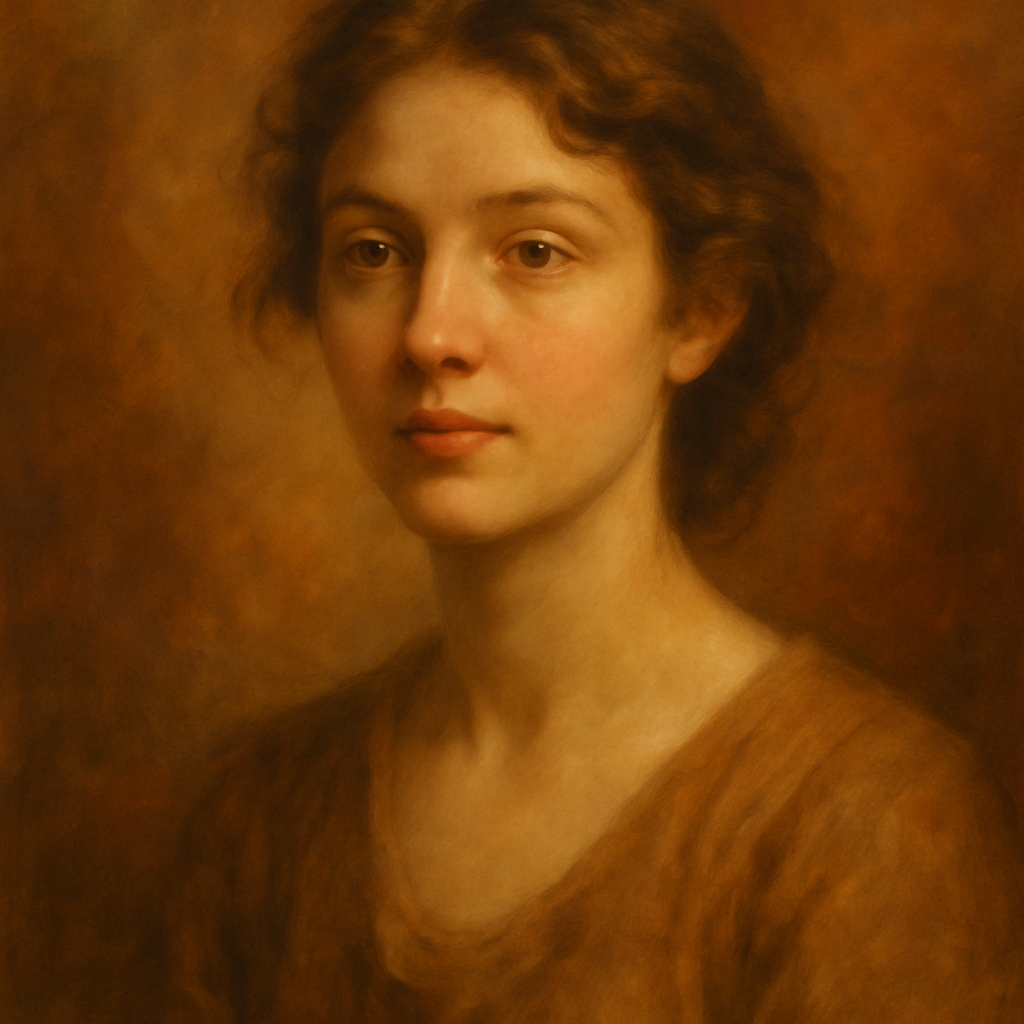
Quick answer: Realistic AI portraits come down to three things — specific lighting, natural imperfection, and camera context. Describe light like a photographer would, add small flaws (texture, flyaway hairs, uneven stubble), and include lens details like "85mm f/1.8." Those three changes alone move a portrait from "clearly AI" to "wait, is that a real photo?"
What Actually Makes a Portrait Look Real
Realism in a portrait is almost entirely about light and imperfection. Human faces aren't symmetrical. Skin has pores, occasional redness, and variation in tone. Real photos have depth-of-field blur, a slight lens perspective, and a consistent light source that casts soft shadows under the nose and chin.
When a portrait is missing those details — when the skin is smooth everywhere, the lighting comes from no specific direction, and the background is uniformly blurred — your brain flags it as fake before you can articulate why.
The good news: every one of these things is something you can specify in a prompt.
The Four Elements of a Convincing Portrait Prompt
1. Light source and direction
Name where the light is coming from and what kind it is. "Good lighting" tells the generator nothing. "Soft natural light from a window on the left side, slight shadow on the right cheek" tells it everything.
- Hard light options: direct sun, studio strobe, overhead fluorescent
- Soft light options: overcast sky, diffused window light, golden hour
- Direction: left, right, above, behind (rim/backlight), below (for dramatic effect)
2. Lens and camera context
Include a lens focal length. Portrait photographers use 85mm or 105mm because it flatters facial proportions. Wide-angle lenses (24mm, 35mm) distort faces at close range. Specifying this in a prompt anchors the image in photographic reality.
Try adding: shot on 85mm lens, f/1.8 aperture, shallow depth of field
3. Skin texture and natural imperfection
Smooth, flawless skin is the single biggest tell that a portrait is AI-generated. Real skin has texture. Add phrases like:
natural skin texture, visible poresslight asymmetrya few flyaway hairsfaint freckles across the nosenatural lip texture, not glossy
4. A specific, grounded setting
"Professional background" is vague. "Seated near a large window in a coffee shop, blurred warm interior behind" gives the generator a real environment to reflect light from and anchor the subject in.
Prompt Examples You Can Copy
Casual portrait: "Portrait photo of a woman in her mid-30s, natural skin texture with faint freckles, soft window light from the left casting a gentle shadow on the right side of her face, slight smile, 85mm lens, f/1.8, blurred warm interior background, candid and relaxed"
Professional headshot: "Professional headshot of a man in his 40s, dark navy blazer, slight stubble, natural skin texture, soft studio lighting with a subtle rim light on the right shoulder, neutral light grey background, 105mm portrait lens, direct eye contact, calm and confident expression"
Creative/editorial portrait: "Editorial portrait of a person with short natural hair, golden hour backlight creating a warm rim around the hair, slight lens flare, skin texture visible, looking slightly off-camera, 85mm, shot on film, slight grain, muted warm tones"
Try these as starting points on the AI portrait generator → and adjust from there.
Common Mistakes That Kill Realism
The most common mistake is stacking adjectives instead of specifics. "Beautiful, stunning, professional, realistic portrait" gives the generator five competing directions and no concrete information. Replace every vague adjective with a specific detail.
| Weak phrasing | Stronger replacement | |---|---| | "Beautiful lighting" | "Soft diffused light from a north-facing window" | | "Professional look" | "Navy blazer, slight stubble, neutral expression" | | "Realistic skin" | "Natural skin texture, visible pores, slight redness near the nose" | | "Nice background" | "Blurred coffee shop interior, warm amber tones" | | "High quality photo" | "Shot on 85mm lens, f/1.8, shallow depth of field" |
What to avoid in portrait prompts
- Conflicting mood cues: "bright and airy" + "moody dramatic shadows" cancel each other out. Pick one.
- Over-describing features: A prompt that lists 12 specific facial features rarely outperforms one that describes 4 well. Let the generator fill in the rest.
- Generic style words: "photorealistic" is now so common that it's nearly meaningless as a signal. Describe how it's photorealistic instead — lens, light, texture.
When AI Portraits Work (and When They Don't)
AI realistic portrait generation is well-suited for anything where speed and cost matter more than legal verification. That covers a lot of ground:
- LinkedIn profile previews and team page mockups
- Social media content featuring fictional personas or brand characters
- Placeholder headshots during website design
- Creative projects, book covers, concept art
- Testing different looks before a real photo shoot
Where AI portraits still fall short: press and media photos that require verification, legal ID documents, and any context where someone needs to prove the image depicts a real, specific person.
For everything else — especially if you only need a handful of images — the pay-per-image model at ATXP Pics makes more sense than paying $10/month for a subscription you might use twice.
A Note on Iteration
The first portrait you generate will rarely be the final one. Treat the first result as a rough draft. Look at what's closest to right — usually the lighting or the expression — and keep that language while adjusting what's off. Swap one variable at a time. After two or three iterations, most prompts converge on something genuinely usable.
Real photographers bracket their shots. Do the same with prompts.
The difference between a fake-looking AI portrait and a convincing one isn't a better tool — it's a more specific prompt. Name the light source, add a lens, drop in a few natural imperfections, and ground the subject in a real setting. Those four moves cost nothing and make every portrait noticeably more believable.