You want a portrait that looks like it was shot in a Paris studio in 1925 or developed from a roll of 1970s Kodachrome — but you don't have a time machine, a costume department, or a professional photographer on call. An AI vintage portrait generator solves all three problems at once. This guide walks you through exactly how to write prompts that produce era-accurate vintage portraits, what details actually move the needle, and the common mistakes that make portraits look generic instead of genuinely aged.
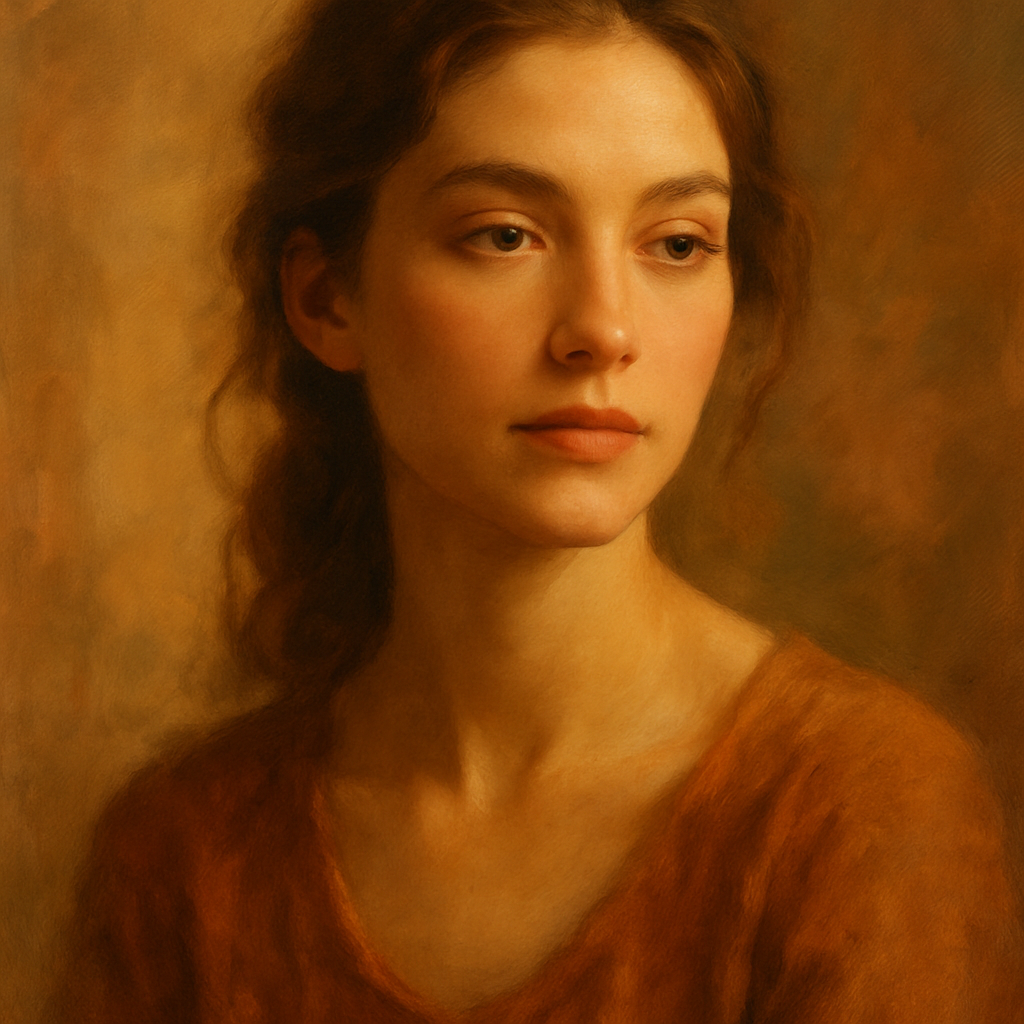
Quick answer: To generate a convincing AI vintage portrait, describe the subject, name the specific era, specify the photographic medium (daguerreotype, sepia print, Polaroid, etc.), and include lighting and color palette details. The more period-specific your prompt, the more authentic the result. No subscription or design skills required at ATXP Pics.
Why Vintage Portrait Prompts Require More Specificity
Generic prompts produce generic results. Typing "vintage portrait of a woman" gives the generator very little to work with — "vintage" could mean 1860 or 1980. The images that feel genuinely period-accurate come from prompts that describe three things simultaneously: the subject, the photographic technology of the era, and the visual atmosphere.
Think about what actually made a 1940s portrait look like a 1940s portrait:
- The film stock — high contrast, limited color range, or black and white entirely
- The lighting setup — large studio softboxes, harsh flash, or available natural light
- The physical medium — glossy press prints, matte daguerreotypes, faded Kodachrome slides
- Clothing and grooming — era-specific silhouettes, hairstyles, collar shapes
When your prompt covers all four, the output stops looking like "retro filter applied" and starts looking like an actual artifact.
The Era-by-Era Prompt Vocabulary
Each photographic era has its own visual language, and using the right terminology signals to the generator exactly what you want.
Victorian and Edwardian (1840s–1910s)
The dominant medium was the daguerreotype or albumen print — high-contrast monochrome, extremely sharp detail, long exposures that required subjects to hold perfectly still. Expressions were typically neutral or serious.
Key terms: daguerreotype, albumen silver print, sepia toned, formal studio portrait, hand-colored, oval vignette
1920s–1940s Hollywood and Wartime
This era produced some of the most iconic studio portraiture ever made — dramatic Rembrandt lighting, deep shadows, glamour. Black-and-white film with wide tonal range.
Key terms: 1930s Hollywood glamour portrait, high-contrast black and white, Rembrandt lighting, soft focus, film noir, wartime press photo
1950s–1960s Color Film
Kodachrome and Ektachrome produced vivid but slightly oversaturated colors with a warmth that's immediately recognizable. Skin tones glow amber-gold. Backgrounds tend to be simple studio gradients.
Key terms: Kodachrome slide film, 1950s color portrait, warm amber tones, soft studio gradient background, pin-up photography style
1970s–1980s Polaroid and Consumer Film
Polaroids have a distinctive square format, slightly desaturated colors, and a white border. Consumer 35mm from this era has visible grain, cooler color casts, and snapshot energy even in posed shots.
Key terms: Polaroid SX-70, 1970s snapshot, faded film photograph, visible film grain, cool color cast, light leak
How to Build a Vintage Portrait Prompt Step by Step
A strong vintage portrait prompt has five components, and assembling them in order keeps the description clear.
-
Subject description — Physical appearance: hair color and style, approximate age, skin tone, expression. Be specific. "A woman in her 30s with dark wavy hair pulled back, a slight smile" gives the generator far more to work with than "a woman."
-
Era and context — State the decade and place if relevant. "1940s Paris" and "1940s rural American Midwest" will produce very different results even with the same base description.
-
Photographic medium — Name the specific film type, print format, or photographic process. This single detail does more work than almost anything else in the prompt.
-
Lighting — Describe the light source and quality: soft diffused window light, harsh on-camera flash, dramatic single-source side lighting.
-
Mood and finishing details — Vignetting, color fading, scratches on the print, overexposure around highlights — these aging details sell the authenticity.
Copy-ready prompt example: "Studio portrait of a man in his 40s with a thick mustache and slicked-back dark hair, wearing a wool suit and high-collared shirt, serious expression, 1910s Edwardian era, daguerreotype style, high contrast monochrome, oval vignette, formal seated pose, extremely sharp detail, aged paper texture"
Common Mistakes That Break the Vintage Effect
The most common mistake is mixing era signals. A prompt that says "1920s flapper portrait" but also describes modern contouring makeup or a contemporary haircut will produce something that feels like a costume rather than a genuine period image. Keep every detail in the same decade.
Other mistakes worth avoiding:
- Being vague about the medium — "old photo" is not enough. Name the process.
- Forgetting the background — Vintage portraits almost always had intentional backgrounds: painted studio drops, simple gradients, or blurred architectural details. Leaving background unspecified often produces modern-looking settings.
- Over-describing digital perfection — Vintage images have imperfections. Explicitly mention grain, fading, slight blur, or print damage to counteract the generator's default tendency toward crisp, clean output.
- Skipping clothing details — Clothing anchors the era more visibly than almost anything else. A sentence about the collar, fabric, or silhouette pays off immediately.
Generate your vintage portrait now →
What Vintage Portraits Actually Cost to Generate
You don't need a monthly plan to create a handful of vintage portraits. At ATXP Pics, you pay per image — a few cents each — and your balance never expires. There's no subscription, no commitment, and no charge just to sign up.
Here's how that compares to a typical subscription tool if you're only making occasional images:
| Images per month | Midjourney Basic ($10/mo) | ATXP Pics (pay-per-image) | |---|---|---| | 5 images | $2.00 per image | A few cents per image | | 20 images | $0.50 per image | A few cents per image | | 150 images | ~$0.07 per image | A few cents per image |
The subscription math only works in your favor at very high volume. For someone who wants to generate a vintage portrait for a project, a gift, or a social media post, paying per image is almost always the better option — especially since you're never charged for months you don't create.
What to Do With Your Vintage Portrait
Vintage portraits work across more use cases than you might expect. Once you have the image, common applications include:
- Custom gifts — framed prints that look like genuine heirlooms
- Social media profile photos styled to a specific aesthetic
- Book covers, album artwork, or editorial illustration
- Family history projects — imagining how ancestors might have looked in period photography
- Event invitations with a historical theme
For social media specifically, the social media image creator page has additional guidance on sizing and framing for different platforms.
A well-prompted vintage portrait doesn't look like an AI image with a filter applied. It looks like it was pulled from a box in someone's attic — which is exactly the point.
Ready to generate your first vintage portrait? Describe the era, name the medium, and let the details do the work. Start creating at ATXP Pics →