Most startups can't afford a product photographer or a design agency before they've raised a single dollar. But walking into a pitch meeting with a slide full of text and no visuals is a harder sell than it needs to be. This guide shows you exactly how to use a startup product mockup AI to produce pitch-ready images in minutes — for cents, not thousands.
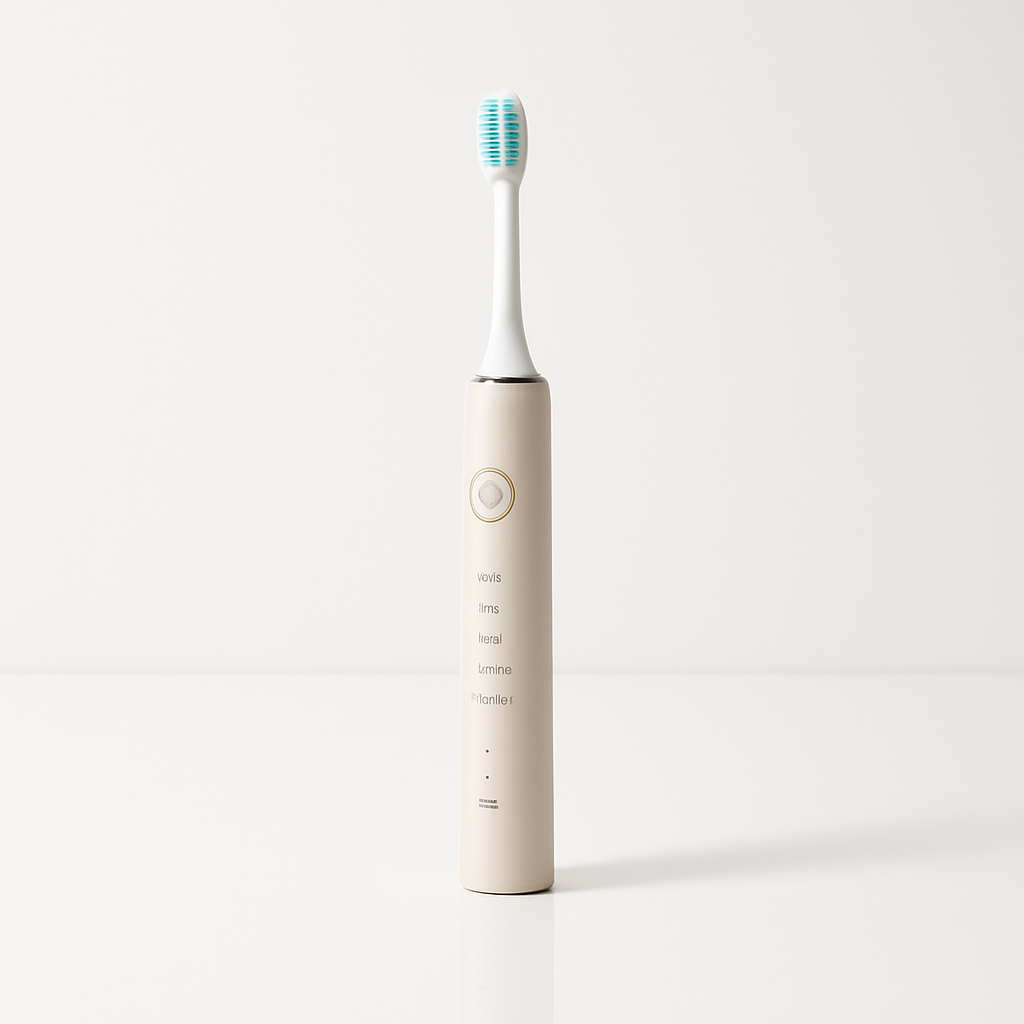
Quick answer: AI product mockup generators let you describe your product in plain English and receive a realistic, high-quality image in seconds. You don't need a prototype, a designer, or a subscription. For pre-seed and seed-stage startups, this is the fastest way to get credible visuals into your pitch deck, landing page, or investor one-pager — before you build anything.
Why Startups Use AI Mockups Before Building
AI-generated product mockups solve a real sequencing problem: you need visuals to raise money, but you need money to build the product that would give you visuals. That loop used to require hiring a 3D rendering studio or a product designer. Now it doesn't.
The use cases are straightforward:
- Pitch decks — show investors what the product will look like, not just what it does
- Landing pages — validate demand before spending on development
- Crowdfunding campaigns — Kickstarter and Indiegogo campaigns with strong product imagery consistently outperform those without
- Social media — build an audience before launch with scroll-stopping visuals
- Co-founder or early hire recruiting — a polished visual makes the vision feel real
None of these require a finished product. They require a clear image of one.
What Makes a Good Startup Product Mockup Prompt
The quality of your output depends almost entirely on the specificity of your input. A vague prompt produces a generic image. A detailed prompt produces something you can drop into a pitch deck.
Think of your prompt in five layers:
1. Product Type and Form
Name the object clearly. Don't say "app." Say "a smartphone displaying a budgeting dashboard" or "a matte black aluminum water bottle with a carabiner lid."
2. Materials and Finish
Mention texture, color, and material. "Brushed steel," "frosted glass," "soft-touch matte plastic" all produce meaningfully different results.
3. Setting and Background
Studio white, lifestyle context, flat lay, outdoor environment — pick one and name it. "On a white studio surface with a soft drop shadow" reads differently than "on a marble kitchen counter with natural morning light."
4. Lighting Style
"Product photography lighting," "soft diffused light," "dramatic side lighting," or "bright e-commerce lighting" give the generator a clear visual target.
5. Mood and Audience Signal
"Premium," "approachable," "minimal," "clinical" — one adjective that captures what the product should feel like to the viewer.
Here's a full example prompt you can copy and adapt:
A sleek white noise machine with a fabric-wrapped cylinder body, soft touch finish, sitting on a minimalist wooden nightstand, warm ambient bedroom lighting in the background, product photography style, premium lifestyle feel, shallow depth of field
That prompt gives you a specific object, material, setting, lighting, and mood. It will produce a mockup you can use — not a placeholder.
Step-by-Step: From Idea to Pitch-Ready Mockup
Follow these steps to go from concept to a complete mockup set for your pitch deck.
-
Write your hero shot prompt first. This is the clean, studio-style image that goes on slide one of your deck. Use a white or neutral background, clear lighting, and a front-facing or three-quarter angle. Get this image right before moving to anything else.
-
Generate a lifestyle shot. Place your product in the context where someone actually uses it. A fitness app belongs in a gym. A meal planning tool belongs in a kitchen. A B2B dashboard belongs on a desk with a coffee cup nearby. Same product, different setting, different prompt.
-
Create a detail or feature shot. If your product has a specific feature worth highlighting — a unique interface, a distinctive button, a texture — generate a close-up. Use "macro product photography" in your prompt for tight detail images.
-
Iterate fast. If your first result isn't right, change one element of the prompt and regenerate. Don't rewrite the whole thing — isolate the variable. Wrong lighting? Change just that phrase. Wrong background? Swap it out. You're spending cents per attempt, so iteration is cheap.
-
Export and drop into your deck. No editing required unless you want it. Most results are ready to use at full resolution.
Generate your first product mockup →
Common Mistakes to Avoid
The most common mistake is a prompt that's too short. "A water bottle" produces a stock photo result. "A 24oz insulated stainless steel water bottle in forest green with a bamboo lid, on a white surface, soft studio lighting, e-commerce product photography style" produces something pitch-ready.
Watch out for these specifically:
- Skipping the background. If you don't specify, you'll get something random. Always name the setting.
- Forgetting the angle. "Front view," "three-quarter angle," "overhead flat lay" — pick one per shot.
- Using brand names. Don't prompt for "an iPhone mockup" or "a Nike shoe." Describe the object itself. "A smartphone with a rounded edge and a triple camera module" is better.
- Generating only one image. Pitch decks need at least three images for a product section to feel complete. Plan for a hero, a lifestyle, and a detail shot from the start.
- Confusing concept with final product. Label your mockups clearly in your pitch as "concept rendering" or "product vision." Investors appreciate honesty, and it protects you if the final design evolves.
What This Costs Compared to Your Alternatives
Before AI, startups had three options for pre-launch visuals: hire a 3D rendering studio ($500–$3,000 per image), commission a product designer, or ship the pitch deck with no visuals. None of those are good options at the pre-seed stage.
| Approach | Cost per image | Turnaround | Design skills needed | |---|---|---|---| | 3D rendering studio | $500–$3,000 | 1–2 weeks | No (but briefing required) | | Freelance product designer | $150–$500 | 3–7 days | No (but briefs required) | | DIY in Figma or Canva | $0–$20/mo | Hours to days | Yes | | ATXP Pics (pay-per-image) | A few cents | Seconds | No |
No subscription. No monthly commitment. Your balance never expires — so if you generate your pitch deck mockups today and don't touch it again for three months, you haven't paid anything in the meantime.
What to Do With Your Mockups Once You Have Them
A set of three strong mockups goes further than most founders expect:
- Drop the hero shot into the cover slide of your pitch deck
- Use the lifestyle shot on your pre-launch landing page to collect emails
- Post the detail shot to LinkedIn or Instagram to start building an audience
- Include all three in your AngelList or Crunchbase profile
- Send the hero shot in cold outreach to potential customers or partners — a visual makes the email land differently
You built nothing. You spent under a dollar. You now have a product that looks real enough to validate with the market before you commit to building it.