Your About page is often the first page an investor or enterprise buyer clicks after landing on your homepage. If half your team's headshots are Zoom screenshots and the other half are vacation photos with the backgrounds cropped out, that mismatch does quiet damage to your credibility. This guide walks you through exactly how to create consistent, professional startup team AI headshots in under an hour — no photographer, no studio, no subscription.
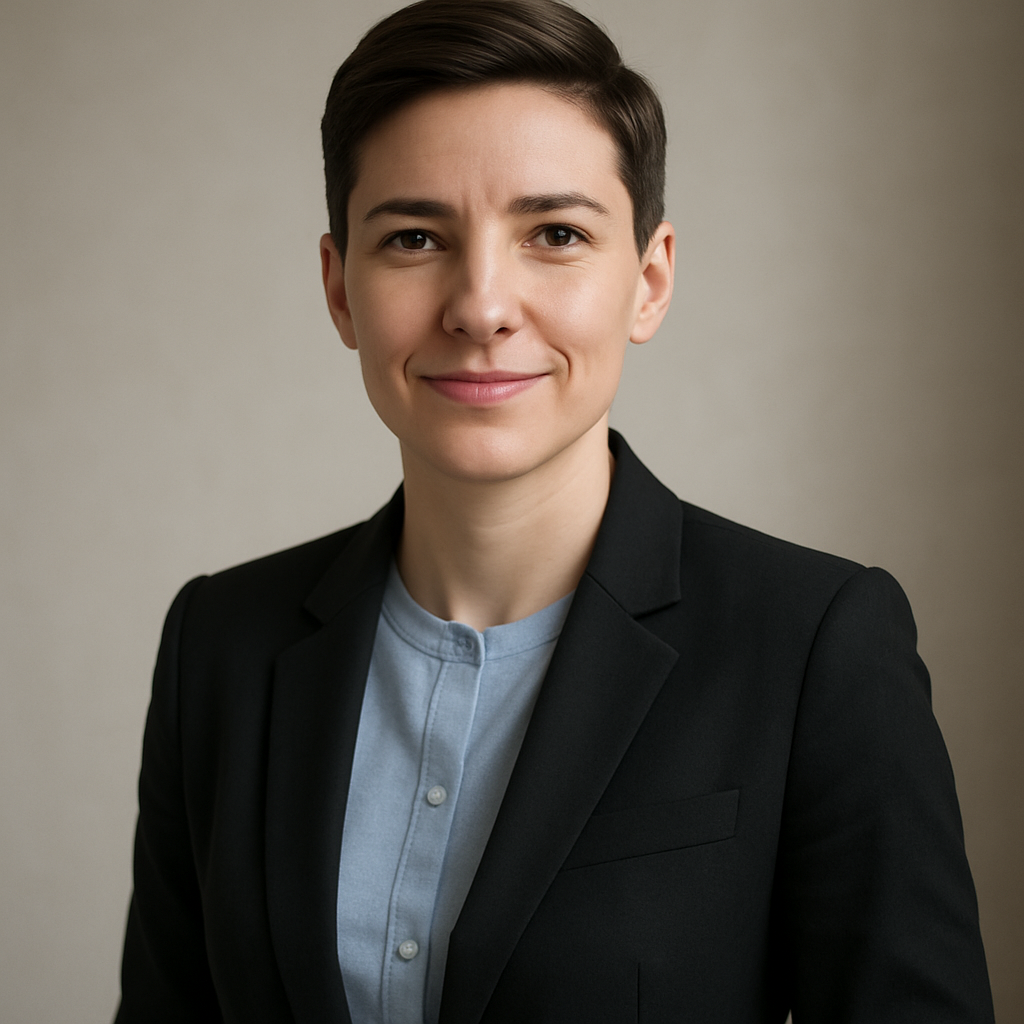
Quick answer: Describe each team member's headshot using a shared prompt template — same background, same lighting, same crop — and swap only the person's physical description. Run every prompt through an AI image generator that charges per image (not per month), and your entire About page looks like it was shot in the same studio on the same day. Total cost: a few dollars.
Why Startup About Pages Look Inconsistent (and Why It Matters)
The problem isn't that your team looks unprofessional — it's that the photos were taken in five different places over three years. One founder has a polished LinkedIn headshot from a previous job. Your CTO has a blurry conference badge photo. Your two newest engineers haven't submitted anything yet. Investors and enterprise buyers read visual inconsistency as organizational chaos, even when the company itself is tightly run.
A coordinated About page signals that the team takes presentation seriously. It doesn't require a $3,000 photo shoot. It requires a repeatable process.
Step 1: Build Your Team's Shared Prompt Template
The template is the whole system — get this right and the rest takes minutes. Every team member's headshot should share the same background, lighting style, framing, and general attire direction. The only variable is the physical description of the person.
Here's a base template to start from:
Professional headshot, [PERSON DESCRIPTION], wearing a navy blazer over a white shirt, neutral light gray background, soft natural front lighting, slight smile, shoulders-up framing, sharp focus, clean corporate style
Decide on these four elements before you generate a single image:
- Background: Neutral solid color (light gray, off-white, or dark charcoal work best) or a subtle blurred office environment
- Lighting: "Soft natural front lighting" reads as approachable; "studio three-point lighting" reads as more formal
- Framing: Shoulders-up is standard for About pages; chest-up gives a bit more breathing room
- Attire: Match your brand — a fintech startup might want blazers; a developer tools company might want clean casual
Lock these down as a team decision before step two.
Step 2: Write Each Person's Physical Description
This is the only part of the prompt that changes between team members. Keep descriptions factual and specific: hair color and length, approximate age range, skin tone, any distinctive features. The more precise you are, the closer the result is to the actual person.
Example fill-ins for the [PERSON DESCRIPTION] slot:
- woman in her early 30s, shoulder-length dark brown hair, warm medium skin tone
- man in his late 40s, short gray hair, light skin, glasses
- non-binary person in their mid-20s, natural afro, deep brown skin tone
Write out every team member's description before you start generating. Having them all in a list means you can move through the whole team in one session.
Step 3: Generate and Review
Run each prompt, review the output, and refine once if needed. At ATXP Pics, you describe what you want and get a result in seconds. No account required to try, no subscription to commit to. You pay per image — a few cents each — so testing two or three variations per person costs almost nothing.
- Paste your filled-in template for person one
- Review the output against your base style (does the background match? is the framing right?)
- If something's off, add a clarifying detail to the prompt ("slightly warmer lighting", "tighter crop on the face") and regenerate
- Move to person two with the same base template
A team of eight takes 20–30 minutes if your template is solid.
What to Do When a Result Doesn't Match
The most common issue is framing drift — the AI occasionally generates a wider or tighter crop than intended. Fix it by adding explicit framing language: "frame from upper chest to just above the head, centered". The second most common issue is background variation. Add "flat solid [color] background, no texture, no gradient" if you're getting inconsistency there.
Saving Your Template for New Hires
Drop your final base template into a shared doc the moment you're happy with the first round of headshots. When someone joins next month, you run their description through the exact same template. No rescheduling, no "we'll update the About page eventually." New hire goes live looking like the rest of the team.
Step 4: Export and Drop Into Your About Page
Export each image at the same dimensions before uploading. Most About page layouts display headshots at a fixed aspect ratio — typically 1:1 (square) or 3:4. Crop every image to the same ratio before uploading so the grid looks uniform regardless of your CMS.
Quick checklist before publishing:
- All images same dimensions and aspect ratio
- All images same file format (JPG at 80–85% quality is standard for web)
- File names follow a consistent convention (
firstname-lastname-headshot.jpg) - Alt text written for every image (accessibility and SEO both benefit)
Generate your team's headshots now →
What This Costs vs. a Traditional Photo Shoot
A professional headshot photographer typically charges $150–$400 per person, plus travel or studio fees. For a team of 8, that's $1,200–$3,200 — and you still have to coordinate schedules, find a location, and wait a week for edited files.
| Approach | Cost for 8-person team | Turnaround | Reschedule cost | |---|---|---|---| | Professional photographer | $1,200–$3,200 | 1–2 weeks | Full reshoot fee | | DIY phone photos | ~$0 | Same day | Inconsistent results | | ATXP Pics (pay-per-image) | Under $5 | Under an hour | Cents per image |
There's no monthly fee eating into your runway between now and the next time someone joins the team.
Common Mistakes to Avoid
Don't use a different background color for each person — it defeats the whole purpose of the template. Even small variation (light gray vs. warm white) reads as inconsistent at a glance.
Don't skip the framing instruction. "Headshot" alone is ambiguous. "Shoulders-up, centered, tight crop" is not.
Don't generate everyone's photos and then decide to change the background. Pick your style in Step 1, generate one test image, approve the style, then run the full team.
Don't forget your co-founders. The About page loses credibility when leadership headshots look different from the rest of the team's.
Startup team AI headshots don't require a photographer, a studio, or a subscription. They require a good template, 30 minutes, and a few dollars. Your About page is a sales tool — it deserves the same care as your pitch deck.