You want to give someone something genuinely personal, but candles and gift cards feel impersonal and custom artwork from a human artist costs hundreds of dollars and takes weeks. An AI portrait lands in the middle: it's made specifically for one person, it looks like real artwork, and you can create it today. This guide walks you through exactly how to do it.
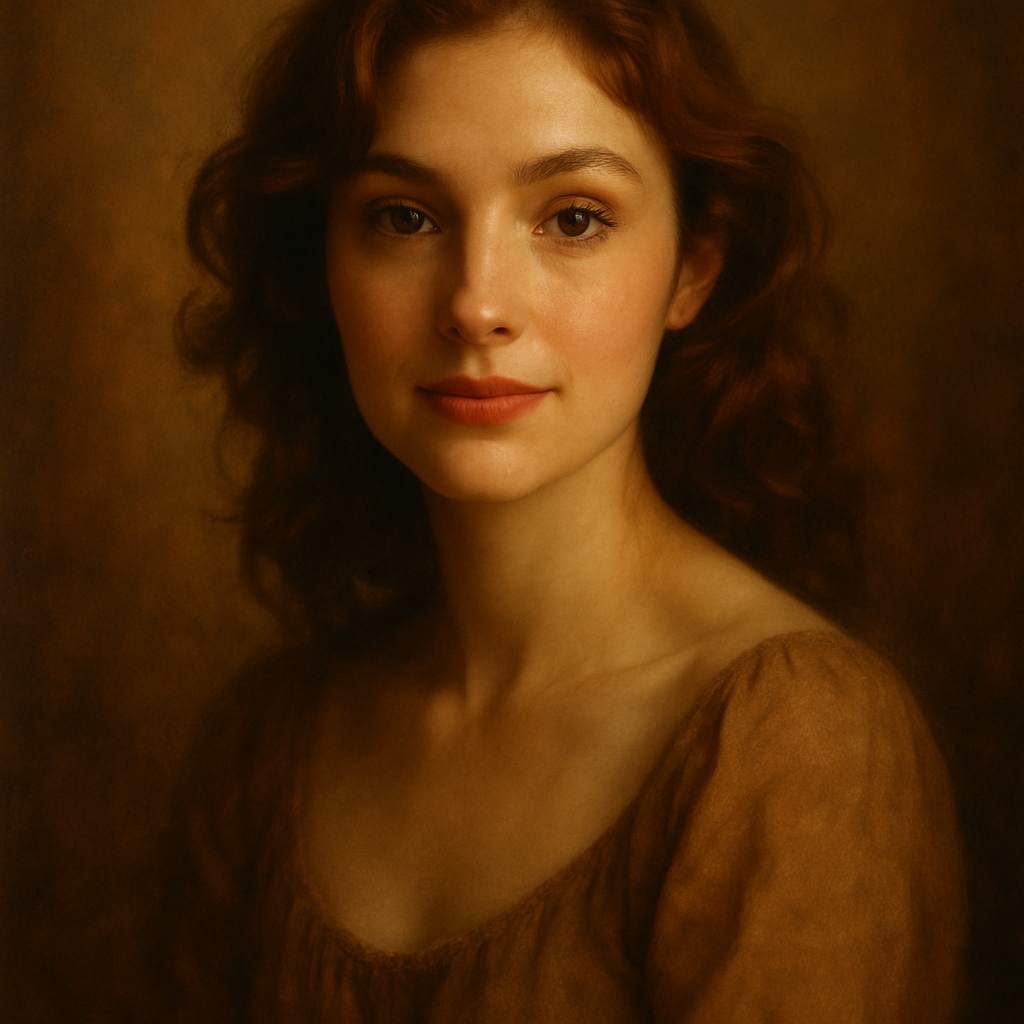
Quick answer: An AI portrait is one of the strongest personalized gift ideas available right now. You describe the subject, choose an art style, and receive a finished image in seconds — no subscription, no design skills, no waiting. Print it, frame it, or send it digitally. The whole process takes under 15 minutes and costs a few cents per image.
Why an AI Portrait Works as a Gift
A great gift signals that you paid attention to the person, not just the occasion. A portrait does exactly that — it's built around a specific individual. Unlike a spa voucher or a bottle of wine, a portrait says: I thought about you.
The practical advantages stack up quickly:
- No lead time. A commissioned oil painting takes 4–8 weeks. An AI portrait takes seconds.
- No minimum spend. Custom human portraits start at $150–$300 for a basic piece. An AI portrait costs cents.
- Infinite style options. Oil painting, watercolor, Renaissance, graphic novel, impressionist — you choose.
- Easy to print or send digitally. Download the file and send it by text, email, or print it at any photo lab.
The result looks like artwork. It doesn't look like a filtered photo. That distinction matters when you're handing someone a gift.
What to Include in Your Portrait Prompt
The more specific your description, the more the portrait will feel like it was made for that person. Vague prompts produce generic results. Specific prompts produce something that makes the recipient feel seen.
Subject Details
Start with what you know about the person visually:
- Hair: color, length, texture
- Features: any distinctive details — glasses, a beard, freckles
- Expression: warm smile, serious, thoughtful, joyful
Style and Mood
This is where the gift goes from "interesting" to "stunning." Pick one:
- Oil painting — rich, classic, timeless
- Watercolor — soft, artistic, works well for romantic or sentimental gifts
- Renaissance portrait — dramatic lighting, formal, excellent for birthdays or milestones
- Illustrated / graphic novel — bold lines, great for younger recipients or fans of comics
Setting and Context
A background transforms a portrait into a scene:
- A cozy reading corner surrounded by books
- A sun-lit Italian piazza
- A dramatic mountain ridge at golden hour
- A field of wildflowers
Prompt Example
"Oil painting portrait of a woman in her 40s with shoulder-length auburn hair and warm brown eyes, wearing a navy blue blazer, soft smile, Renaissance-style lighting, dark rich background with subtle gold tones, highly detailed, painterly brushwork"
Copy that structure, swap in the details for your recipient, and you have a working prompt.
Step-by-Step: Creating the Portrait
- Write your description. Use the framework above — subject details, style, setting. Aim for 2–3 sentences.
- Go to ATXP Pics' AI portrait generator. No account required to start.
- Paste your description and generate. Your image arrives in seconds.
- Review and refine. If something's off — the expression, the style, the background — adjust the wording and regenerate. Most people hit a version they love within 3–5 tries.
- Download your image. It's yours.
- Print or send. Upload to a print service like Printful, Artifact Uprising, or your local photo lab. Or send the digital file directly — a framed digital portrait on someone's phone lock screen is still a gift.
The whole process — writing the prompt, generating, refining, downloading — takes about 10–15 minutes.
Common Mistakes to Avoid
The biggest mistake is being too vague. "A portrait of my mom" produces a generic middle-aged woman. "A watercolor portrait of a woman in her 60s with short silver hair, kind eyes, and a warm smile, sitting in a sunlit garden" produces something that actually resembles the person you're thinking of.
A few other things to watch for:
- Don't pick a style that clashes with the recipient's taste. A hyper-dramatic Renaissance portrait is perfect for some people and completely wrong for others. Think about what art they actually have on their walls.
- Don't skip the lighting instruction. "Soft natural light" vs. "dramatic chiaroscuro lighting" produces wildly different results. It's worth specifying.
- Don't generate one version and stop. Each generation costs a few cents. Run 4–5 variations with small prompt changes. The difference between version 1 and version 4 is often significant.
Who This Gift Works Best For
An AI portrait works for almost any recipient, but it shines hardest in a few specific situations:
- Milestone birthdays (40, 50, 60+) — a Renaissance or classic oil style feels appropriately commemorative
- New parents — a portrait of their baby or family in a soft watercolor style
- Pet owners — a painted portrait of their dog or cat is consistently one of the most-received gift ideas on any gift list
- Long-distance relationships — a digital portrait you can text or frame on a phone costs nothing to "ship"
- Couples and anniversaries — a paired portrait with both subjects, a shared setting, a romantic style
What to Do With the Final Image
Once you have an image you love, you have several options:
- Print and frame it. A standard 8×10 print at a local pharmacy or photo lab costs $2–$5. A canvas print from an online service runs $20–$40. Either way you're delivering something that looks like it cost far more.
- Send it digitally. For last-minute gifts, a beautifully framed screenshot on someone's phone is still meaningful. Pair it with a short message about why you made it for them.
- Put it in a photo book. If you're giving a family portrait or a series of images, a printed photo book pulls them together into something cohesive.
The Cost Breakdown
| Option | Cost | Turnaround | Customization | |---|---|---|---| | Human artist (basic commission) | $150–$400+ | 4–8 weeks | High | | AI portrait (ATXP Pics) | Cents per image | Seconds | High | | Printable portrait template | $10–$25 | Instant | Low | | Photo book service | $25–$50 | 1–2 weeks | Medium |
For most people creating an occasional gift, the math is straightforward. A few cents per image, no monthly subscription charged in months you don't create anything, balance that never expires. You spend what you actually use.
The Most Personal Gift Is One You Made
An AI portrait as a gift idea works because it's made for one person, by you, on purpose. It's not personalized in the "we printed their name on it" sense — it's personal in the sense that you sat down and thought about what that person looks like, what style suits them, and what setting would mean something.
That's what makes a gift feel like a gift.