You want to give your mom something that actually means something — not another candle, not a gift card. An AI portrait is a genuinely personal gift you can put together in an afternoon, and it costs less than brunch. This guide walks you through exactly how to do it, from writing your first prompt to handing over a framed print she'll keep.
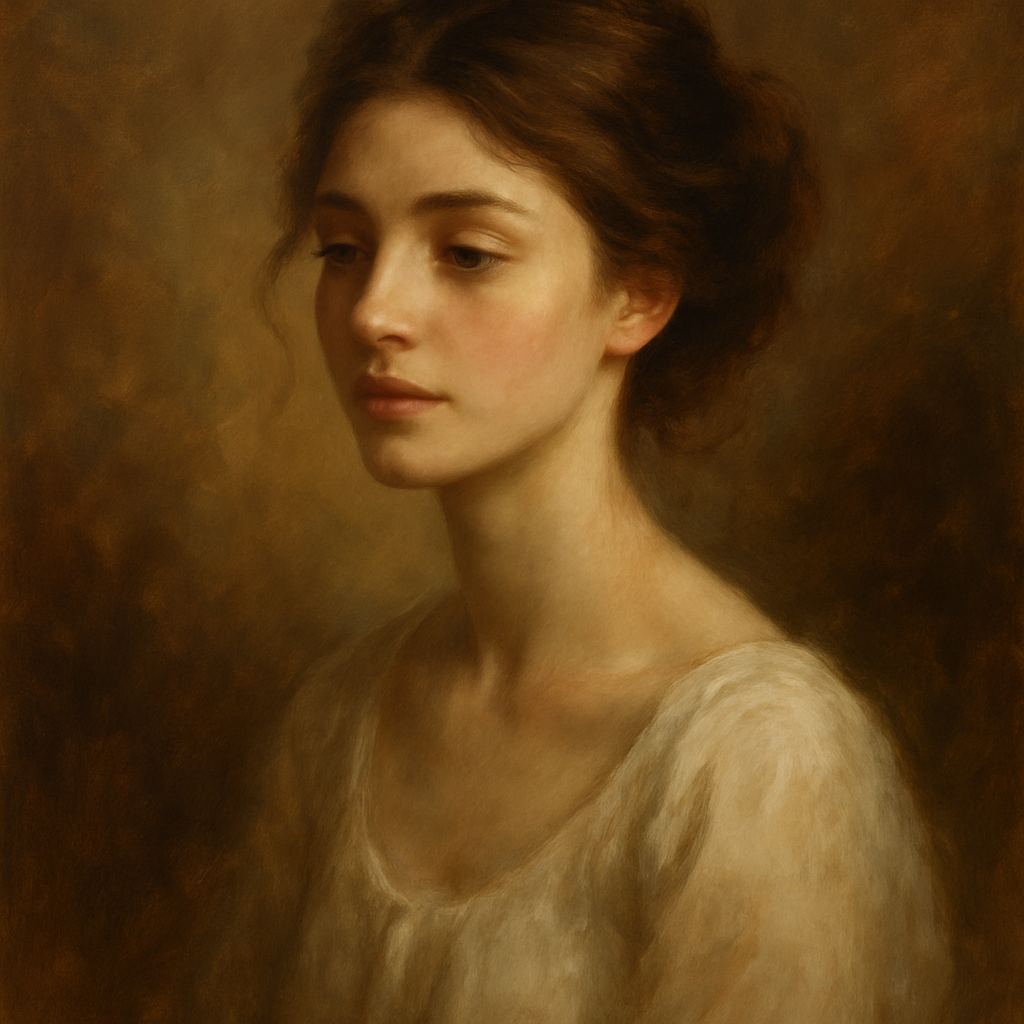
Quick answer: Describe your mom's appearance and the portrait style you want in plain English at ATXP Pics' AI portrait generator. The image generates in seconds, costs a few cents, and you can repeat until it's right. Download, print, frame — done.
Why an AI Portrait Works as a Mother's Day Gift
An AI portrait works because it's specific to her — her coloring, her style, the aesthetic she actually loves — in a way that mass-produced gifts never are. Unlike a generic photo print, a painted portrait carries a sense of craft and intention. Unlike commissioning a human artist (which can run $150–$500 and take weeks), you can generate, refine, and finalize something beautiful in the same afternoon.
The key is knowing how to describe what you want. That's what the rest of this guide is for.
Step 1: Decide on the Portrait Style
Choose the style before you describe the subject — style is the single biggest lever on how the final image feels.
A few styles that consistently land well as gifts:
- Watercolor portrait — soft, warm, feels handmade without looking rough
- Oil painting, Renaissance style — dramatic, gallery-quality, impressive on a wall
- Vintage botanical illustration — elegant, detailed, great for moms who love a classic aesthetic
- Impressionist painting — painterly and emotional, less precise but beautifully atmospheric
- Pencil sketch with color wash — artistic but understated, suits a minimalist home
If you're not sure, watercolor is the safest default. It reads as thoughtful and personal without being overwhelming.
Step 2: Write a Prompt That Actually Describes Her
The more specific your description, the more the portrait will feel like her. You don't need to write anything complicated — plain English works. Think of it as describing her to someone who has never met her.
Cover these details in your prompt:
- Physical features — hair color, length, and texture; eye color; approximate age or "in her 50s"
- Expression or mood — warm smile, serene, looking slightly off-camera
- Setting or background — garden, soft light, neutral background, autumn leaves
- Style — the portrait style you chose in Step 1
- Any meaningful detail — a piece of jewelry she always wears, a flower she loves, her favorite color
Example Prompts to Copy and Adapt
Watercolor style: "Watercolor portrait of a woman in her late 50s with short silver hair and warm brown eyes, soft smile, looking slightly off-camera, surrounded by soft pink peonies, pastel background, delicate brushwork, warm light"
Oil painting style: "Renaissance-style oil painting portrait of a woman in her early 60s with long auburn hair and green eyes, dignified and warm expression, dark rich background with soft candlelight, highly detailed, gallery quality"
Vintage illustration style: "Vintage botanical illustration portrait of a woman in her 50s with dark curly hair and a gentle smile, surrounded by hand-drawn wildflowers and leaves, muted earthy tones, detailed line work, archival print style"
Step 3: Generate, Review, and Refine
Your first result won't always be the final one — that's normal and expected. Plan for 3–5 attempts. At a few cents per image, the total cost to arrive at something you love is still well under a dollar.
When reviewing each result, ask:
- Does the age and general appearance feel right?
- Does the style match what you described?
- Is the expression warm enough for a gift?
If something's off, adjust one thing at a time. If the background is too busy, add "simple background" or "soft neutral background" to your prompt. If the expression feels cold, add "warm smile" or "gentle expression." Small additions make big differences.
Generate your Mother's Day portrait now →
Step 4: Download and Print It
Once you have an image you love, download it and take it to print. You have several good options:
Online Print Services
- Shutterfly — easy upload, canvas and framed print options, ships fast
- Printful — higher quality, good for larger prints
- Canvaspop — specifically built for canvas prints, reliably good results
Local Options
- A local print shop or pharmacy can print standard photo sizes (8×10, 5×7) same day
- Frame shops often offer printing and can frame in one visit
For a gift-quality result, choose matte canvas or archival photo paper over glossy. Canvas in particular makes a generated portrait look like a real painting on a wall.
Framing It
A simple frame from a craft store completes the gift. Pair a warm-toned portrait with a natural wood frame, or a cooler watercolor with a white or silver frame. If you want to go further, add a handwritten note explaining what the portrait is and why you chose the style — it turns a beautiful image into a story.
What to Avoid
A few common mistakes that make AI portraits feel less personal:
- Too vague a prompt — "a woman" with no description produces a generic result. Add specifics.
- Conflicting style directions — don't mix "realistic photograph" and "impressionist painting" in the same prompt. Pick one.
- Skipping the refinement step — your first image is a draft. Two or three more attempts almost always produce something noticeably better.
- Low-resolution printing — if your print looks soft or pixelated, request a higher-resolution output or print at a smaller size.
The Cost Comparison (vs. Other Portrait Options)
| Option | Cost | Turnaround | Personal? | |---|---|---|---| | AI portrait (ATXP Pics) | Cents per image, no subscription | Minutes | As personal as your prompt | | Human portrait commission | $150–$500+ | 2–6 weeks | High, but requires reference photos | | Painted portrait app | $20–$50/month subscription | Minutes | Limited style options | | Photo print | $5–$20 | Same day | It's just a photo |
No subscription means you pay for what you use — a few images for a gift, nothing more. Your balance doesn't expire, so if you generate portraits for other occasions later, your remaining credit is still there.
Mother's Day is the kind of occasion where effort is visible. An AI portrait doesn't look like you took a shortcut — it looks like you thought about her, described her specifically, and turned that into something she can hang on her wall. That's a real gift.