You need a professional headshot and a $200+ photography session isn't in the plan right now. Whether it's for a LinkedIn profile, a speaker bio, or a company directory, this guide walks you through exactly how to use an AI business headshot generator to get polished, professional results — in minutes, for a few cents per image.
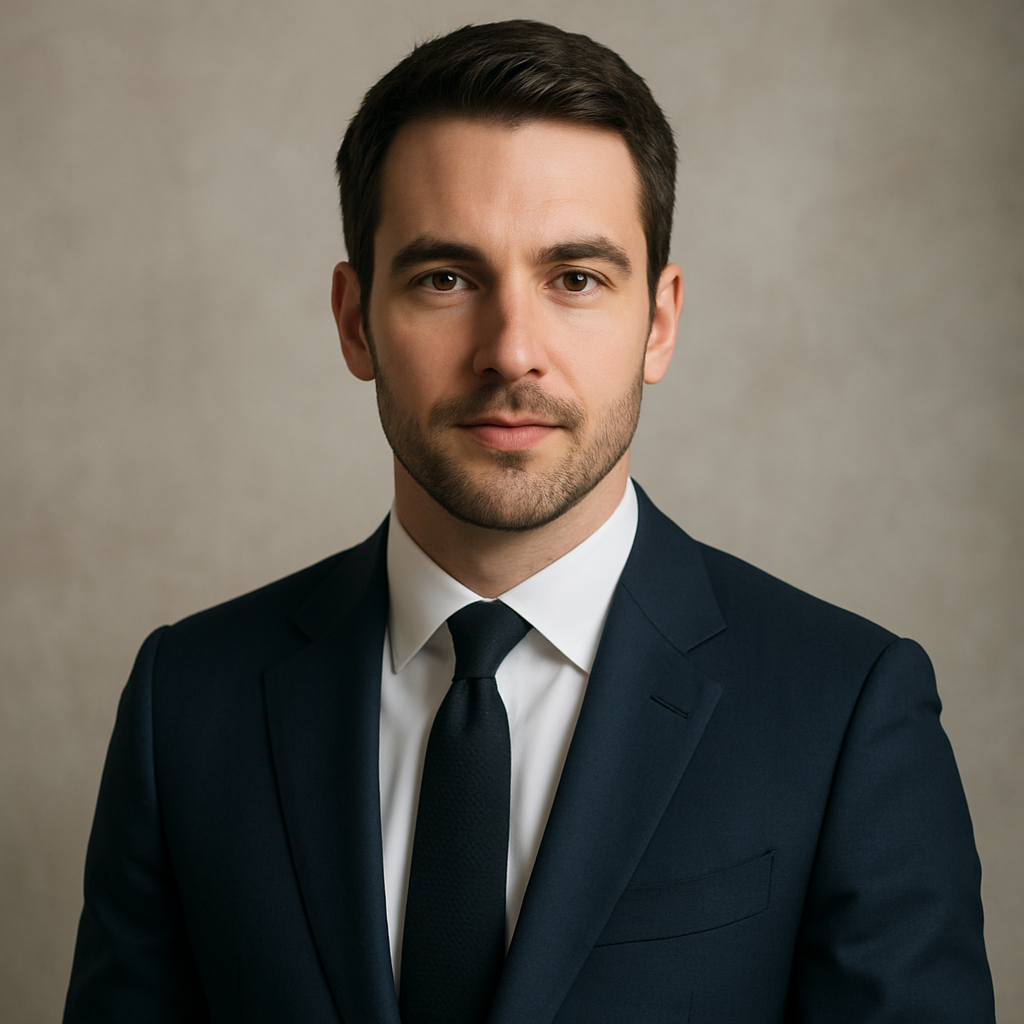
Quick answer: An AI business headshot generator lets you describe the portrait you need in plain English and receive a high-quality, professional-looking image in seconds. No photographer, no scheduling, no session fee. At ATXP Pics, you pay per image with no subscription — a single headshot costs a few cents, not $200.
What Makes a Business Headshot Look Professional
A professional headshot comes down to four elements: lighting, background, attire, and expression. Get those four right in your prompt and the result will hold up on any professional platform.
Here's what each element means in practice:
- Lighting — Soft, even studio lighting is the industry standard. It eliminates harsh shadows and flatters virtually any face shape.
- Background — A plain light grey or white background is the safest choice. Blurred office environments and neutral gradients also read as professional.
- Attire — A dark blazer or business casual top signals credibility without looking stiff. Avoid busy patterns.
- Expression — "Confident and approachable" is the sweet spot. "Serious" can read as cold; "smiling widely" can look informal for some industries.
Understanding these four elements is what separates a prompt that produces a generic portrait from one that produces something you'd actually use.
How to Write a Prompt That Gets It Right the First Time
The biggest mistake people make with AI headshot prompts is being too vague. "Professional headshot of a woman" will produce something generic. A prompt with specific detail produces something usable.
Use this structure:
- Subject description — gender, approximate age, hair color/style
- Attire — specific clothing item and color
- Background — plain, blurred, or specific setting
- Lighting — studio lighting, natural window light, soft diffused
- Mood/expression — approachable, confident, warm, authoritative
- Framing — headshot (head and shoulders), half-body
Copy this prompt template: "Professional business headshot of a woman in her mid-30s with dark shoulder-length hair, wearing a navy blazer over a white blouse, plain light grey background, soft studio lighting, confident and approachable expression, head and shoulders framing, sharp focus, photorealistic"
Run that prompt, review the result, then adjust one variable at a time. Change the background from grey to blurred office if you want warmth. Change "confident" to "warm and smiling" if the industry calls for it.
Prompts for Common Professional Contexts
Different roles call for slightly different headshot styles. Here are three ready-to-adapt examples:
Corporate executive:
"Professional headshot of a man in his 40s with grey-streaked hair, dark charcoal suit and tie, plain white background, directional studio lighting, authoritative and composed expression, head and shoulders, photorealistic, sharp focus"
Creative professional or startup founder:
"Professional headshot of a woman in her late 20s, casual blazer over a simple crew-neck t-shirt, blurred modern office background, natural window lighting from the left, relaxed and approachable smile, head and shoulders, photorealistic"
Healthcare or nonprofit:
"Professional headshot of a person in their 30s wearing scrubs or a neat business casual shirt, plain soft blue background, soft even lighting, warm and trustworthy expression, head and shoulders, photorealistic, high detail"
Step-by-Step: Generating Your Headshot on ATXP Pics
The entire process takes under five minutes. No design skills, no software, no account required to get started.
- Go to ATXP Pics headshot generator
- Type your prompt into the chat interface — use the templates above as your starting point
- Review the image. If the lighting is too harsh, add "soft diffused lighting." If the background reads as too casual, add "plain neutral background."
- Adjust one element at a time and regenerate. Most people land on a final result in 2–4 attempts.
- Download the image. It's ready to upload to LinkedIn, your company website, or your email signature immediately.
Each generation costs a few cents. There's no subscription, and your balance never expires — so you can come back in three months to update your headshot without losing what you've already paid in.
What to Do If the First Result Isn't Quite Right
- Face looks slightly off — Add "symmetrical facial features, natural skin texture, photorealistic portrait" to the prompt
- Background is distracting — Specify "plain [color] background, no props, no furniture"
- Lighting looks harsh — Replace any lighting description with "soft studio lighting, even illumination, no hard shadows"
- Expression reads as stiff — Add "relaxed natural expression" or "slight natural smile"
How the Cost Compares to a Photographer
The math is straightforward.
| Option | Cost | Images Delivered | Notes | |---|---|---|---| | Professional photographer | $150–$400 | 5–20 edited photos | Scheduling required, travel time, 1–2 week turnaround | | Headshot app subscription | $15–$30/month | Unlimited while subscribed | Monthly charge whether you use it or not | | ATXP Pics (pay-per-image) | A few cents/image | As many as you want | No subscription, balance never expires |
If you need one headshot today, a subscription makes no financial sense. You'd pay $15–$30 for a service you might use once this quarter. At ATXP Pics, you pay for what you generate — nothing more.
For teams needing headshots for a company directory, the savings multiply fast. Ten headshots at a few cents each versus coordinating a photographer session for the entire team isn't a close comparison.
When an AI Headshot Works Best (and When It Doesn't)
An AI business headshot generator is the right tool when you need professional imagery quickly, affordably, or at scale. It's the wrong tool if your brand specifically requires verified photographic proof of a real person — certain regulated industries or credentialing contexts may have those requirements.
Use an AI headshot for:
- LinkedIn profile photos
- Company website team pages
- Speaker bios and press kits
- Email signatures
- Conference and event programs
- Freelance profiles (Upwork, Contra, etc.)
Stick with a photographer when:
- Your brand requires a verified, provably authentic photo of you specifically
- You're doing high-production editorial or magazine work
- You have budget and time and want the full creative experience
For the vast majority of professional use cases, an AI-generated headshot at ATXP Pics will do exactly what you need — and be ready before you finish your coffee.
A professional headshot no longer requires a calendar invite, a studio, or a $200+ session fee. With a specific prompt and a few minutes, an AI business headshot generator produces results that hold up on LinkedIn, company websites, and anywhere else you need to put a professional face forward.