You need a sharp, professional headshot — for LinkedIn, a company bio, a conference speaker page — and you don't want to pay $10 a month for a tool you'll use twice a year. This guide walks through exactly how to get a professional AI headshot with no subscription, what to include in your prompt, and how the costs actually compare.
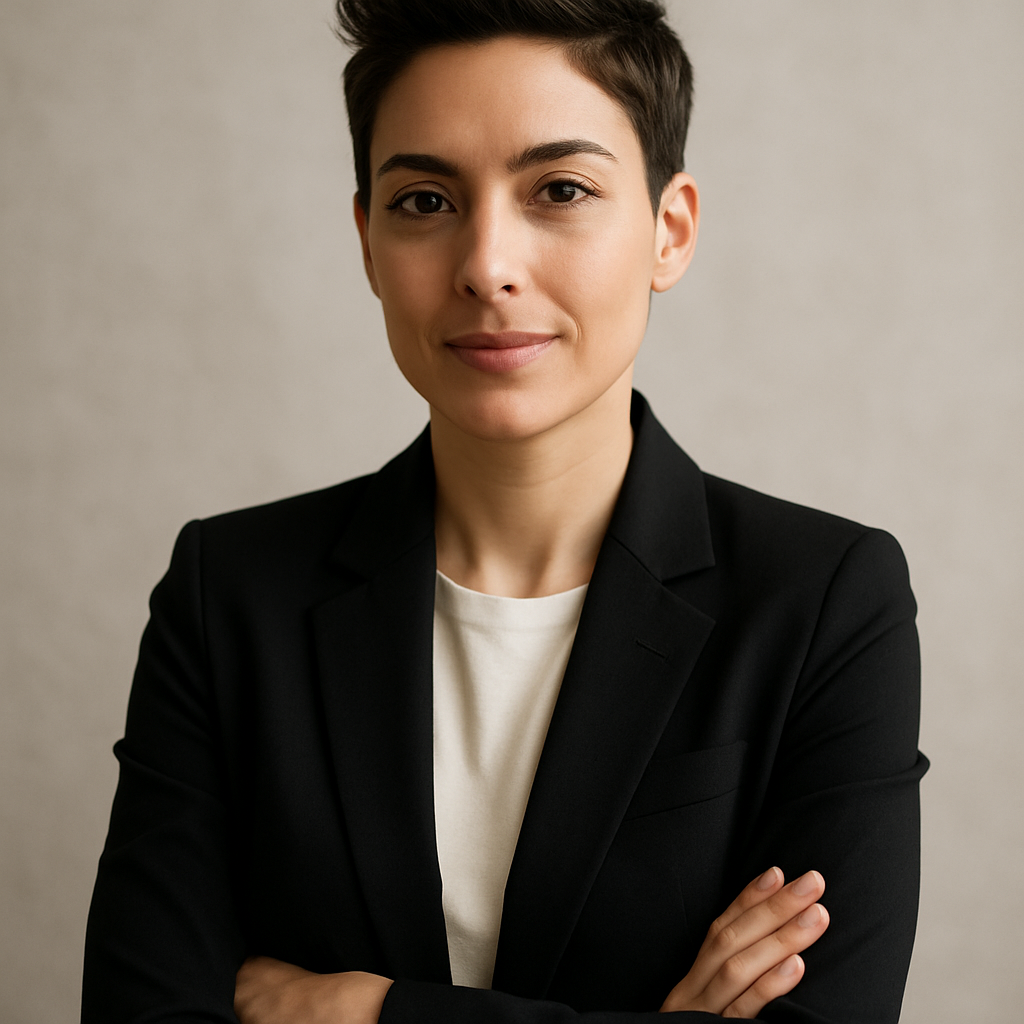
Quick answer: You can get a professional AI headshot without a subscription by using a pay-per-image generator like ATXP Pics. Describe the look you want in plain English — lighting, attire, background, expression — and receive a polished image in seconds. No monthly commitment, no design skills required, and your balance never expires.
What Makes an AI Headshot Look Professional
The quality of your prompt determines the quality of your headshot — the tool matters less than the instructions you give it. A vague prompt like "professional photo of a man" produces generic results. A specific prompt that names lighting style, clothing, background color, and framing produces something you'd actually put on a LinkedIn profile.
The four elements that separate a polished AI headshot from a generic one:
- Lighting — "soft studio lighting" or "natural window light" beats no lighting instruction at all
- Background — neutral gray, blurred office, or clean white signal "professional" immediately
- Framing — "head and shoulders portrait" or "close-up headshot" keeps the composition tight
- Attire — name the item and color: "charcoal blazer," "white dress shirt," "business casual"
What to Avoid in Your Prompt
Skip vague terms like "good lighting" or "nice background." They mean nothing to an image generator. Also avoid over-directing the expression — "confident, slight smile, direct eye contact" works; "happy but not too happy" does not.
Sample Prompt You Can Copy
Professional LinkedIn headshot, woman in her 30s, navy blue blazer, crisp white shirt, soft studio lighting, neutral light gray background, head and shoulders framing, sharp focus, photorealistic
Swap gender, age, clothing color, and background to match the look you're after. The structure stays the same.
Your Options for a Professional AI Headshot No Subscription
Not every AI image tool charges the same way, and the pricing model matters more than most people realize when you only need a headshot occasionally.
| Tool | Pricing Model | Cost Per Image | Notes | |---|---|---|---| | ATXP Pics | Pay-per-image | A few cents | No subscription, balance never expires | | Midjourney Basic | $10/month | $0.07 at 150 img/mo — but $2.00 if you only make 5 | Charged every month regardless | | Adobe Firefly | Subscription-based | Bundled in Creative Cloud ($55+/mo) | Overkill for a headshot | | Dedicated headshot apps | Per-session fee | $15–$30 per batch | Requires photo upload, limited control |
The math is straightforward: if you need fewer than 20 images a month, pay-per-image wins. Midjourney's Basic plan costs $10 whether you generate 1 image or 150 that month. At 5 images, you're paying $2.00 each. At 1 image, you're paying $10.
Generate your professional headshot →
Step-by-Step: How to Generate a Professional AI Headshot
Getting a polished headshot takes about three minutes once you know the process.
-
Decide on the look before you open the tool. Pick background color, clothing, and whether you want a tight close-up or a head-and-shoulders crop. Writing this down first means your prompt is clear, not improvised.
-
Build your prompt using the four-element structure. Subject → Attire → Lighting → Background → Framing. Keep it to 20–40 words. Longer is not better.
-
Generate and evaluate. Look at lighting first — is it even and flattering? Then check background cleanliness, then expression. Most issues show up in one of these three places.
-
Iterate on the specific element that's off. If the background is distracting, add "clean seamless background, no texture" to your prompt. If the lighting is harsh, change to "soft diffused lighting" or "Rembrandt lighting."
-
Download the version you like. On ATXP Pics, you pay only for images you generate — there's no charge for browsing or signing up.
How Many Attempts Should You Expect?
Most people land on a result they're happy with in 2–4 generations. Budget for 5–10 images and you'll have options to choose from. At a few cents each, that's still well under a dollar.
Using Your Headshot Across Platforms
A square crop works for LinkedIn, GitHub, and most speaker bios. For email signatures, a tighter vertical crop looks cleaner. Generate once and resize — the image quality holds up.
Common Mistakes That Make AI Headshots Look Unprompted
The most common mistake is an underspecified prompt, which results in the generator making its own choices — often ones that read as generic or artificial.
Watch for these specific issues:
- Overly smooth skin — add "natural skin texture, realistic detail" to counteract this
- Stiff or frozen expression — try "relaxed confident expression" rather than a specific smile description
- Distracting background elements — always include an explicit background instruction; never leave it to default
- Clothing that looks costumey — name real garments ("Oxford shirt," "wool blazer") rather than "professional outfit"
A headshot that looks manufactured is usually the result of leaving too many decisions to the generator. The more specific your prompt, the more control you keep.
Who This Approach Is Right For
Pay-per-image AI headshots make the most sense for occasional needs — not daily creative workflows. If you're updating your LinkedIn profile, adding a bio photo to a conference page, or need a polished image for a press mention, generating a few images for cents each is the obvious move.
It's less ideal if you need true photographic likeness (your actual face, not a representative look) — for that, a dedicated service that trains on your uploaded photos is the right tool. But for a professional, credible headshot that represents your personal brand or a team persona, a well-prompted text-to-image generator gets you there fast and cheap.
Get your professional AI headshot — no subscription needed →