Clients Google you before they reply to your proposal. Your headshot is often the first thing they see — and for a consultant, it does real selling work before you say a word. This guide walks you through exactly how to create a sharp, credible AI headshot for a consultant profile, from writing an effective prompt to choosing the right variation for each use case.
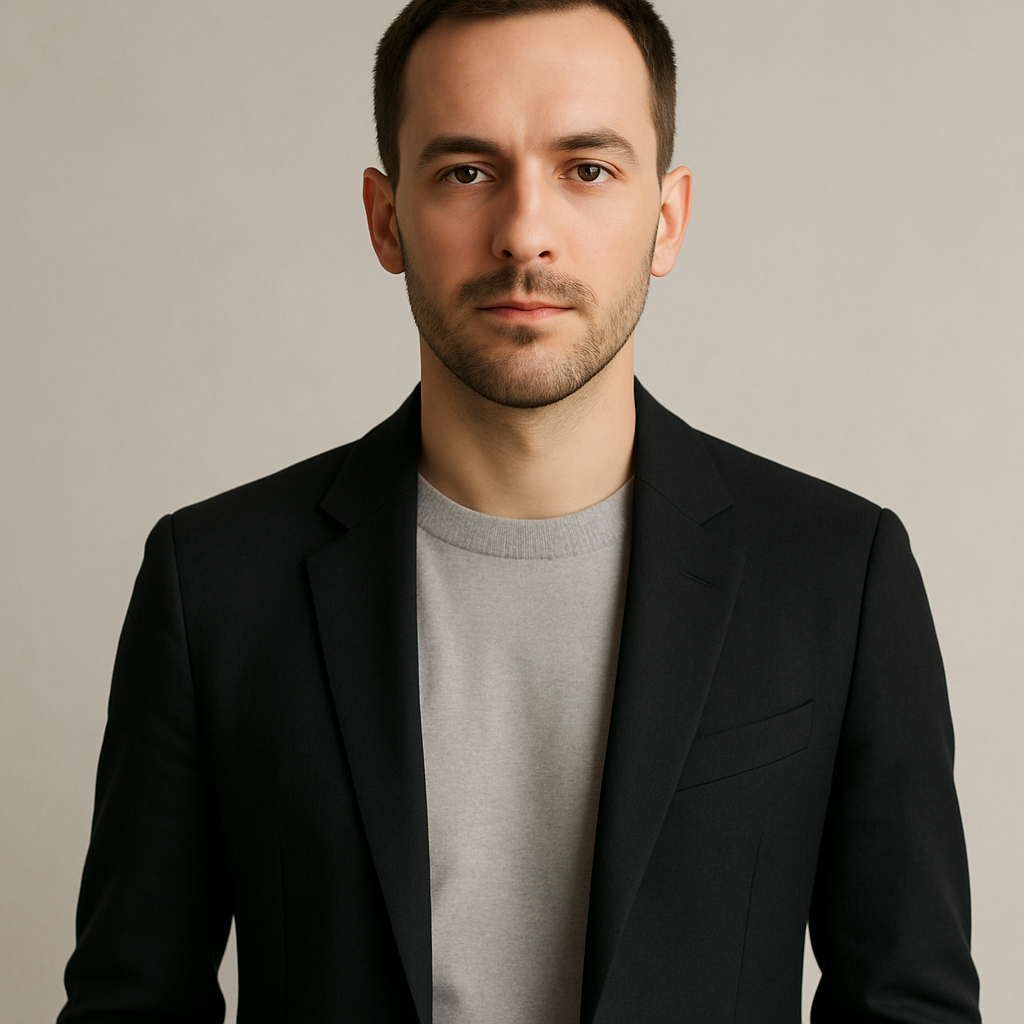
Quick answer: You can generate a professional AI headshot for a consultant profile in under five minutes using plain-English descriptions — no photographer, no studio, no subscription. Describe your clothing, background, lighting, and expression, and receive a polished image in seconds for a few cents per image.
Why Your Headshot Matters More as a Consultant
As a consultant, you are the product — and a poor headshot signals low attention to detail before a client reads a single word of your bio. Employees can get away with a casual LinkedIn photo. Consultants can't. Prospects are evaluating whether to hand you a $10,000 engagement based on a handful of signals, and your headshot is one of the fastest reads they have.
A professional headshot communicates:
- Credibility — you take your brand seriously
- Approachability — clients buy relationships, not just expertise
- Industry fit — a finance consultant looks different from a UX consultant, and both looks are legitimate
The good news: you don't need a $300 studio session to get this right.
What to Decide Before You Write a Single Prompt
Before you generate anything, make three decisions — they'll determine 90% of your results.
1. Formality Level
Match your clients' expectations:
- Business formal (suit, dark background): law, finance, executive coaching, M&A
- Business casual (blazer, open collar, lighter background): strategy, operations, marketing, HR
- Smart casual (no tie, bright or natural setting): tech consulting, UX, creative strategy, startups
2. Background Style
Backgrounds set the register of the photo. Options that consistently work well:
- Neutral gray or white studio backdrop — clean, versatile, works everywhere
- Soft-focus office environment — suggests an active practice
- Gradient or dark tone — adds a polished, premium feel
- Outdoor natural light — warmer and more approachable
3. Expression
Confident and approachable beats stiff and serious every time. A slight, natural smile with direct eye contact reads as trustworthy in virtually every consulting context. Full smiles work well for coaches and facilitators. Neutral expressions work for technical or forensic consultants where gravitas matters more.
How to Write an AI Headshot Prompt That Works
The more specific your prompt, the better your result — vague inputs produce generic outputs.
Use this structure:
[Shot type] + [clothing] + [background] + [lighting] + [expression] + [any additional detail]
Here are three copy-ready prompts by consulting type:
Strategy / Management Consultant: "Professional headshot, man in navy blazer and white shirt, no tie, soft neutral gray background, studio lighting with subtle shadow, confident slight smile, sharp focus, photorealistic"
Finance / Legal Consultant: "Professional headshot, woman in dark charcoal suit, pearl earrings, dark gradient background, formal studio lighting, composed neutral expression, high-end corporate photography style"
Tech / Startup Consultant: "Professional headshot, person in smart casual button-down, blurred modern office background with soft bokeh, natural window light, relaxed approachable smile, candid editorial style"
Adjust the specifics to match your appearance and industry. Generate 3–5 variations with small changes to the background color, clothing detail, or expression description.
Step-by-Step: Generating Your Headshot on ATXP Pics
Generate your consultant headshot →
- Go to atxp.pics/headshot — no account required to browse, and no subscription to create
- Open the chat interface and paste your prompt (or type it directly)
- Review the result — if the background feels too busy or the tone too formal, adjust one element in your prompt and regenerate
- Generate variations — try 3–5 prompts with different clothing, background, or lighting descriptions
- Download your preferred image — it's ready to drop into LinkedIn, your website bio, proposals, or speaker submissions
Each image costs a few cents. Your balance never expires, so there's no pressure to burn through credits on a deadline.
Where to Use Your Consultant Headshot
A single great headshot should work across every client touchpoint — but slight variations serve different contexts better.
| Use Case | Best Style | Notes | |---|---|---| | LinkedIn profile | Business casual, bright background | Warm and approachable wins on social | | Website bio page | Formal or business casual | Match your site's design tone | | Proposal cover page | Formal, dark or neutral background | Projects authority and polish | | Speaker bio | Approachable, slight smile | Audiences want to feel connected | | Email signature | Clean, high-contrast | Small format — keep background simple |
Generate a version for each context. Since you're paying per image — not per month — there's no reason to use the same photo everywhere.
Common Mistakes to Avoid
The most common AI headshot mistake is a prompt that's too vague. "Professional photo of a business person" gives the generator too little to work with and produces generic results. The prompts above are specific enough to get strong outputs on the first or second try.
A few others worth avoiding:
- Overly dramatic lighting — heavy shadows or harsh highlights look theatrical, not professional
- Cluttered backgrounds — a busy office background can undermine rather than enhance credibility
- Inconsistent style across platforms — if your LinkedIn headshot is formal and your website photo is casual, it creates a subtle disconnect for clients who find you in both places
- Ignoring expression — many people default to "neutral" and end up with a photo that reads as stern or disengaged. Ask for "confident slight smile" and compare it to neutral; the difference is significant.
The Math on Headshots
A professional headshot photographer charges $150–$500 for a session — before you factor in rescheduling if you're not happy with the results. With an AI headshot for a consultant profile, you generate multiple variations in minutes at a few cents each, iterate until the result is right, and pay only for what you use.
No subscription. No session fee. No waiting a week for edited files.