Your LinkedIn profile photo is the first thing a recruiter sees before reading a single word of your resume. If your current headshot is a grainy crop from a group photo — or worse, no photo at all — you're losing clicks every day. A linkedin headshot ai generator can fix that in under five minutes, for less than the cost of a coffee.
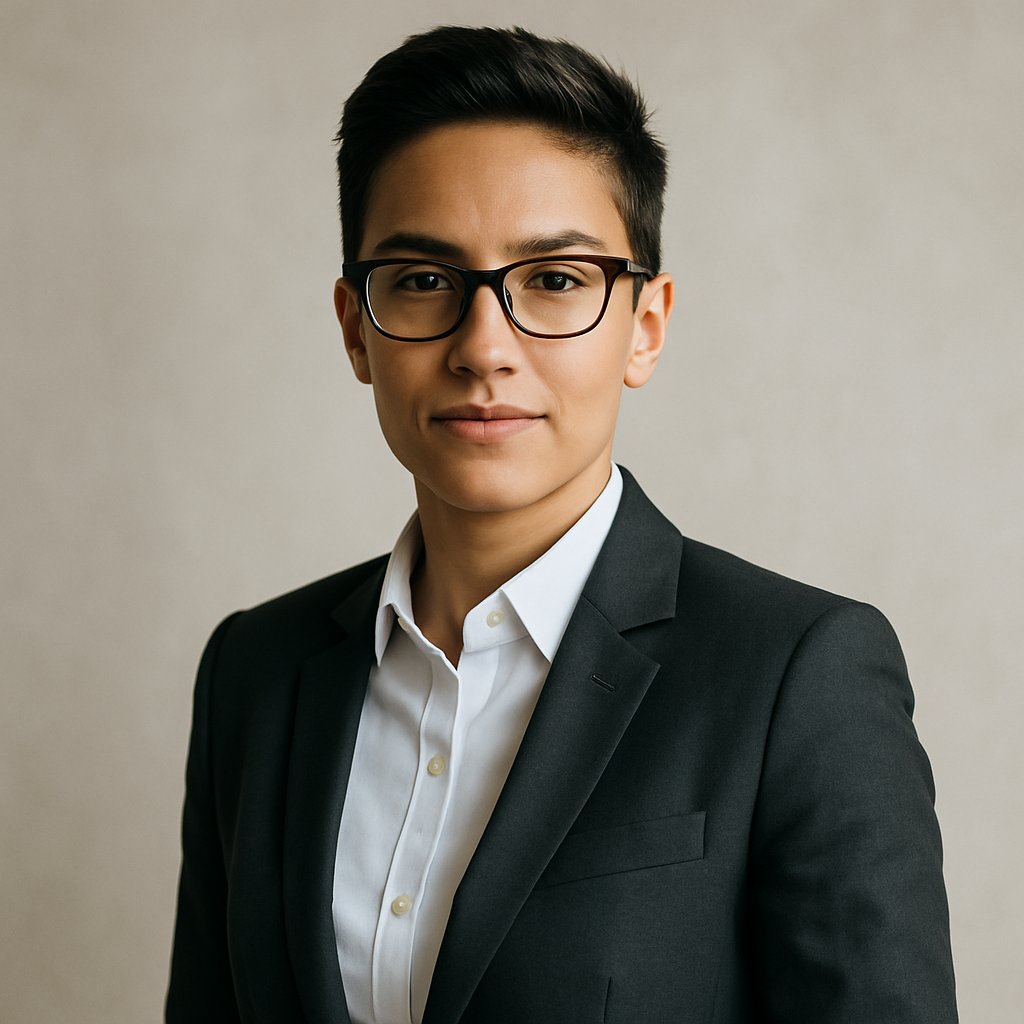
Quick answer: Describe your ideal professional portrait in plain English, and an AI image generator produces a polished headshot in seconds. No subscription, no studio booking, no photographer. You pay a few cents per image and only when you actually generate one.
What a LinkedIn Headshot AI Generator Actually Does
An AI headshot generator turns a text description into a finished portrait — no camera, no lighting rig, no editing software required. You type something like "professional headshot of a woman in a navy blazer, soft studio lighting, light gray background, confident smile" and receive a polished image in seconds.
The output looks like a proper studio photo because you're giving the generator the same directions you'd give a photographer. Lighting, background, attire, expression — each detail you include pushes the result closer to the image in your head.
Why LinkedIn Headshots Matter More Than People Think
Your profile photo drives more profile visits than your headline does — LinkedIn's own research has shown profiles with photos receive up to 21× more views. A sharp, professional headshot signals competence before a single word is read.
Most people skip professional headshots because the logistics are annoying:
- Studio shoots run $150–$400
- Scheduling takes days or weeks
- You still might not love the results
An AI generator removes every one of those friction points. You describe what you want, generate 5–10 variations in a few minutes, and pick the best one.
How to Write a Prompt That Produces a Great Headshot
The quality of your headshot depends almost entirely on the specificity of your prompt. Vague descriptions produce generic outputs. Specific descriptions produce portraits that look intentional.
Here's a prompt structure that works:
Example prompt: "Professional LinkedIn headshot of a man in his 30s wearing a charcoal blazer and white button-down shirt, no tie, light gray seamless studio background, soft natural window light from the left, slight confident smile, sharp focus on the face, shallow depth of field"
Break your prompt into these four categories every time:
| Category | What to include | |---|---| | Person | Age range, gender presentation | | Attire | Jacket style, shirt color, accessories | | Background | Color, texture, setting (studio, blurred office) | | Lighting & mood | Soft, dramatic, natural, expression |
The more specific, the better. "Blue blazer" is good. "Slate blue blazer with a light gray lapel pin" is better.
Comparing AI Headshot Options: Pay-Per-Image vs. Subscription
If you only need a headshot once or twice a year, a subscription is the wrong tool. Here's what the math actually looks like:
| Tool | Cost | Images included | Cost per image | |---|---|---|---| | Midjourney Basic | $10/mo | ~150 | ~$0.07 | | Midjourney (5 images used) | $10/mo | 5 used | $2.00 | | ATXP Pics | Pay per image | Unlimited | A few cents |
The subscription model only makes sense if you're generating images every single day. For a LinkedIn headshot — something you update once every year or two — you're paying for hundreds of images you'll never use.
ATXP Pics charges per image, your balance never expires, and there's no monthly commitment. Generate 10 headshots to find the perfect one and pay for exactly 10 images.
Step-by-Step: Generate Your LinkedIn Headshot in Under 10 Minutes
The entire process — from blank prompt to uploaded LinkedIn photo — takes less than 10 minutes. Here's exactly how to do it:
- Write your prompt. Use the four-category structure above. Spend two minutes on this — it's the highest-leverage step.
- Generate 5–10 variations. Small prompt tweaks produce meaningfully different results. Try two or three background colors and two lighting styles.
- Pick your top two or three. Look for sharp focus on the face, natural-looking lighting, and clean background.
- Crop to a square. LinkedIn displays profile photos as circles, so center your face in a square crop before uploading.
- Upload. LinkedIn recommends a minimum of 400×400 pixels.
The whole process costs less than a dollar and produces a result you'd otherwise spend hundreds of dollars and half a day to get from a professional studio.
Common Mistakes That Produce Generic-Looking Headshots
The most common mistake is a prompt that's too short. "Professional headshot, man in a suit" will generate something technically correct but visually bland.
Watch out for these:
- No background specified — the generator will pick something random
- No lighting direction — flat, unflattering light is the default
- No expression guidance — "smile" is enough to make a real difference
- Too formal or too casual attire — match the culture of your industry; a startup engineer and a finance director shouldn't have the same headshot
If your first result doesn't look right, don't regenerate the same prompt. Change one specific detail, regenerate, and compare. Three or four iterations usually land you somewhere excellent.
Generate Your LinkedIn Headshot Today
A professional LinkedIn headshot is one of the highest-return profile improvements you can make, and you don't need a studio appointment or a monthly subscription to get one. Describe what you want, generate a handful of options, and pick the best one — all for a few cents.
Ready to try it? Head to ATXP Pics headshot generator and paste in your prompt. No subscription. No expiring credits. Pay only for what you generate.
If you're exploring other use cases beyond headshots, check out the AI image generator overview or see how ATXP Pics stacks up as a Midjourney alternative for casual users who don't need a monthly plan.