Your company just hired three people in the same week, and now the About page looks like a patchwork quilt — two studio portraits, one selfie, and a blank gray square. Getting everyone in front of a photographer on the same day, at the same time, wearing the same style of clothing is a logistical nightmare most teams never fully solve. AI team headshots cut that problem down to a single afternoon and a handful of cents per person.
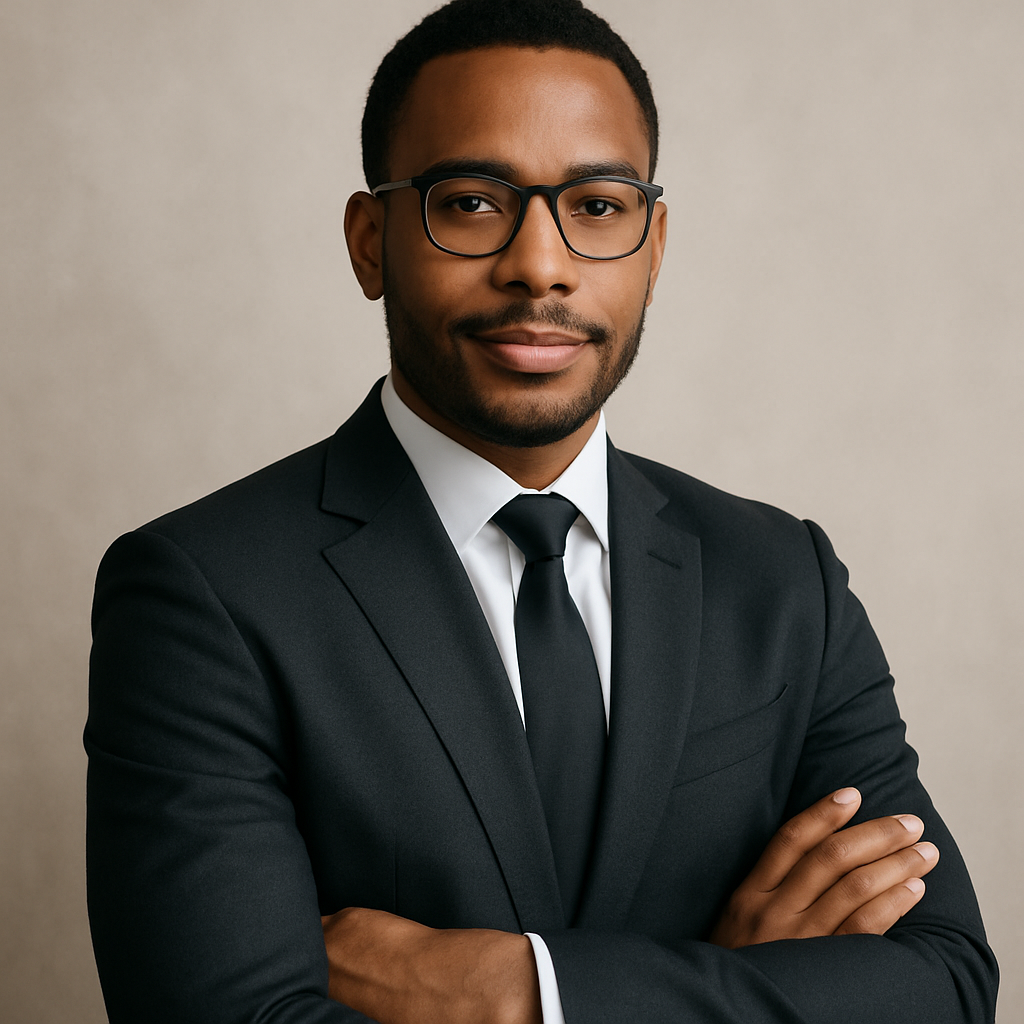
Quick answer: You can generate consistent, professional-looking headshots for every person on your team using AI — no photographer, no scheduling, no studio. Describe the style once, use that same prompt for each team member, and your whole roster looks like they showed up to the same shoot.
What Makes AI Headshots Work for a Whole Team
Consistency is the biggest win — and it's also the hardest thing to pull off with traditional photography. Lighting changes between sessions, backgrounds shift slightly, one person wears a blazer and another shows up in a hoodie. With AI, you write one style description and apply it to everyone.
The result is a set of headshots that actually look like a set. Same neutral background, same soft studio lighting, same professional tone — regardless of whether you're generating headshots for 3 people or 30.
How to Write a Team Headshot Prompt That Works
A good team headshot prompt describes three things: background, lighting, and subject presentation. Keep it specific enough to be repeatable but flexible enough that each person still looks like themselves.
Here's a prompt template you can copy and reuse for every team member:
Professional headshot of a [man/woman/person] in their early [30s/40s/etc.], wearing a navy blazer over a white shirt, soft studio lighting, plain light gray background, looking directly at the camera, slight natural smile, sharp focus, photorealistic
Swap in the relevant details — age range, clothing color — and keep everything else identical across the team. That's your consistency anchor.
A few things to avoid:
- Vague descriptors like "professional" or "good lighting" without specifics — add the background color and lighting style explicitly
- Overly dramatic poses — for team pages, straight-on or slight three-quarter angles read as the most credible
- Mismatched clothing guidance — decide on a dress code before you start and stick to it across every prompt
No Subscription Means No Pressure to Rush
Most AI image tools charge a flat monthly fee whether you use them or not. That creates a weird pressure to generate as many images as possible before the billing cycle resets — which is the opposite of how teams actually work.
With ATXP Pics, you pay per image. A few cents each. Your balance never expires. So you can generate headshots for your current team today, onboard two new people next month, and pick right back up without paying for anything in between.
To put the math in plain terms:
| Scenario | Midjourney Basic ($10/mo) | ATXP Pics (pay-per-image) | |---|---|---| | 5 headshots this month | $2.00 per headshot | ~$0.05–0.10 per headshot | | 0 headshots next month | $10 wasted | $0 spent | | 3 new hires the month after | $10 again | Pay only for 3 images |
For teams that don't need thousands of images per month, pay-per-image is the obvious choice.
Getting Consistent Results Across Different People
The single most common mistake teams make is writing a new prompt from scratch for each person. Small wording differences add up, and suddenly your About page has four subtly different lighting styles.
The fix is simple: save your approved prompt as a template. Drop it into a shared doc or Notion page. Whoever is generating the headshots pastes it, makes the minor adjustments (age range, hair description if needed), and generates.
A few additional tips for cross-team consistency:
- Run a test batch first. Generate one headshot, get team buy-in on the style, then roll it out for everyone.
- Generate 2–3 variations per person. Let each team member pick their favorite. It costs a few extra cents and eliminates the "I don't love mine" problem entirely.
- Keep a style log. Write down the exact prompt that got approved so you can match it for future hires.
When to Use AI Headshots vs. a Photographer
AI team headshots make the most sense when speed, cost, or logistics are constraints — which, for most teams, is most of the time.
A professional photographer still has advantages: they can capture real expressions, work with unusual physical settings, and produce images that involve actual people in actual locations. If your company's brand is built heavily on authentic, documentary-style imagery, a photographer may still be the right call.
But for the vast majority of use cases — website About pages, LinkedIn profiles, internal directories, email signatures, press kits — AI headshots are indistinguishable from studio photography and cost a fraction of the price.
Ready to get your whole team looking sharp? Generate your first AI team headshot at ATXP Pics — no subscription, no commitment, just the images you need.
How to Roll This Out Across Your Organization
Start with one person's headshot, get it approved, then use that prompt as the master template. Don't try to generate everyone's headshot at once until you've confirmed the style is right.
Here's a simple rollout process:
- Write your base prompt using the template above
- Generate 3 test images and share with your team lead or brand manager
- Approve one style and save the exact prompt text
- Assign one person to run headshots for the whole team (this takes an hour, not a day)
- Let each team member pick their preferred image from 2–3 variations
- Upload and update your website, directory, and LinkedIn pages
The whole process — for a team of 10 — realistically takes one afternoon and costs less than a single stock photo license.
Getting a full set of team headshots with AI used to require either a big budget or a lot of compromise. Now it requires a good prompt and a few cents per person. No subscription, no scheduling, no photographer rescheduling because of weather.
Start generating your team's headshots at ATXP Pics — your balance never expires, and you only pay for what you actually use.