Patients decide whether they trust a dentist before they ever sit in the chair — and your headshot is often the first thing they see. A polished, professional photo on your website, Google profile, or Zocdoc listing directly affects whether a new patient books an appointment. This guide shows you exactly how to create a professional AI headshot for a dentist using a simple text prompt, no studio session required.
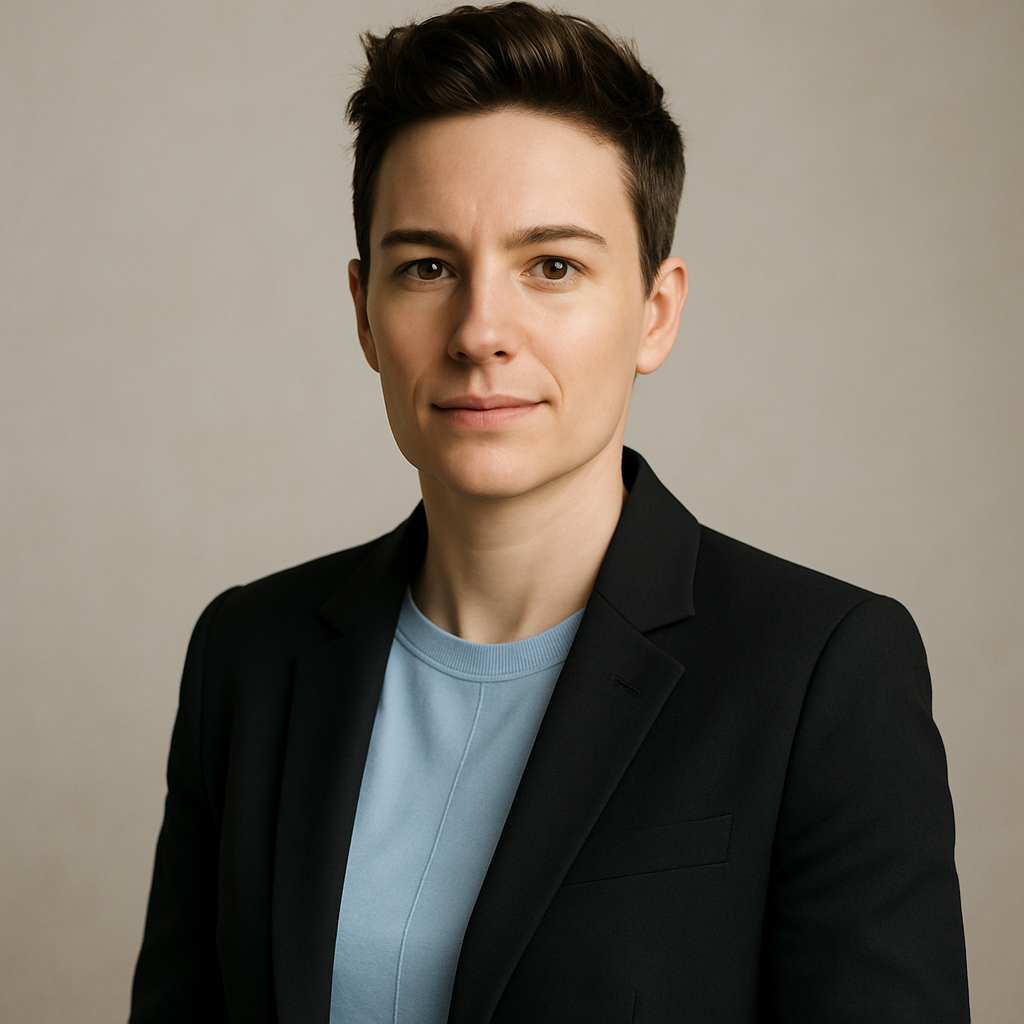
Quick answer: You can generate a high-quality dental professional headshot in under two minutes by describing the attire, background, lighting, and expression you want. Pay a few cents per image — no subscription, no photographer, no scheduling.
Why Your Headshot Matters More Than Most Dentists Realize
Patients actively search for a dentist they can trust visually, not just clinically. Healthcare studies consistently show that a warm, confident expression increases perceived competence and approachability. A blurry, outdated, or casually shot photo undermines trust before the first appointment.
The problem is that most dentists either skip the headshot entirely or use something taken years ago at a conference. A professional photographer fixes that — but at $150–$400 per session, it's rarely a priority. An AI headshot delivers studio-quality results without the cost or scheduling friction.
What Makes a Great Dental Headshot
A great dental headshot communicates competence, warmth, and cleanliness in one frame. Every detail — attire, background, lighting, expression — sends a signal to the viewer. Here's what to get right:
Attire
- A white or light-blue dental coat is the clearest trust signal in dentistry. It signals clinical authority immediately.
- Pair it with a collared shirt or blouse underneath for a polished look.
- Avoid busy patterns or bold colors that distract from the face.
Background
- Clean white or soft neutral gray keeps all attention on you.
- A softly blurred dental office background adds professional context without visual clutter.
- Avoid outdoor or home backgrounds — they undercut the clinical setting.
Lighting
- Soft, even front lighting eliminates harsh shadows and makes the image feel approachable.
- Natural window light or a studio-style setup both work.
Expression
- A genuine, relaxed smile — not a forced grin — is the right target.
- "Approachable confidence" is the phrase to keep in mind when writing your prompt.
How to Write a Prompt for a Dentist Headshot
The quality of your AI headshot depends almost entirely on how specifically you describe what you want. Vague prompts produce generic results. Specific prompts produce photos that look like they were taken by a professional.
Here's a step-by-step approach:
- Start with the subject. Describe the person — gender, approximate age, any relevant physical details if you're generating a likeness.
- Specify the attire. White dental coat, collared shirt, name badge — whatever matches your real wardrobe.
- Set the background. White studio, blurred dental office, neutral gray — pick one.
- Define the lighting. Soft and even is almost always the right call.
- Describe the expression. Warm smile, direct eye contact, approachable.
- Add a framing note. "Professional headshot, shoulders up" keeps the composition tight.
Copy-ready prompt example:
"Professional headshot of a female dentist in her mid-30s wearing a white dental coat over a light blue collared shirt. Soft, even studio lighting. Clean white background. Warm, confident smile, direct eye contact. Shoulders-up framing. Sharp focus on the face."
Run this prompt — or your version of it — at ATXP Pics and you'll have a usable result in seconds. Adjust one element at a time until the image matches your vision.
Common Mistakes to Avoid
Most bad AI headshots come from the same handful of errors. Avoid these and your results will improve immediately.
- Too vague: "A dentist headshot" gives the generator almost nothing to work with. Be specific about every visual element.
- Wrong attire in the prompt: Forgetting to mention the dental coat produces a generic business headshot, not a dental one.
- Asking for too much at once: Don't cram five changes into one prompt revision. Change one element, see the result, then adjust.
- Ignoring the expression: "Smiling" is not the same as "warm, confident smile with direct eye contact." The second phrase produces a noticeably better image.
- Cropping too wide: Ask for shoulders-up, not a full-body shot. Headshots are cropped tight — that's what makes them work on profile pages and listings.
What an AI Headshot Costs vs. a Photographer
A studio photography session for a single dental headshot typically runs $150–$400, and that's before you factor in scheduling, travel, and the time spent waiting for edited files.
| Option | Cost per image | Turnaround | Subscription required | |---|---|---|---| | Professional photographer | $150–$400 | 3–7 days | No | | Midjourney Basic plan | ~$0.07/image* | Minutes | Yes — $10/mo | | ATXP Pics | A few cents | Seconds | No |
*Midjourney's $10/month fee applies whether you create images that month or not. At 5 images/month, you're paying $2.00 per image. At 20 images/month, $0.50. The math favors pay-per-image for anyone who doesn't generate images every single day.
Generate your dental headshot now →
How to Use Your AI Headshot
Once you have an image you're happy with, you can deploy it across every patient-facing surface immediately. Here's where dental professionals typically use their headshots:
- Practice website — About page, Meet the Team page, homepage banner
- Google Business Profile — Directly impacts first impressions in local search results
- Zocdoc, Healthgrades, or other booking platforms — Profiles with photos consistently outperform those without
- LinkedIn — Useful for professional networking and referral relationships
- Email signatures — Adds a personal, trustworthy touch to patient communications
One well-crafted image works across all of them. Generate a few variations — different expressions, slightly different lighting — and pick the best one for each context.
Build the Trust Before They Walk In
Your headshot is doing sales work around the clock. A confident, professional image tells a prospective patient: this person is competent, approachable, and worth trusting with my teeth. That impression forms in about 50 milliseconds — before they've read a single word on your website.
An AI headshot for a dentist removes every barrier between you and that first impression: no photographer to book, no studio to travel to, no subscription to justify. Describe what you want, get the image, and update your profiles today.