Scheduling a studio photographer around a physician's calendar is genuinely difficult. Between patient rounds, administrative obligations, and on-call rotations, finding an hour for a headshot session often gets pushed back for months. This guide walks you through exactly how to create a professional AI headshot for a doctor or physician — the right prompts, what to specify, and common mistakes to avoid.
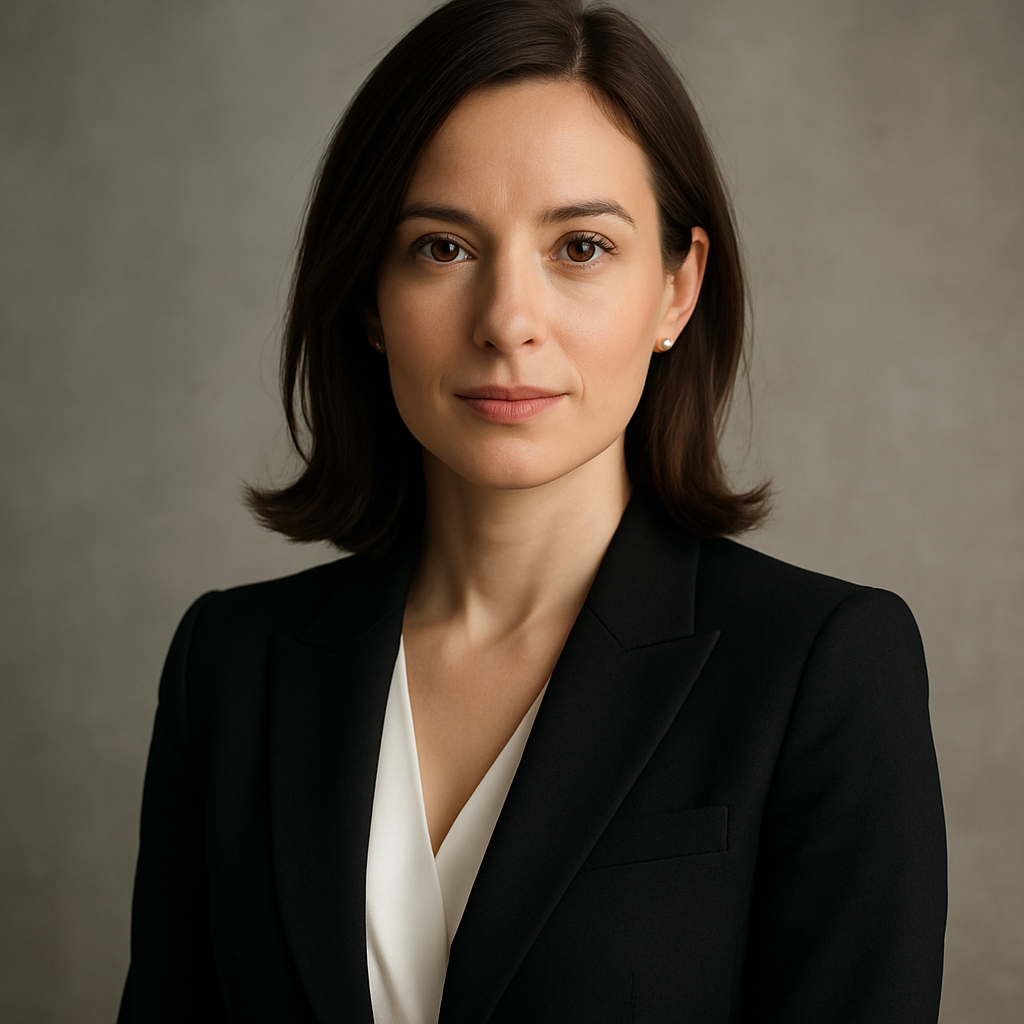
Quick answer: An AI headshot generator lets you describe the portrait you want in plain English and receive a professional-quality image in seconds. You pay per image — a few cents each — with no subscription and no studio appointment. The result works for hospital directories, practice websites, LinkedIn, and speaking bios.
What Makes a Physician Headshot "Professional"
A professional doctor headshot communicates trust, competence, and approachability — and the visual cues that signal those qualities are specific. Attire, background, and expression do most of the work. Get those three elements right in your prompt and the image will land where it needs to.
Attire options that read as "medical professional"
- White coat — the strongest visual signal of clinical credibility
- Business professional (suit, blazer, or dress shirt) — preferred for administrative or leadership roles
- Clean scrubs — appropriate for surgical specialists or informal practice materials
Backgrounds that work
- Solid light gray or white — clean, works on any website or print layout
- Soft clinical environment — blurred hallway, examination room, or hospital corridor in the background
- Neutral gradient — modern and versatile for LinkedIn
Expression
Physicians benefit from a slight, confident smile rather than a full grin or a flat neutral expression. It signals approachability without undermining authority — exactly what patients and colleagues respond to.
How to Write a Prompt for a Doctor Headshot
The first sentence of your prompt should lock in the subject and attire. Everything after that shapes the details.
Copy-ready prompt example: "Professional headshot of a male physician in his 40s wearing a white coat over a light blue dress shirt, stethoscope around his neck, slight confident smile, looking directly at camera, soft neutral gray background, warm studio lighting, photo-realistic, sharp focus"
Adjust gender, age range, and attire to match. You can run the same prompt multiple times to get variations, then pick the one that best suits the platform it's going to.
Prompt elements to always include:
- Subject description (gender, approximate age, skin tone if relevant)
- Attire (white coat, suit, scrubs — and what's underneath)
- Accessory details (stethoscope, ID badge, or none)
- Expression ("slight smile," "confident neutral," "warm and approachable")
- Background (color or setting)
- Lighting style ("warm studio lighting," "soft natural light," "bright even lighting")
- Quality cues ("photo-realistic," "sharp focus," "professional photography")
Step-by-Step: Creating Your AI Physician Headshot
- Go to ATXP Pics headshot generator. No account required to start. Add a small balance when you're ready to generate — a few cents per image, no subscription.
- Write your prompt. Use the template above as a starting point. Be specific about attire and background — vague prompts produce generic results.
- Generate and review. Your image appears in seconds. Look at the expression, the coat detail, the background cleanliness, and the lighting quality.
- Iterate if needed. If the expression isn't quite right, add "more confident expression" or "warmer smile" to your prompt and generate again. If the coat looks off, try "clean pressed white coat, collar visible."
- Download your final image. Save it at full resolution. It's ready for your hospital directory submission, LinkedIn profile, or website bio.
Common Mistakes to Avoid
Prompts that are too short produce generic stock-photo results. "Doctor headshot" alone will not give you what you need. Add every detail you'd tell an actual photographer.
Forgetting the background is the second most common issue. An undefined background often results in distracting or inconsistent settings. Always name the background explicitly.
Over-specifying accessories can create visual noise. One clear accessory — a stethoscope — is enough. Asking for a stethoscope, an ID badge, a clipboard, and a name embroidered on the coat all at once tends to produce cluttered or distorted results.
Not generating variations is a missed opportunity. Because you pay per image at a few cents each, running the same prompt three to five times and choosing the best result costs almost nothing compared to a single studio session retake fee.
What AI Headshots Work Best For
AI-generated physician headshots are the right tool for:
- Hospital and practice website staff directories
- LinkedIn and professional networking profiles
- Conference speaker bios and event programs
- Press releases and media kits
- Internal communications and team pages
For large-format printed wall displays in a physical lobby, or any credentialing process that explicitly requires a verified photograph of the actual person, check the specific policy first. AI headshots are portraits, not identity documents — most digital use cases have no restrictions.
Create your physician headshot now →
Cost: AI vs. a Studio Session
| Option | Typical Cost | Turnaround | Variations | |---|---|---|---| | Professional studio photographer | $150–$400 | 1–2 weeks (shoot + editing) | 1–3 final selects | | ATXP Pics AI headshot | A few cents per image | Seconds | Unlimited | | Midjourney (Basic plan) | $10/month subscription | Minutes | Charged monthly regardless |
The math is straightforward. A studio session makes sense when you need a verified photo of the actual physician — for a hospital entrance portrait or a formal credential. For everything else, paying a few cents per image with no monthly commitment is the practical choice, especially for a physician who needs a quick update to their LinkedIn or a new bio photo for a conference.
Your Professional Headshot, Without the Scheduling Headache
A polished, trustworthy physician headshot doesn't require a studio appointment, a lighting kit, or a subscription to a design platform. Describe what you want, generate in seconds, iterate until it's right, and download. The entire process takes less time than scheduling a photographer.