You have a speaking engagement in three weeks, a bio page that still shows a photo from 2019, and zero desire to coordinate schedules with a photographer. This guide walks you through generating a polished AI headshot for an executive — one that looks right on a board page, a LinkedIn profile, or a conference speaker card — in under ten minutes.
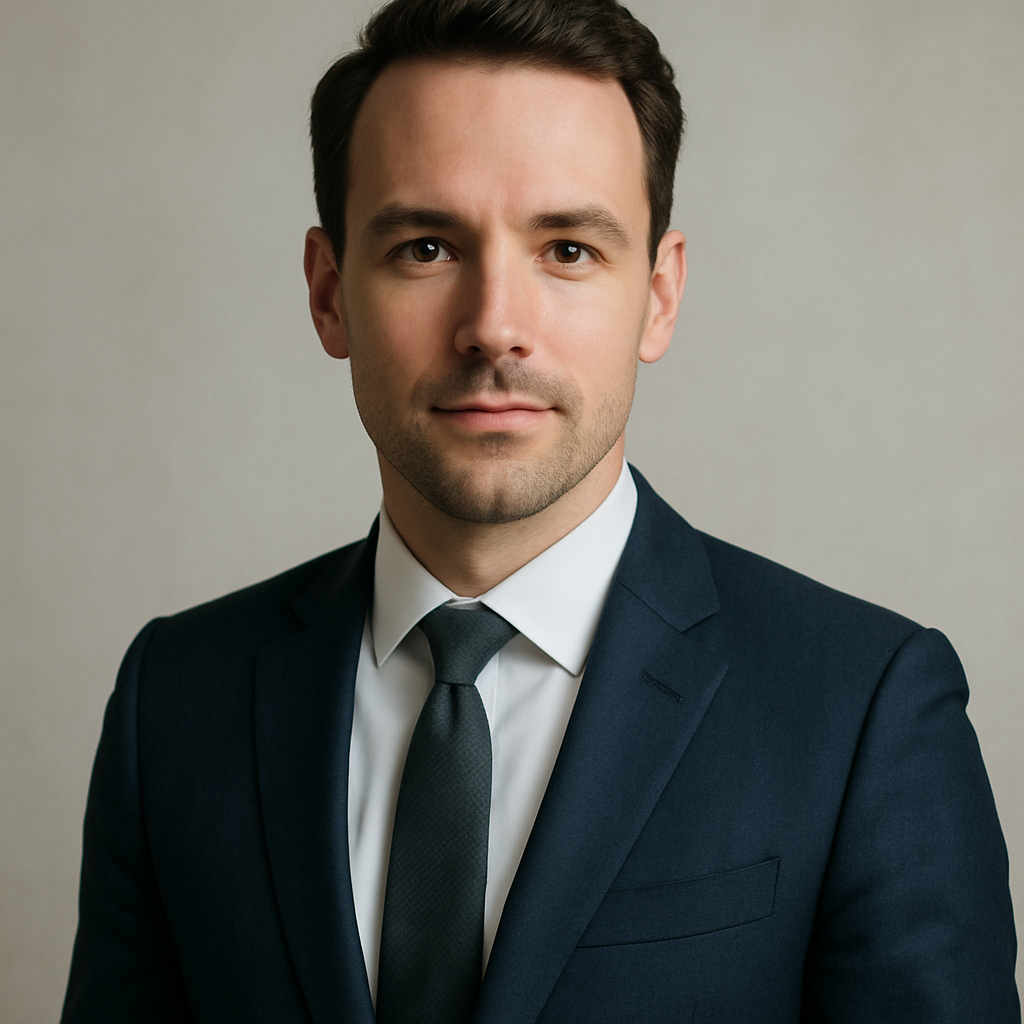
Quick answer: An AI headshot for an executive is a professionally styled profile photo created from a written description. On ATXP Pics, you describe the look you want — suit, background, lighting, expression — and receive a high-quality image in seconds. No studio booking, no subscription, and no payment required to sign up. You pay a few cents per image only when you create one.
What Makes an Executive Headshot Look "Executive"
Three things separate a board-ready headshot from a generic portrait: attire, background, and light. Get those three elements right in your prompt and the result reads as intentional and professional rather than accidental.
- Attire: A dark suit (navy, charcoal, or black) with a solid or subtly patterned shirt signals authority. For women, a structured blazer in a neutral tone works across industries.
- Background: Plain backgrounds — soft gray, warm white, or a gently blurred architectural element — keep attention on the face. Busy environments undercut credibility.
- Lighting: "Soft studio lighting" or "natural window light from the left" both produce clean, flattering results. Avoid anything that sounds dramatic or creative if the goal is a professional bio photo.
How to Write a Prompt That Delivers Board-Room Results
The single most common mistake is being too vague. "Professional headshot of a businessman" produces something generic. A specific prompt produces something usable.
Here is a reliable structure to follow:
- Subject description — age range, gender, notable features you want reflected
- Attire — color, style, accessories (glasses, tie, no tie)
- Background — color, texture, depth of field
- Lighting — source direction, softness, warmth
- Expression and mood — confident, approachable, calm, decisive
Copy-ready prompt example: "Professional headshot of a man in his mid-50s wearing a charcoal suit and white dress shirt, no tie, looking directly at camera with a confident and approachable expression. Soft natural light from the left, plain light gray background, shallow depth of field, corporate portrait style."
Adjust the age, suit color, and expression for your specific situation. Run two or three variations — swap "confident" for "warm" or change the background from gray to a soft gradient — and you'll have a small set of options to choose from.
Step-by-Step: Creating Your Executive Headshot on ATXP Pics
The entire process takes less than ten minutes from opening the site to downloading your image.
- Go to ATXP Pics — no account required to browse, and no payment information needed at signup.
- Open the chat interface and paste your prompt. Use the structure above or write your own.
- Review the result. If the background reads as too busy or the expression feels off, adjust one variable at a time and regenerate.
- Generate two or three variations before committing. Small wording changes — "warm studio lighting" versus "cool natural light" — produce meaningfully different results.
- Download the image. It's yours. Your balance never expires, so any credits you add stay available for next time.
Common Mistakes to Avoid
- Stacking too many adjectives without clear direction ("ultra-realistic, cinematic, dramatic, powerful, warm") confuses the output. Pick a clear visual direction and stay with it.
- Forgetting the background. If you don't specify one, you get whatever default the system chooses. Always name the background.
- Asking for a "LinkedIn photo" as a shorthand for professional. That phrase is too vague. Describe the actual visual — attire, light, background — and the professionalism follows.
Cost Comparison: AI vs. Traditional Executive Headshot
Traditional photography is excellent. It's also expensive and slow. Here's how the math looks for an executive who needs a fresh photo a few times a year.
| Option | Cost | Turnaround | Flexibility | |---|---|---|---| | Professional photographer | $200–$800 per session | 1–3 weeks (schedule + edits) | One session, limited looks | | Midjourney Basic ($10/mo) | ~$0.07/image if you use it heavily — but $2.00/image at 5 images/month | Immediate | Charged even months you don't create | | ATXP Pics (pay-per-image) | A few cents per image | Immediate | No subscription, balance never expires |
For an executive who generates images occasionally rather than daily, pay-per-image is almost always the lowest-cost option. Midjourney's math only favors subscribers who create hundreds of images a month. Most people don't.
When to Use AI and When to Book a Photographer
AI headshots are the right call when speed, cost, or access is the constraint. A keynote bio is due tomorrow. The company website is being rebuilt and needs updated team photos across twelve people. You want a version that shows you in a different industry context than your current photo conveys.
Book a photographer when:
- Your organization requires verified photography for formal credentials
- You're doing a major personal brand overhaul and want a full session with multiple looks
- The headshot will be used at large print scale (banner, billboard, physical signage)
For the vast majority of executive use cases — LinkedIn, speaker bios, board pages, press kits, email signatures — a well-prompted AI headshot is indistinguishable from studio work and ready in minutes.
Ready to update your profile photo before your next speaking engagement or board meeting? Generate your executive headshot on ATXP Pics →
No subscription required. No payment information needed at signup. Pay a few cents per image, only when you create one — and your balance never expires.