Updating your LinkedIn, submitting a bio to a hospital directory, or applying through a healthcare staffing agency — all of them ask for a professional headshot. This guide walks you through exactly how to create a polished AI headshot for a nurse in minutes, without a studio appointment or a monthly subscription.
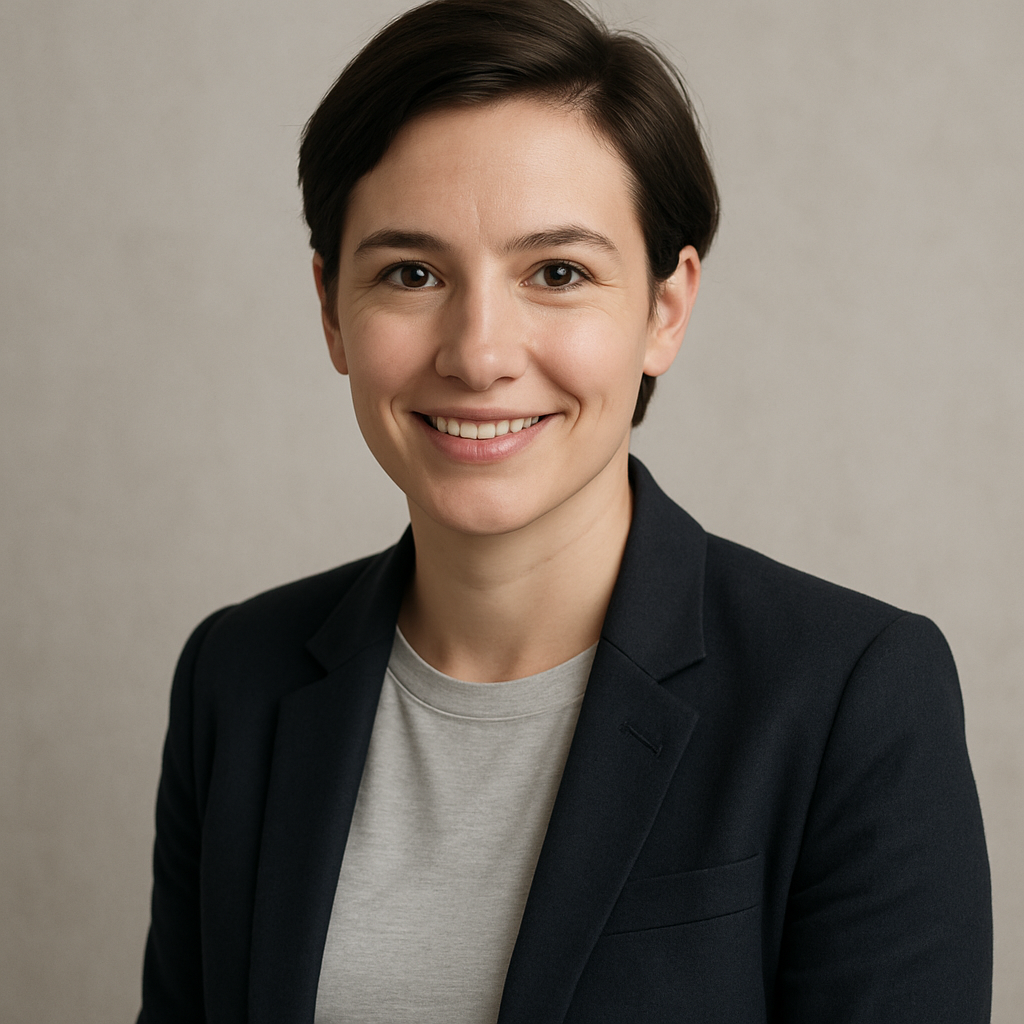
Quick answer: Describe your desired look in plain English — attire, background, lighting, expression — and ATXP Pics generates a professional nurse headshot in seconds. You pay a few cents per image, only when you create one. No subscription required.
What Makes a Nurse Headshot "Professional"
A professional nursing headshot communicates competence, approachability, and clinical credibility at a glance. Recruiters, patients, and colleagues form an impression in under a second — the image needs to do that job immediately.
The key elements are:
- Clean background — white, light gray, or a soft solid. Busy backgrounds pull focus.
- Appropriate attire — scrubs for clinical bios, business casual or a white coat for leadership or academic profiles.
- Even, natural-looking lighting — no harsh shadows, no blown-out highlights.
- Direct, confident expression — warm but not overly casual.
- Shoulders-to-head framing — the standard crop for professional directories and LinkedIn.
A great prompt will specify all five. The AI handles the execution.
How to Write a Prompt That Gets the Right Result
The more specific your description, the closer the first image will be to what you need. Vague prompts produce generic results; precise prompts produce profile-ready images.
Start with the person
Describe the subject's general appearance — skin tone, hair color and style, approximate age range. You don't need to be exhaustive, but these details anchor the image.
Add attire and setting
Specify exactly what the nurse is wearing and where they appear to be. "Navy blue scrubs, stethoscope around the neck" reads differently than "white lab coat over a light blue shirt." Both are valid — choose what fits your context.
Define the background and lighting
"Clean white studio background, soft diffused lighting" is a reliable default. "Light gray background, natural window light" gives a slightly warmer result. Pick one and include it explicitly.
Lock in the framing and tone
"Professional headshot, shoulders-up crop, direct eye contact, confident and approachable expression" tells the generator exactly what kind of image you're creating.
A Ready-to-Use Prompt Template
Copy and customize this prompt before you generate:
Professional headshot of a [describe: e.g., woman in her 30s, light brown hair pulled back], wearing [navy blue scrubs / white coat / business casual top], stethoscope around her neck, clean white studio background, soft even lighting, shoulders-up crop, direct eye contact, warm and confident expression, high-resolution portrait photography style.
Run it once, review the result, then adjust specific details — swap the background color, change the attire, soften the expression — and generate again. Each iteration costs a few cents.
Step-by-Step: Creating Your AI Nurse Headshot
- Go to ATXP Pics /headshot. No account required to start — no payment needed at signup.
- Open the chat interface. It works like a text message. Describe what you want in plain English.
- Paste your customized prompt. Use the template above as a starting point.
- Review the image. Check framing, expression, attire, and background. Does it match your use case?
- Refine if needed. Change one variable at a time — background, lighting, clothing color — and regenerate. You'll converge on the right result quickly.
- Download your headshot. Use it on LinkedIn, your hospital bio page, a staffing profile, or wherever you need a professional photo.
The entire process typically takes under 10 minutes.
What This Costs vs. a Studio Session
The cost difference between an AI headshot and a traditional studio session is significant — especially for a single-use photo.
| Option | Typical Cost | What You're Paying For | |---|---|---| | Studio photographer (healthcare) | $150–$400 | Session fee, editing, 1–3 final images | | Hospital HR photography | $0–$50 | Scheduled slot, often low-quality lighting | | Midjourney Basic plan | $10/month (~$0.07/image) | Monthly charge whether you use it or not | | ATXP Pics | A few cents per image | Only what you generate, balance never expires |
The practical math: if you need three or four variations to find the one that works, you've spent under a dollar. A studio session for that same flexibility would require rebooking.
Generate your AI nurse headshot →
Common Mistakes to Avoid
Small prompt errors cause most of the issues people run into on their first attempt. Here's what to watch for:
- Too vague on attire. "Medical professional" is less useful than "navy scrubs with a stethoscope." Be specific.
- No background instruction. Without guidance, the generator may place the subject in an environment rather than a clean studio setting. Always specify the background.
- Skipping the framing instruction. "Headshot" alone sometimes produces a wider crop. Add "shoulders-up" to lock in the right framing.
- Requesting multiple changes at once. If the first image is close but not right, change one thing per iteration. Stacking five changes makes it harder to identify what fixed the problem.
- Ignoring expression descriptors. Words like "warm," "confident," "approachable," and "professional" do meaningful work. Include at least two.
When an AI Headshot Is the Right Call
An AI headshot makes sense when you need a professional image quickly, at low cost, for a specific purpose — a new LinkedIn profile, a speaker bio, a staffing application. It's equally useful if you're exploring how different looks (attire, background, styling) read professionally before committing to a studio session.
It's not the right call when you need a highly personalized photo that captures your exact likeness — AI generates new images rather than editing real photos of you.
For a credible, professional AI headshot for a nurse that you can use across digital profiles today, the process is straightforward and the cost is negligible.