Your gym profile, Instagram bio, and training website all have one thing in common: the first thing a potential client sees is your headshot. A blurry gym selfie or an outdated photo from three years ago undercuts the credibility you've built on the floor. This guide shows you exactly how to generate a sharp, professional AI headshot for a personal trainer profile—without booking a studio or paying a monthly subscription.
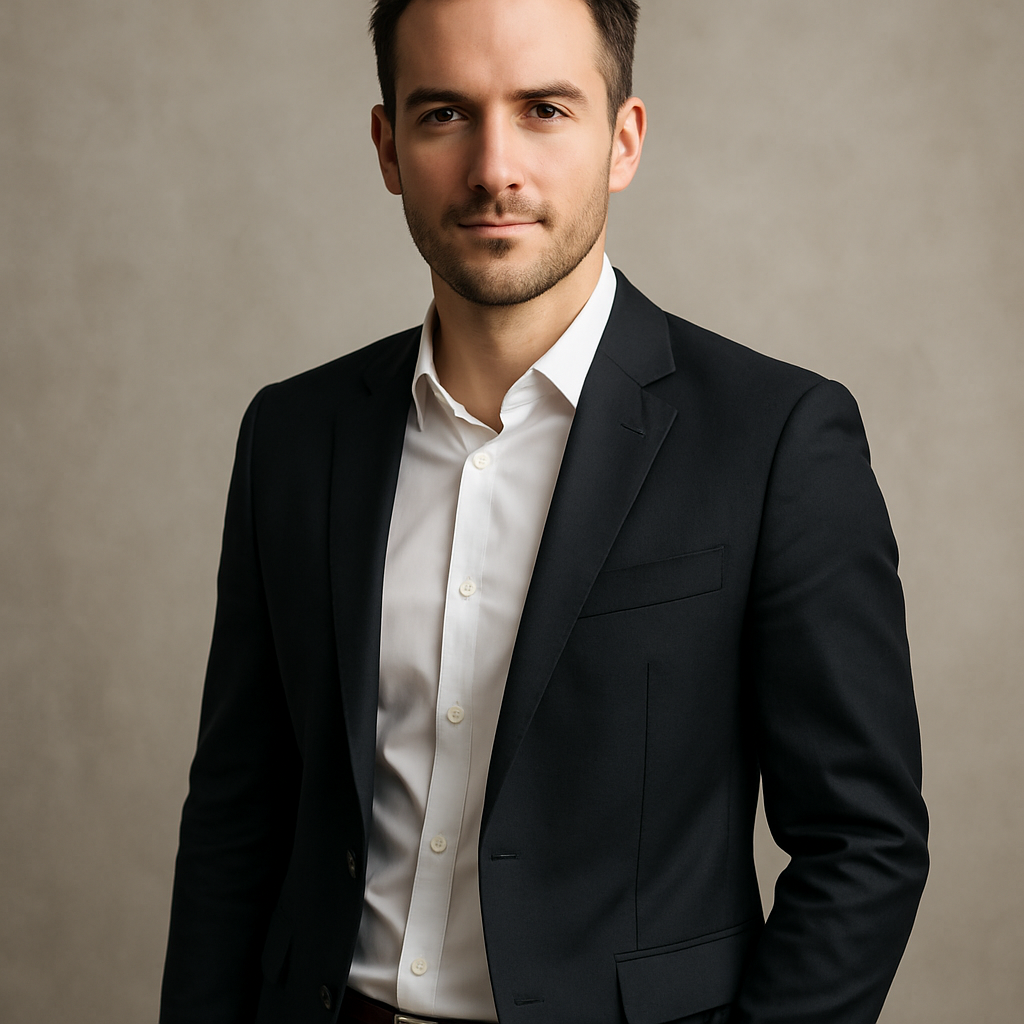
Quick answer: An AI headshot generator lets you describe your ideal photo in plain English—your look, setting, clothing, lighting—and produces a professional result in seconds. For personal trainers, this means a polished profile image for a few cents, with no photographer, no studio, and no subscription required.
What Makes a Personal Trainer Headshot Actually Work
A great personal trainer headshot communicates three things instantly: fitness, professionalism, and approachability. It's not about looking intimidating or overly glamorous—it's about looking like someone a client can trust to show up, push them, and know what they're doing.
The elements that separate a strong trainer headshot from a forgettable one:
- Clean athletic wear — a fitted training top or polo reads "professional" without feeling like a corporate stock photo
- Good lighting — natural light or a clean studio look, not harsh gym fluorescents
- Direct eye contact and a confident expression — not a forced smile, not a blank stare
- A background that makes sense — a gym environment, a clean neutral wall, or an outdoor setting all work; a cluttered locker room does not
- Sharp focus on the face — the image should be crisp, not softened or blurry
Keep these five elements in mind as you write your prompt. Each one should appear explicitly in your description.
How to Write a Prompt That Gets You the Headshot You Want
The quality of your AI headshot depends almost entirely on how specific your prompt is. Vague prompts produce generic results. Detailed prompts produce images that look like they were taken by someone who knew exactly what you wanted.
Step 1: Describe the person
Start with the basics—build, hair, expression. You don't need to be exhaustive, but specific details help. "Athletic build, short dark hair, confident expression" is better than "a personal trainer."
Step 2: Describe the clothing
Name the color, style, and fit. "Fitted navy athletic polo" is more useful than "workout clothes." The more specific, the less you'll need to regenerate.
Step 3: Set the scene
Pick a background that matches where your clients expect to find you: a modern gym floor, a clean white studio backdrop, an outdoor fitness setting. Be explicit.
Step 4: Specify the lighting and shot type
"Soft natural lighting, professional headshot framing, shoulders visible, sharp focus" gives the generator something concrete to work with.
Step 5: Add the finish
Mention the overall tone: "clean and professional," "energetic and approachable," "calm and authoritative." This shapes the mood of the final image.
Copy-ready prompt example:
"Professional headshot of an athletic personal trainer with short dark hair, confident expression, wearing a fitted navy athletic polo. Photographed against a clean modern gym background with soft natural lighting. Shoulders-up framing, sharp focus on the face. Energetic and approachable tone."
Common Mistakes That Ruin a Trainer Headshot Prompt
The most common mistake is treating the prompt like a search query instead of a creative brief. Typing "personal trainer headshot" will get you something generic. Here's what to avoid:
- Leaving out clothing details — the generator will guess, and it usually guesses wrong
- Skipping lighting instructions — flat or harsh lighting kills the professional feel
- Forgetting the framing — specify "headshot" or "shoulders-up" or you may get a full-body shot
- Using vague mood words alone — "professional" without specifics doesn't tell the generator much; pair it with concrete visual details
- Choosing a distracting background — a busy gym background with too many people or equipment draws the eye away from your face
Run through your prompt against this list before you generate. One revision to the prompt is faster than generating a dozen images hoping one lands.
Where to Use Your AI Headshot as a Personal Trainer
A single strong headshot can be resized and repurposed across every platform where clients find you. Once you have an image you're happy with, use it consistently:
- LinkedIn — where corporate clients, HR managers, and referral partners look you up
- Personal training website or bio page — first impression for anyone who Googles your name
- Instagram profile photo — small but visible; a clean headshot stands out against gym selfies
- Mindbody, Trainerize, or gym directory listings — platforms where clients book sessions often pull your profile photo
- Email signature — adds a personal touch to client communications
Consistency across platforms builds recognition. Using the same headshot everywhere makes you look more established, even if you're just getting started.
Generate your personal trainer headshot →
Cost: AI Headshot vs. Hiring a Photographer
For the occasional professional photo, pay-per-image generation costs a fraction of a studio session—with no subscription eating into your margin on slow months.
| Option | Typical Cost | Subscription? | Turnaround | |---|---|---|---| | Professional photographer | $150–$400/session | No | Days to a week | | Midjourney (Basic plan) | $10/month (~$0.07/image) | Yes — charged every month | Minutes | | ATXP Pics | A few cents per image | No | Seconds |
Midjourney's math looks reasonable until you factor in the months you don't create much. At 5 images a month, you're paying $2.00 per image on a plan designed to feel cheap. ATXP Pics charges per image, your balance never expires, and you don't pay a cent until you generate something.
For a personal trainer who needs a few strong headshots—not hundreds of images a month—the pay-per-image model is the straightforward choice.
Getting the Most Out of Multiple Generations
Generate 3–5 variations before you commit to one. Small changes to your prompt—swapping the background from a gym to an outdoor setting, adjusting the lighting descriptor, trying a different expression—produce meaningfully different results. Since each image costs just a few cents, experimenting is cheap.
A practical workflow:
- Write your base prompt using the template above
- Generate 3 images with that prompt
- Identify what you like and what's off
- Adjust one element at a time—background, lighting, clothing color
- Generate 2–3 more and pick your favorite
Most trainers land on a headshot they're genuinely happy with within 10 images. That's still less than a dollar.
A professional headshot is one of the highest-leverage things you can do for your training business—it shows up everywhere a client evaluates whether to book with you. An AI headshot for a personal trainer profile doesn't require a studio appointment, a photographer's schedule, or a monthly subscription. Describe what you want, generate in seconds, and put a photo online that actually matches the trainer you are.