Your Zillow profile, LinkedIn page, business card, and brokerage website all need a strong headshot — and keeping them updated costs real time and money every time your look changes. This guide shows you exactly how to create a polished AI headshot for a real estate broker profile, what prompts to use, and how to get consistent results across every platform without booking a studio.
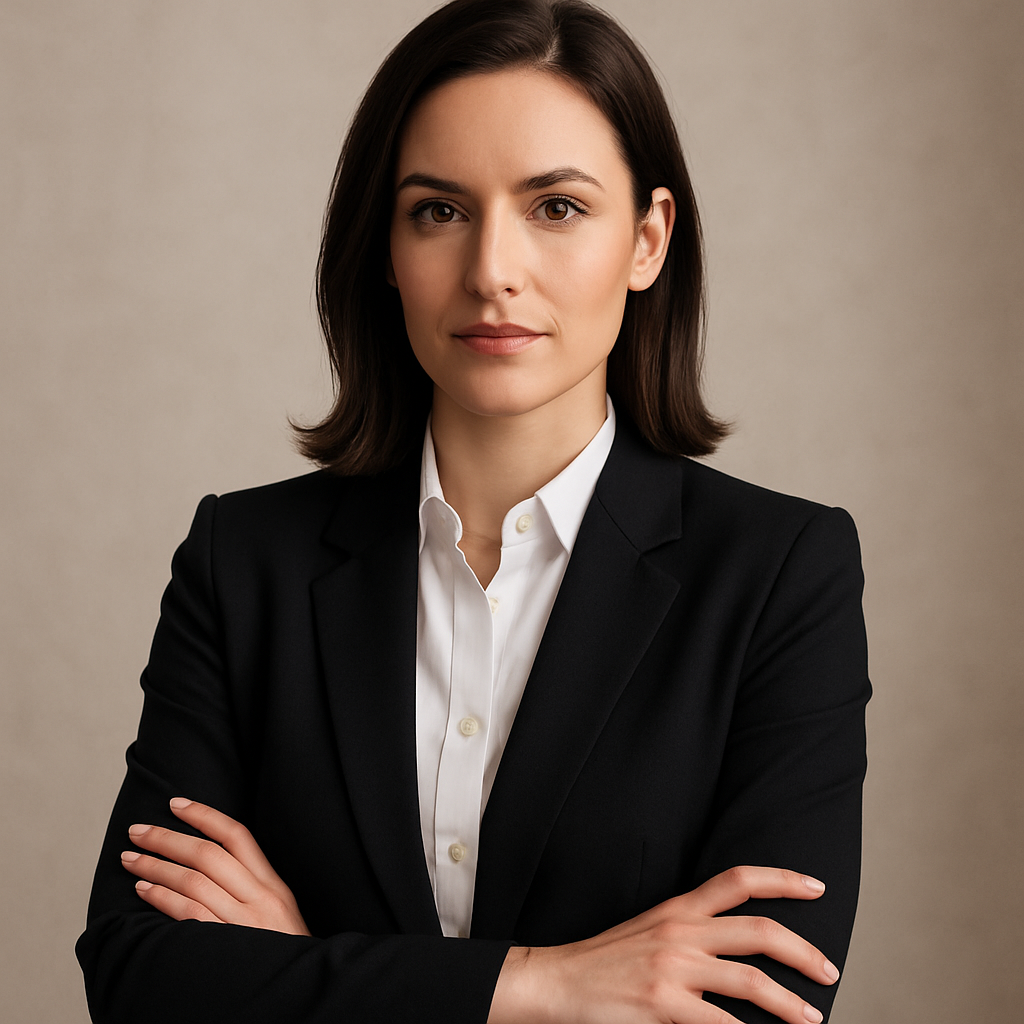
Quick answer: An AI headshot for a real estate broker is a professionally styled portrait generated from a text description. You describe the look you want — suit, background, lighting — and receive a high-quality image in seconds. No photographer, no subscription, no minimum spend. ATXP Pics charges per image so you only pay when you actually create.
Why Real Estate Brokers Need More Than One Headshot
Real estate brokers appear on more platforms than almost any other professional — MLS profiles, Zillow, Realtor.com, LinkedIn, Instagram, Google Business, yard signs, mailers, and brokerage team pages. Each has different image dimensions, different audiences, and a different tone.
A single studio session rarely covers all of those needs cleanly. You end up cropping the same photo into formats it wasn't shot for, or looking inconsistent across platforms because your LinkedIn headshot is three years older than your Instagram one.
With AI-generated headshots, you can:
- Create a formal version for MLS and brokerage directories
- Create a warmer, approachable version for social profiles
- Swap backgrounds to match your market (urban skyline, suburban neighborhood, clean studio white)
- Update your look any time your brand changes — without rebooking a photographer
What Makes a Real Estate Headshot Work
A real estate headshot needs to communicate trust and approachability at a glance — because clients are deciding whether to contact you based on a thumbnail.
The elements that do the most work:
- Eye contact — looking directly into the camera signals confidence
- Clean background — nothing that competes with your face
- Professional attire — matched to your market (luxury brokers and first-time buyer specialists dress differently)
- Consistent lighting — soft and even, not dramatic shadows
- Genuine expression — a relaxed, natural smile outperforms a stiff "professional" pose
Keep these in mind when writing your prompt. The more specific you are, the closer the result.
How to Create an AI Headshot for Your Real Estate Profile
Follow these steps to go from zero to a ready-to-use headshot in under five minutes.
Step 1: Decide on the Look Before You Write Anything
Before you open the generator, make two decisions: what you're wearing and what's behind you. For real estate, a navy or charcoal blazer reads as trustworthy without being stiff. For the background, a softly blurred office interior or a clean neutral wall both perform well across platforms.
Step 2: Write a Specific Prompt
Vague prompts produce vague results. Include your gender presentation, attire, background, lighting style, and the mood you want.
Example prompt: "Professional headshot of a woman in her 40s wearing a navy blazer and white blouse, soft natural lighting, neutral light grey background, direct eye contact, confident and approachable expression, high-resolution portrait photography"
Variation for a warmer social media version: "Professional headshot of a man in his 30s wearing a light grey blazer, outdoors with a softly blurred suburban neighborhood in the background, warm afternoon light, relaxed smile, direct eye contact, real estate agent style"
Step 3: Generate and Compare Several Versions
Generate 3–5 variations by adjusting one element at a time — try different backgrounds, swap the expression note from "confident" to "warm and approachable," or change the lighting from "natural" to "soft studio." This costs only a few cents per image, so iteration is inexpensive.
Step 4: Match Each Version to the Right Platform
Once you have a set of images you like, assign them intentionally:
- LinkedIn and brokerage directory: the most formal, cleanest background
- Zillow / Realtor.com: approachable expression, well-lit
- Instagram and Facebook: slightly warmer, can use an outdoor or contextual background
- Print materials (business cards, mailers): high-contrast version that reads clearly at small sizes
Generate your real estate headshot →
Common Mistakes to Avoid
The most common mistake is writing a prompt that's too short. "Professional headshot, female realtor" will produce something generic. Specificity is what separates a usable result from something you'd never post publicly.
Other things to avoid:
- Asking for dramatic lighting — chiaroscuro or harsh shadows read as artistic, not professional
- Cluttered backgrounds — even if you want an office setting, ask for "softly blurred" so the background doesn't compete with your face
- Inconsistent styles across platforms — pick 1–2 background options and stick to them so your brand looks cohesive
- Forgetting to specify attire — if you leave it out, the result defaults to something generic that may not match your market
How the Cost Compares
Professional headshot photography for real estate typically runs between $150 and $400 for a single session, with additional fees if you want multiple looks or significant retouching. You're also scheduling weeks out in many markets.
| Option | Cost | Turnaround | Multiple Looks | |---|---|---|---| | Studio photographer | $150–$400/session | 1–3 weeks | Extra fee | | DIY with smartphone | $0 but low quality | Same day | Yes, but inconsistent | | ATXP Pics (pay-per-image) | A few cents each | Seconds | Yes, iterate freely |
There's no subscription on ATXP Pics — your balance never expires, and you're never charged for a month you didn't use. If you generate 10 headshot variations to find the best two, you've spent less than a dollar.
What to Do With Your New Headshot
Once you have a version you like, update every platform in one session — don't let it sit on your desktop for a month. Work through this checklist:
- MLS member profile
- Brokerage website team page
- Zillow and Realtor.com agent profiles
- Google Business profile
- Instagram and Facebook business pages
- Email signature
- Business card file (send to your printer)
Consistency across all of these reinforces your brand and makes you look more established — even if you just updated everything this afternoon.
A professional AI headshot for your real estate broker profiles doesn't require a studio appointment, a subscription, or any design experience. Describe what you want, generate a few variations, and update every platform in minutes.