You need a professional headshot for your coaching bio, a league website, or LinkedIn — and hiring a photographer for a single image isn't worth the hassle or the cost. An AI headshot for a sports coach gets you a polished, usable photo in minutes, with no studio appointment and no monthly software fee. This guide walks you through exactly how to do it.
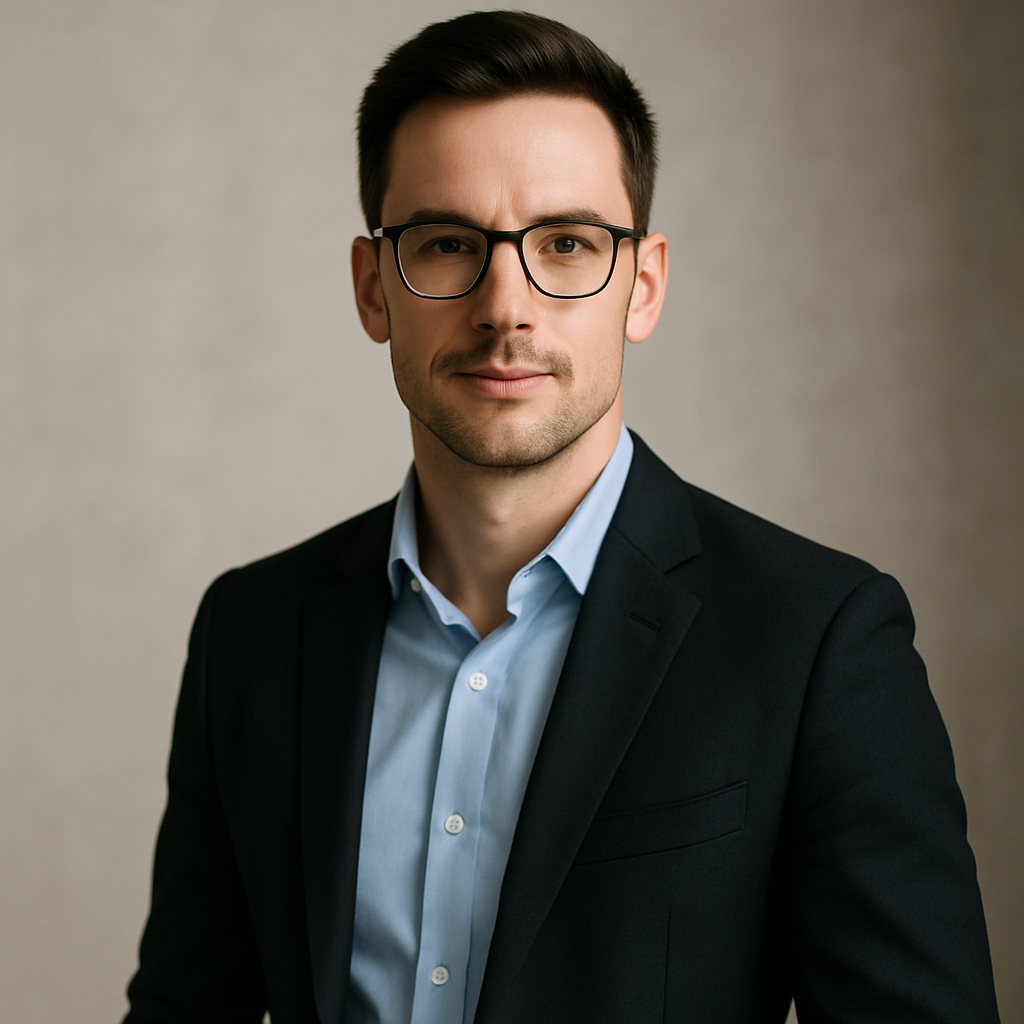
Quick answer: Describe yourself — appearance, attire, setting, and expression — in plain English on ATXP Pics. The generator produces a professional headshot in seconds. You pay a few cents per image. No subscription, no expiration on your balance, no payment required to sign up.
What Makes a Great Sports Coach Headshot
A strong coaching headshot communicates authority, approachability, and context — all in a single frame. Photographers charge for that expertise. When you're writing an AI prompt, you're doing the same work yourself, just in words.
Before you write a single prompt, think through three things:
- Setting: Will you be coaching at a youth club, a high school, a college program, or a professional facility? A blurred gym interior signals something different than a clean white studio backdrop.
- Attire: A polo with your club logo, a tracksuit, a blazer — each reads differently to parents, athletes, and administrators.
- Expression: Confident and direct works for competitive programs. Warm and approachable works for youth and recreational leagues.
Get these three right and the rest of the prompt almost writes itself.
How to Write Your AI Headshot Prompt (Step by Step)
Start specific and layer detail — vague prompts produce generic results. Here's a repeatable process.
Step 1: Describe the subject
Write what you'd tell a photographer about yourself: gender, approximate age, hair color and length, build, and any distinctive features. You don't need to be exhaustive — hit the details that matter most.
Step 2: Define the attire
Name the clothing item and color. "Navy performance polo" is better than "sports shirt." If you want your team or club colors, say so.
Step 3: Set the scene
Pick a background that fits your level and sport. A softly blurred indoor basketball court, an outdoor turf field out of focus, or a plain charcoal studio backdrop all send different signals. Describe exactly what you want.
Step 4: Nail the expression and lighting
"Direct confident gaze," "slight smile," and "professional studio lighting" are phrases the generator understands. Add "shallow depth of field" to get that clean, blurred background look that reads as professional.
Step 5: Specify the crop
"Headshot framing, shoulders visible, centered composition" prevents the generator from producing a full-body image when you need a tight crop.
Prompt Examples You Can Copy Right Now
Use these as starting points and swap in your own details.
Youth soccer coach: "Professional headshot of a woman in her early 40s, light brown shoulder-length hair, wearing a royal blue polo shirt, warm confident smile, blurred green turf field in the background, shallow depth of field, soft natural lighting, centered composition, shoulders visible"
High school strength and conditioning coach: "Professional headshot of a man in his late 30s, short dark hair, athletic build, wearing a charcoal quarter-zip pullover, direct confident gaze, blurred weight room background, dramatic studio-style lighting, sharp focus on face, tight crop"
College assistant basketball coach: "Professional headshot of a woman in her late 20s, natural hair, wearing a navy blazer, neutral serious expression, plain light gray background, crisp even lighting, business-professional tone, shoulders-up framing"
Run each prompt as-is, then adjust one element at a time — change the background, swap the attire, soften the expression — until you have the image you want. At a few cents per image, iterating is cheap.
Common Mistakes That Ruin Coaching Headshots
The most common mistake is writing a prompt so short it gives the generator nothing to work with. "Sports coach headshot" produces something generic. "35-year-old male wrestling coach, clean-shaven, wearing a red and black team polo, focused expression, blurred gym mat background" produces something usable.
Watch out for these other issues:
- No background specification: Without one, you'll get unpredictable results — sometimes a cluttered environment, sometimes nothing relevant to your sport.
- Ignoring attire: Wearing the wrong thing for your level undermines the whole image. A suit reads wrong for a youth swim coach. A t-shirt reads wrong for a collegiate program's staff page.
- Forgetting the crop: Specify "headshot framing" or you may get a half-body or full-body shot that doesn't work for profile photos.
- Only generating one image: Run the same prompt two or three times. Generators produce variation — you'll often find one result clearly better than the others.
Where to Use Your AI Coach Headshot
Generate your coaching headshot on ATXP Pics →
Once you have an image you're happy with, it works in more places than you might expect:
- Team and club websites — roster pages, staff bios, "Meet the Coach" sections
- LinkedIn and social profiles — a professional photo dramatically increases profile views
- League and association directories — most require a headshot and few coaches bother to submit a good one
- Email signatures — especially useful when communicating with parents and administrators
- Press releases and local media — when your program earns coverage, editors want a photo
A single good AI headshot covers all of these. You don't need a different image for each.
What This Costs vs. a Photographer
For context on why pay-per-image makes sense for a one-time headshot:
| Option | Typical Cost | Notes | |---|---|---| | Professional photographer | $150–$500 | Session fee, may include editing; requires scheduling | | Subscription AI tool | $10–$30/month | Charged every month, even if you only need one image | | ATXP Pics | A few cents per image | No subscription, balance never expires |
If you need a headshot once and you're not refreshing it every month, paying a monthly subscription to get it makes no sense. Pay-per-image is the obvious choice.
Get Your AI Headshot for Sports Coaching in Minutes
A professional AI headshot for a sports coach doesn't require a photographer, a studio, or a monthly subscription. Write a specific prompt — subject, attire, background, expression, crop — and you'll have a polished, usable image in seconds. Iterate until it's right. The cost to experiment is negligible.
Create your coaching headshot on ATXP Pics →
No subscription. No expiration. Just describe what you want and get the image.