Your headshot is the first thing a potential client sees on your website, Upwork profile, or LinkedIn page — and a blurry selfie or missing photo costs you work before you say a word. This guide shows you exactly how to create a polished AI headshot for your freelancer website in under ten minutes, for a few cents, with no photographer and no subscription.
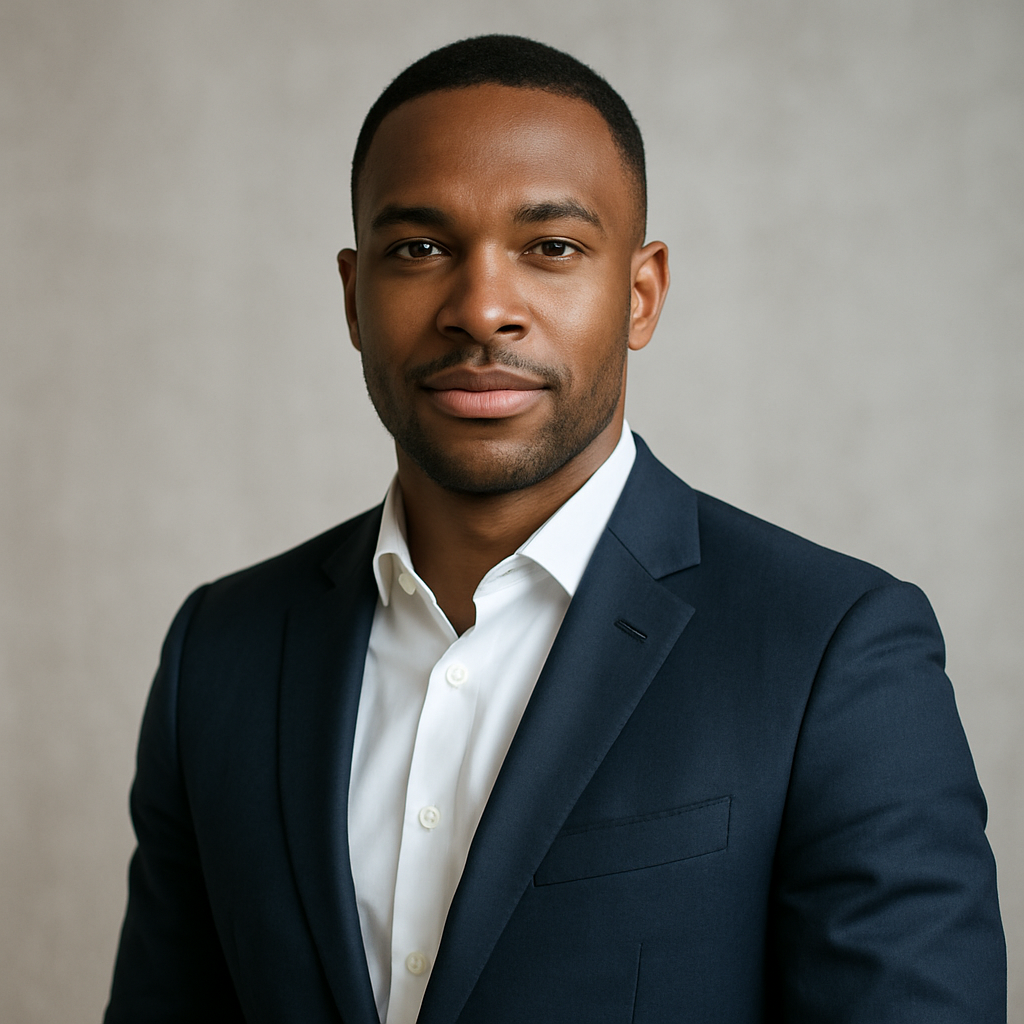
Quick answer: You can generate a professional freelancer headshot using an AI image generator by describing your ideal photo in plain English — background, lighting, clothing, expression. The result is a high-quality, client-ready portrait delivered in seconds, for cents per image. No camera. No studio. No monthly fee.
Why Your Freelancer Headshot Matters More Than You Think
Clients decide whether to trust you within seconds of landing on your profile. Research on hiring behavior consistently shows that a professional, clear headshot increases perceived credibility and response rates — even before a client reads a single word of your bio. A polished photo signals that you take your work seriously. A missing or casual photo signals the opposite.
The problem: professional photography is expensive and inconvenient. A decent headshot session runs $150–$500, requires scheduling, travel, and waiting days for edited files. For a freelancer who just needs one good photo, that math doesn't work.
An AI headshot for your freelancer website solves this completely. You describe what you want, you get a professional result, and you're done — for roughly the cost of a cup of coffee.
What Makes a Freelancer Headshot Actually Work
A good freelancer headshot does three things: looks professional, feels approachable, and fits your niche.
Before you generate anything, spend 60 seconds thinking about these four elements:
- Background — Clean and uncluttered. A soft blur, a neutral wall, an office setting, or an outdoor professional context all work. Busy backgrounds pull attention away from your face.
- Lighting — Natural window light or soft studio lighting reads as warm and professional. Harsh overhead lighting or dark shadows read as amateur.
- Clothing — Match your niche. A developer or designer can go smart-casual. A consultant or finance freelancer should lean toward business attire. When in doubt, one step above casual.
- Expression — Genuine, relaxed, and direct. A slight smile with eye contact reads as confident and approachable.
Matching Your Headshot to Your Freelance Niche
Different clients have different expectations. A creative director hiring a brand designer expects a different vibe than a CFO hiring a financial analyst. Your headshot should look like the person your ideal client expects to work with.
| Freelance Niche | Background | Clothing | Expression | |---|---|---|---| | Developer / Engineer | Clean office, neutral gray | Smart-casual, dark shirt | Focused, slight smile | | Designer / Creative | Light, airy, soft blur | Creative-casual, expressive | Warm, confident | | Consultant / Strategist | Corporate interior, bokeh | Business formal or smart | Direct, assured | | Writer / Copywriter | Bookshelf, warm tones | Casual-smart | Approachable, open | | Coach / Therapist | Natural outdoor, bright | Soft, relaxed | Warm, welcoming |
How to Generate Your AI Headshot: Step by Step
The process takes five steps and under ten minutes, start to finish.
- Go to ATXP Pics headshot generator. No account required to start. No subscription prompt.
- Write your prompt. Use the structure below — be specific about every visual element.
- Generate. Your headshot arrives in seconds.
- Review and refine. If the first result is close but not perfect, adjust one element of your prompt (lighting, background, expression) and regenerate. Each attempt costs only cents.
- Download and use. Drop the final image into your website, LinkedIn, Upwork, or anywhere else you need a professional photo.
The Prompt Formula That Gets Professional Results
Structure your prompt like this:
[Shot type], [subject description], [clothing], [expression], [background], [lighting], [style/mood]
Here are two ready-to-copy examples:
Professional headshot, confident woman in her 30s, wearing a navy blazer over a white shirt, warm genuine smile, soft-focus modern office background, natural window lighting from the left, clean corporate style
Professional headshot, man in his late 20s, smart-casual dark crew-neck sweater, relaxed and approachable expression, blurred outdoor urban background, soft overcast daylight, creative industry feel
The more detail you include, the more precisely your result will match what you had in mind. You're directing a photo shoot with words — treat it that way.
Common Prompt Mistakes to Avoid
- Too vague: "A professional photo of a person" — gives generic, often off-brand results
- Contradictory style cues: "Casual but formal corporate" — pick one direction
- No lighting detail: Lighting is the single biggest factor in whether a headshot reads as professional or amateur — always include it
- Forgetting the background: Even a single word ("neutral," "office," "outdoor") dramatically improves consistency
What It Costs vs. a Photographer
For most freelancers who need one or two strong headshots, pay-per-image is the only pricing model that makes sense.
| Option | Typical Cost | Time Required | Flexibility | |---|---|---|---| | Professional photographer | $150–$500 per session | Half day + editing wait | Reshoot = full cost again | | Subscription AI tool | $10–$30/month | Minutes | Charged every month | | ATXP Pics (pay-per-image) | Cents per image | Minutes | Regenerate any time, pay only when you create |
Subscription AI tools charge you whether or not you're actively generating images. If you create headshots once, update your portfolio quarterly, or just want to test a few looks, you're paying for months you're not using.
Generate your freelancer headshot now →
Where to Use Your AI Headshot
Once you have a polished headshot, use it everywhere a client might encounter you — consistency builds recognition and trust.
- Freelancer website — hero section, about page, contact page
- LinkedIn profile photo — one of the highest-impact profile elements for attracting inbound inquiries
- Upwork / Fiverr / Toptal — platforms where photo quality directly correlates with bid response rates
- Email signature — small but effective; it humanizes cold outreach
- Proposals and pitch decks — adds credibility when you're competing for a project
- Social media — Twitter/X, Dribbble, Behance, GitHub profile
A single strong headshot, used consistently across platforms, makes you look established and trustworthy — exactly what clients want to see before they hand you a project.
A professional photo doesn't require a photographer, a studio, or a monthly subscription. Describe what you want, generate it in seconds, and put a client-winning headshot on your freelancer website today.