A professional LinkedIn headshot can be the difference between a profile someone trusts and one they scroll past. If you've been putting it off because photographers are expensive or inconvenient, an AI headshot generator gets you a polished result in minutes — no studio, no scheduling, no surprise invoices.
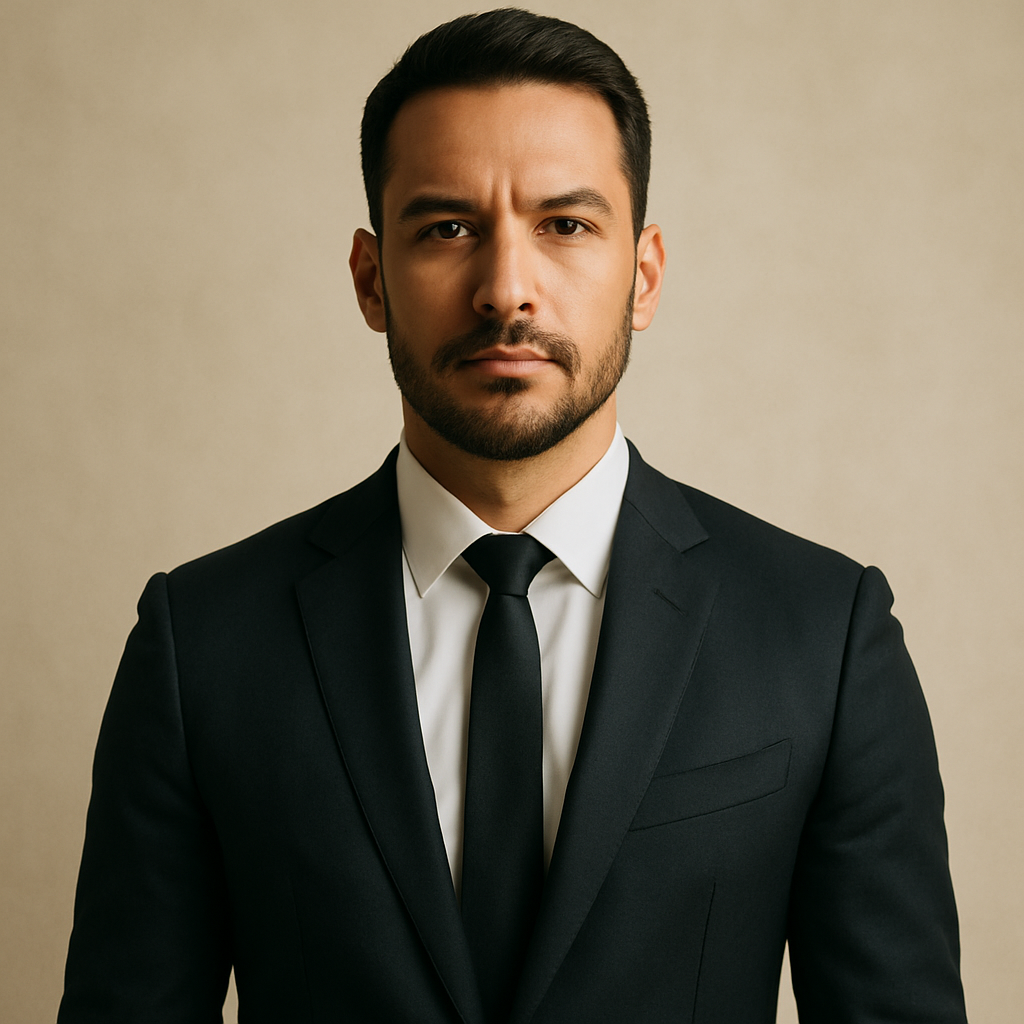
Quick answer: An AI headshot generator for LinkedIn lets you describe the portrait you want in plain English — attire, background, lighting, expression — and produces a professional-quality image in seconds. On a pay-per-image platform like ATXP Pics, that costs a few cents per image with no monthly subscription.
What Makes a LinkedIn Headshot Actually Work
A LinkedIn headshot works when it reads as approachable, competent, and professional within the first two seconds. That's the entire job. Recruiters and connections form an impression before they read a single word of your profile.
The elements that determine whether a headshot lands:
- Clean background — plain white, soft gray, or a gently blurred office environment
- Professional attire — suited to your industry (formal suit for finance, business casual for tech, creative casual for design roles)
- Front-facing, centered framing — face and upper chest visible, nothing cropped awkwardly
- Soft, even lighting — no harsh shadows, no blown-out highlights
- Neutral or warm expression — relaxed, confident, not stiff
These aren't arbitrary style preferences. They're what signals credibility to someone who hasn't met you yet. A good prompt to an AI headshot generator addresses every one of them.
How to Write a Prompt That Gets a Professional Result
The quality of your AI-generated headshot depends almost entirely on how specifically you describe it. A vague prompt returns a generic image. A detailed prompt returns something you can actually use.
Here's a step-by-step approach:
- Start with the subject. Describe gender presentation, approximate age range, and any specific physical features that matter to you (hair color, glasses, beard, etc.).
- Specify the attire. Name the industry and formality level: "navy blazer over a white button-down, no tie" is better than "professional clothes."
- Describe the background. "Soft white studio background" and "blurred modern office with warm tones" produce very different results — pick intentionally.
- Set the lighting. "Soft natural window light from the left" or "even studio lighting, no shadows" will both work well for LinkedIn.
- Define the expression and framing. "Slight smile, relaxed expression, looking directly at camera, shoulders and face visible, portrait orientation."
Here's a prompt you can copy and adapt:
Professional LinkedIn headshot of a woman in her mid-30s, dark shoulder-length hair, wearing a charcoal blazer over a cream blouse, soft white studio background, even studio lighting with no harsh shadows, front-facing, slight confident smile, portrait crop showing face and upper chest.
Run it, review the result, and adjust any detail that doesn't match what you need. At a few cents per image, iterating three or four times costs less than a cup of coffee.
Common Mistakes That Make AI Headshots Look Off
The most common reason an AI headshot doesn't look usable is an underspecified prompt — not a limitation of the technology. A few mistakes to avoid:
Leaving the background unspecified
Without a background instruction, you may get anything from a busy street to a fantasy landscape. Always name the background explicitly.
Asking for "professional" without defining the industry
"Professional attire" means a three-piece suit to one person and a clean t-shirt to another. Name the specific clothing items you want.
Skipping lighting instructions
Dramatic side lighting reads as editorial, not LinkedIn-ready. Specify soft, even lighting so the result looks like a real headshot session.
Generating only one image
Generate three to five variations. Expression, lighting angle, and framing shift slightly between outputs — having options lets you choose the one that looks most natural.
Using portrait dimensions by default without checking
LinkedIn profile photos display square and cropped to a circle. Make sure your prompt results in a centered, portrait-oriented composition so the face isn't cut off.
What This Costs Compared to a Photographer
Professional headshot photography in most U.S. cities runs $150–$400 for a single session, with turnaround times of several days to a week. That's before factoring in travel, scheduling, and the cost of retouching if it isn't included.
| Option | Typical cost | Turnaround | Revisions | |---|---|---|---| | Professional photographer | $150–$400 | 3–7 days | Limited by contract | | Corporate headshot day | $50–$100 (if available) | Days to weeks | Usually none | | ATXP Pics (pay-per-image) | A few cents per image | Seconds | Unlimited — just regenerate |
There's no subscription, no monthly fee, and your balance never expires. If you need one headshot today and nothing next month, you pay for the one headshot.
Generate your LinkedIn headshot →
When to Use an AI Headshot — and When Not To
An AI headshot generator is the right call for most LinkedIn use cases, especially when speed, cost, or access to a photographer is a constraint. It's the obvious choice for:
- Job seekers who need a professional photo this week, not next month
- Freelancers and consultants updating their profile for a new service offering
- Employees at companies that haven't scheduled a team photo day
- Anyone whose current LinkedIn photo is a cropped group shot or years out of date
The one case where a photographer still makes sense: executive roles where personal brand investment is visible and expected, and where the headshot will appear in press coverage, speaking engagements, or board-level materials. In those contexts, the full production is part of the signal.
For everyone else — and that's most people on LinkedIn — a well-prompted AI headshot is indistinguishable from studio photography at a fraction of the cost and none of the friction.
A professional LinkedIn presence starts with a photo that works. Describe the headshot you want, generate a few variations, pick the best one, and update your profile today — no photographer required.