Professional photographers charge $150–$500 for a headshot session—and that's before you factor in travel, rescheduling, and waiting a week for edited files. An AI professional photo generator skips all of it: describe the look you want, and you have a polished, business-ready portrait in seconds. This guide walks you through exactly how to do it, what prompts work best, and how to avoid the mistakes that produce awkward results.
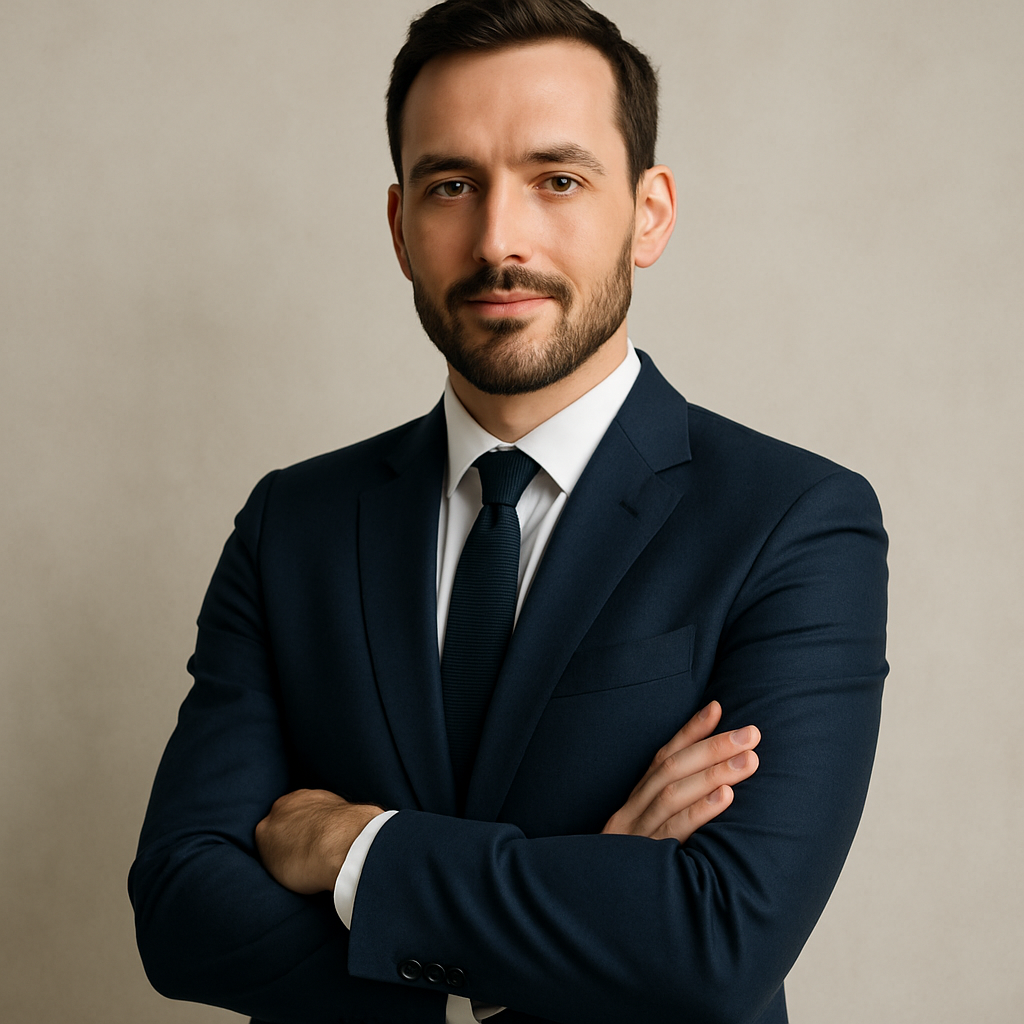
Quick answer: An AI professional photo generator creates studio-quality headshots from a text description—no photographer, no appointment, no subscription required. ATXP Pics charges per image (a few cents each), so you can generate a dozen variations and pick the best one for less than the cost of a single photographer's sitting fee.
What Makes a Headshot Look "Professional"
A professional headshot has four defining characteristics, and your prompt needs to address all of them to get a result that works on LinkedIn, a company bio page, or a press kit.
- Framing: Chest-up or shoulders-up. Avoid full-body shots—they reduce face clarity at small sizes.
- Lighting: Soft, even, directional. Think studio strobes or a large window—not harsh overhead light or visible shadows across the face.
- Background: Neutral. Plain gray, white, soft-focus office, or a subtle gradient. Busy backgrounds pull attention away from the subject.
- Expression and attire: Relaxed confidence. Business casual or business formal depending on industry. No distracting patterns.
Miss any one of these, and the image reads as a snapshot instead of a headshot. Put all four in your prompt, and the difference is immediate.
How to Write a Prompt That Gets Results
The best headshots come from prompts that are specific about context, not just appearance. Vague prompts like "professional photo of a woman" leave too many decisions to chance. Specific prompts lock in the details that matter.
Here's a reliable structure:
- Subject description — gender, approximate age, notable features you want included
- Attire — specific clothing items and colors
- Background — color, texture, or environment
- Lighting — style and source
- Framing — how close, what angle
- Overall tone — the mood or industry context
Prompt Template
"Chest-up professional headshot of a woman in her 40s wearing a navy blazer over a white blouse. Plain light-gray background. Soft studio lighting from the left. Slight smile, confident expression. Sharp focus on face, shallow depth of field. Corporate executive style."
Prompt for a Creative Industry
"Shoulders-up professional portrait of a man in his 30s wearing a dark crewneck sweater. Soft-focus modern office background with warm tones. Natural window lighting. Relaxed, approachable expression. Clean, editorial style."
Swap the attire and background to shift the result from finance to tech to healthcare without changing the core structure.
Step-by-Step: Generating Your Headshot on ATXP Pics
Getting from prompt to usable image takes under five minutes.
- Go to ATXP Pics headshot generator. No account required to browse—add a small balance when you're ready to generate.
- Open the chat interface. Type your prompt directly. No settings to configure, no style menus to navigate.
- Submit and review. Your image arrives in seconds. Check framing, lighting, and expression.
- Iterate if needed. If the background is too dark or the framing is too wide, add one specific adjustment: "same prompt, tighter crop on the face" or "brighter, more even lighting."
- Download. Images are yours immediately. Use them anywhere—LinkedIn, email signature, company directory, speaker bio.
Most people land on a result they're happy with in 2–4 generations. At a few cents per image, that's under $0.20 to find a headshot you'd pay a photographer hundreds of dollars to take.
Common Mistakes That Produce Weak Results
The most common mistake is under-describing the background. Leaving it unspecified often produces cluttered or distracting environments. Always name a background explicitly.
Other mistakes worth avoiding:
- Skipping the lighting instruction. "Professional photo" alone doesn't guarantee good lighting. Add "soft studio lighting" or "even natural window light" to every headshot prompt.
- Over-describing personality traits. "Warm, friendly, approachable, trustworthy" is redundant. Pick one: "approachable expression" is enough.
- Requesting too many style shifts at once. If your first result is close but not quite right, change one variable at a time. Rewriting the entire prompt makes it harder to identify what improved.
- Forgetting the crop. "Chest-up" or "shoulders-up" controls how the image frames at LinkedIn thumbnail size. Skip this and you may get a full-body shot that loses face detail.
What This Costs vs. Other Options
| Option | Typical Cost | Turnaround | Subscription? | |---|---|---|---| | Professional photographer | $150–$500/session | 3–7 days | No | | Subscription AI headshot app | $10–$30/month | Minutes | Yes | | ATXP Pics (pay-per-image) | A few cents/image | Seconds | No |
Subscription-based AI headshot tools charge you every month whether you need new photos or not. If you update your headshot once or twice a year, you're paying $120–$360 annually for a service you use for about 20 minutes. ATXP Pics charges only for what you generate, and your balance never expires between sessions.
Generate your professional headshot now →
When an AI Headshot Is the Right Call
An AI professional photo generator no subscription model makes the most sense when you need flexibility without financial commitment. Specifically:
- You need a headshot quickly—for a new job, a speaking submission, or a profile update
- You want to test multiple looks (different backgrounds, attire variations) before committing to one
- You're a freelancer or small business owner who can't justify a $300 photography session for a single image
- You manage profiles for a team and need consistent headshots without scheduling eight separate sessions
It's not the right call if you need a licensed portrait for editorial use, or if your brand requires photographer attribution. For everything else, the output quality is indistinguishable from a studio sitting at a fraction of the cost.
A professional headshot doesn't require a photographer, a studio, or a monthly subscription. Write a specific prompt, generate a few variations, and you have an executive-quality portrait ready to use anywhere in under five minutes.